

Overlood shows your weights, distances and body measurements in the units you pick, dates in the format you pick, and the whole app in English or Dutch.
Set up when you sign up
The first screen after sign-up asks for Units and Language. Overlood pre-selects them from your phone: Metric or Imperial from your region, and English or Dutch from your phone’s language.
- Metric is weight in kg, height in cm and distance in km.
- Imperial is weight in lb, height in inches and distance in miles.
Change your units
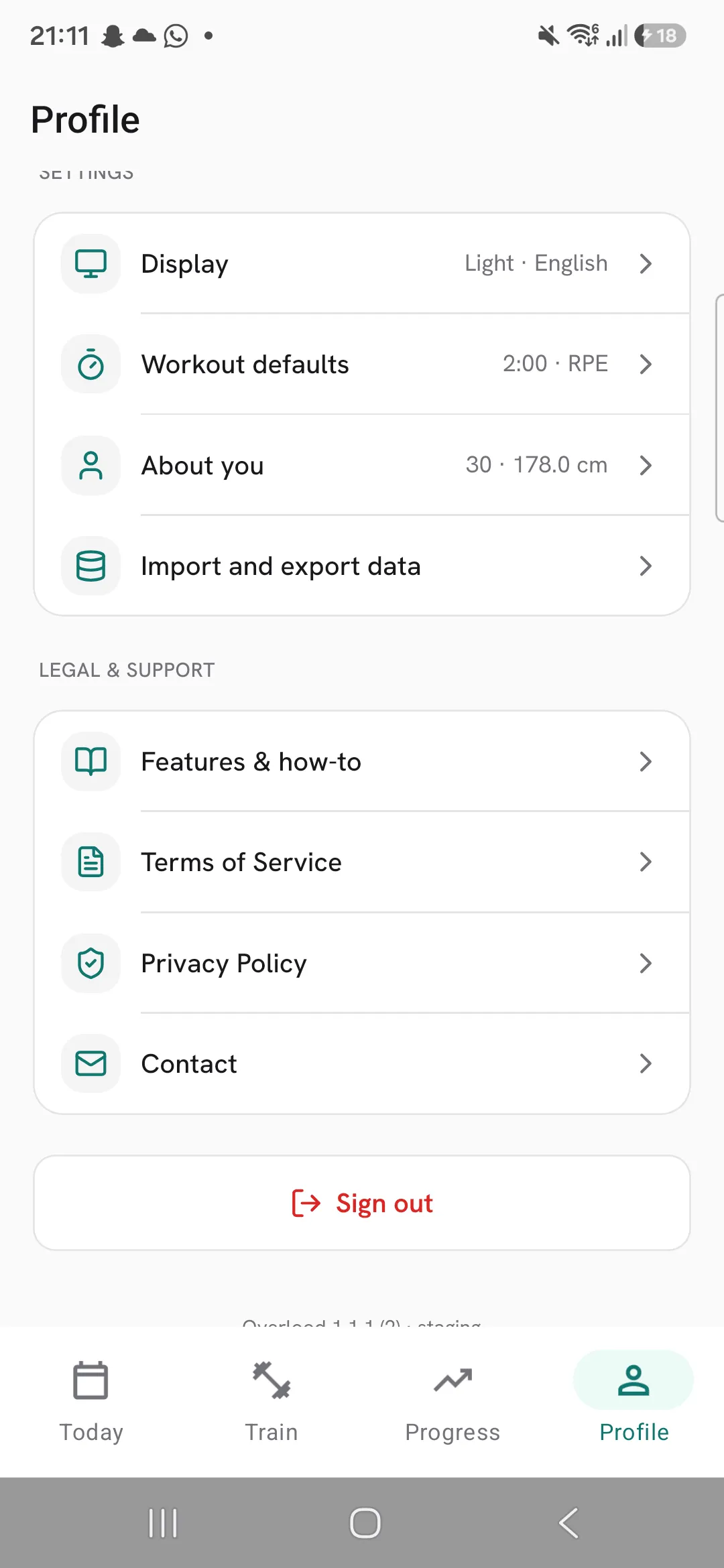
- Open Profile, then Display.
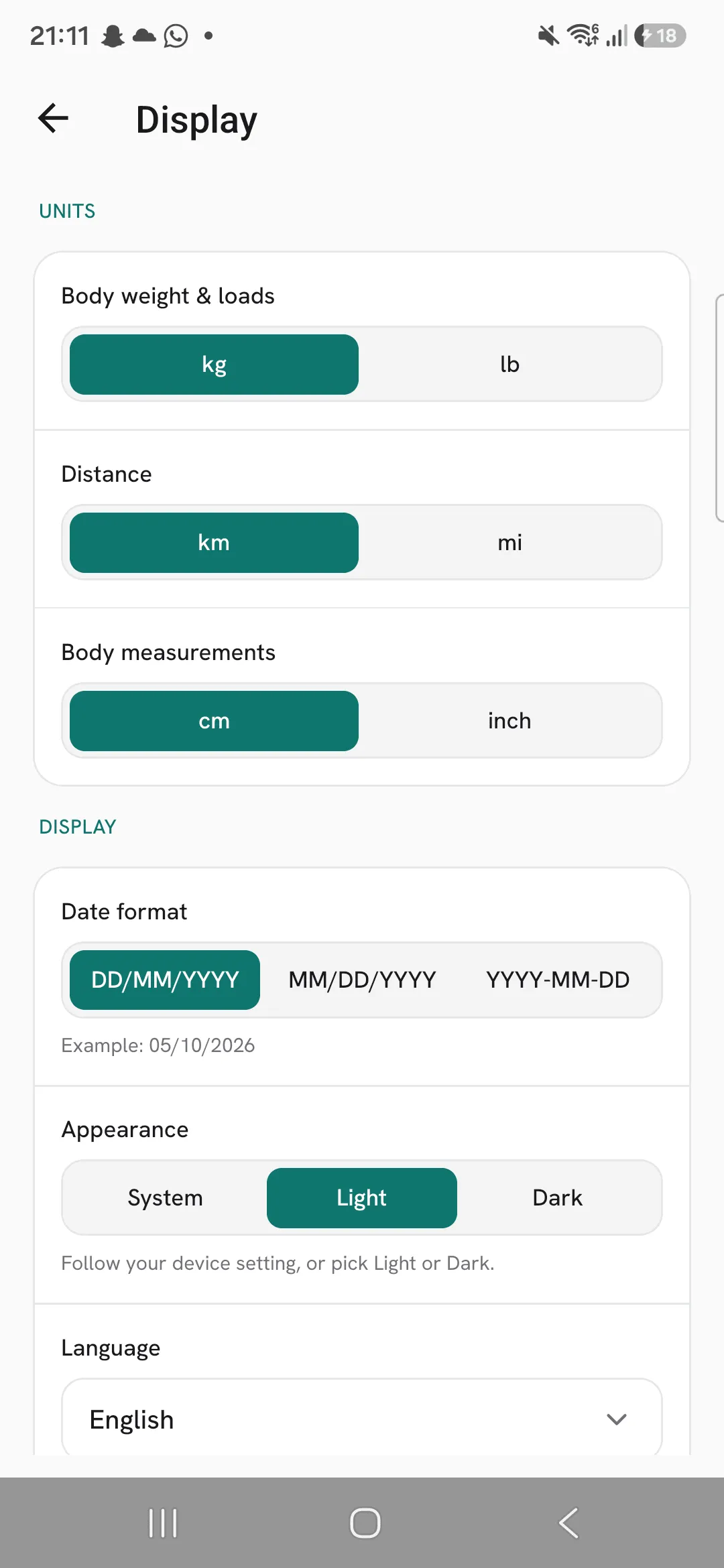
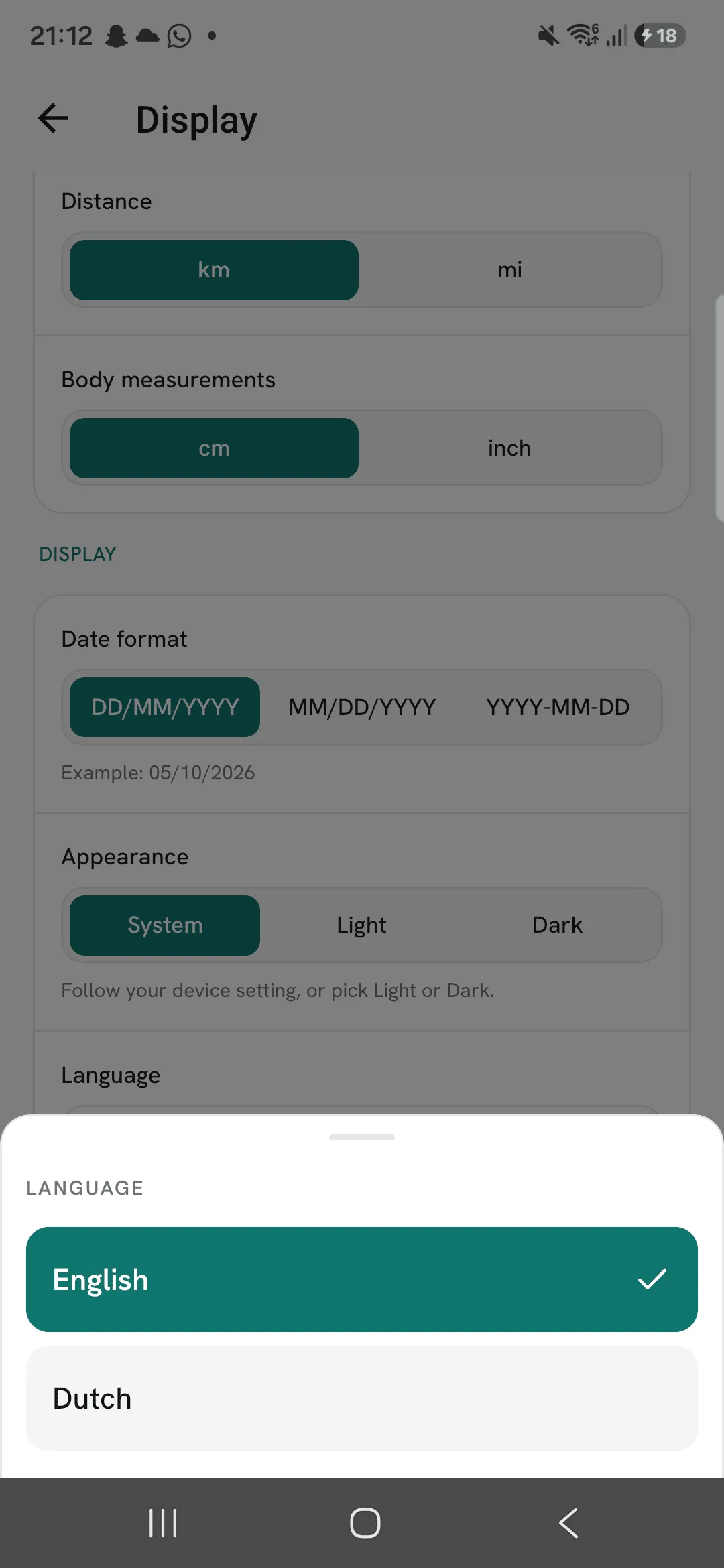
- Under Units, pick each one on its own:
- Body weight & loads: kg or lb.
- Distance: km or mi.
- Body measurements: cm or inch.
Each change saves as soon as you tap it.
Your logged workouts stay as they were
A workout keeps the unit you logged it in, so switching from kg to lb doesn’t rewrite your history. Your charts show in the unit you’ve set now.
Dates and the start of your week
Under Display on the same screen:
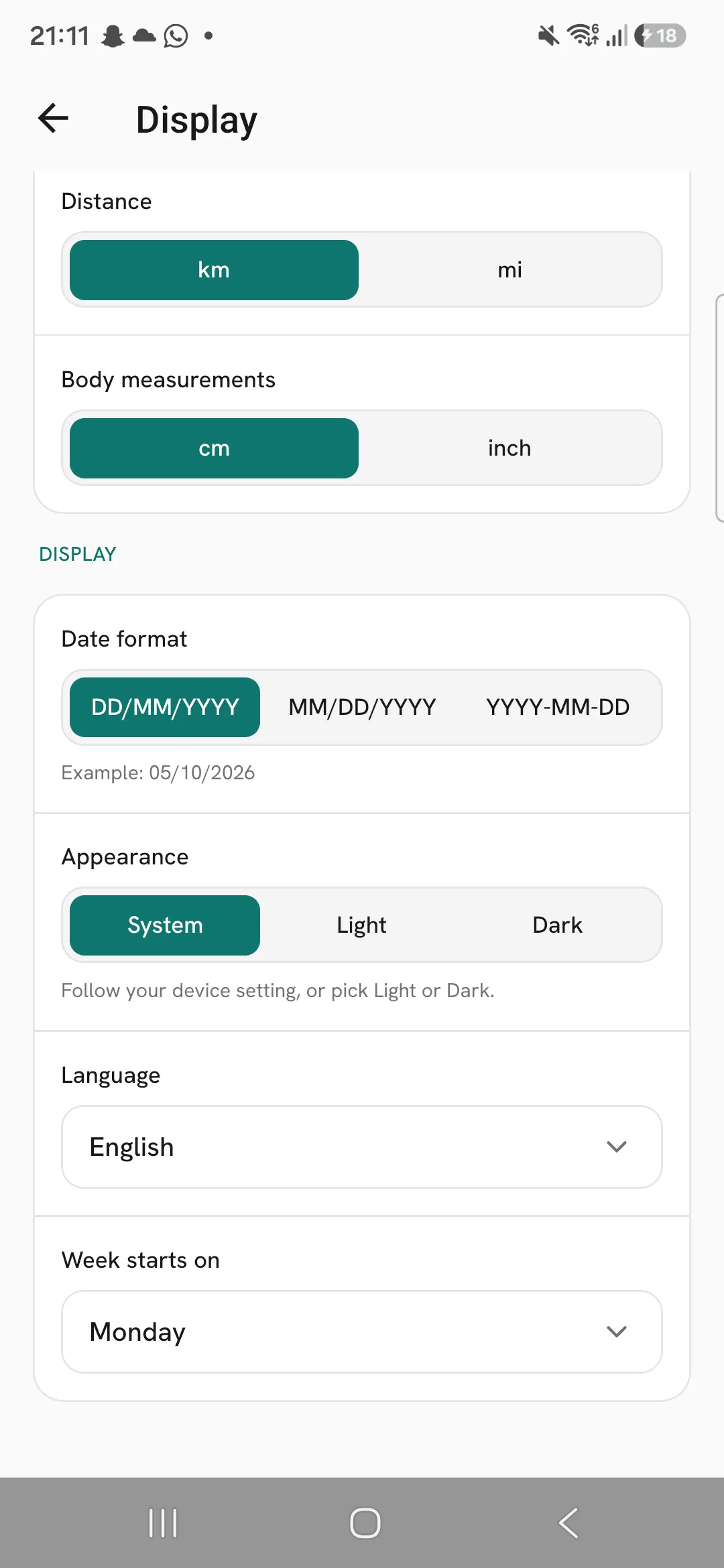
- Date format is DD/MM/YYYY, MM/DD/YYYY or YYYY-MM-DD, with today’s date shown as an example under it.
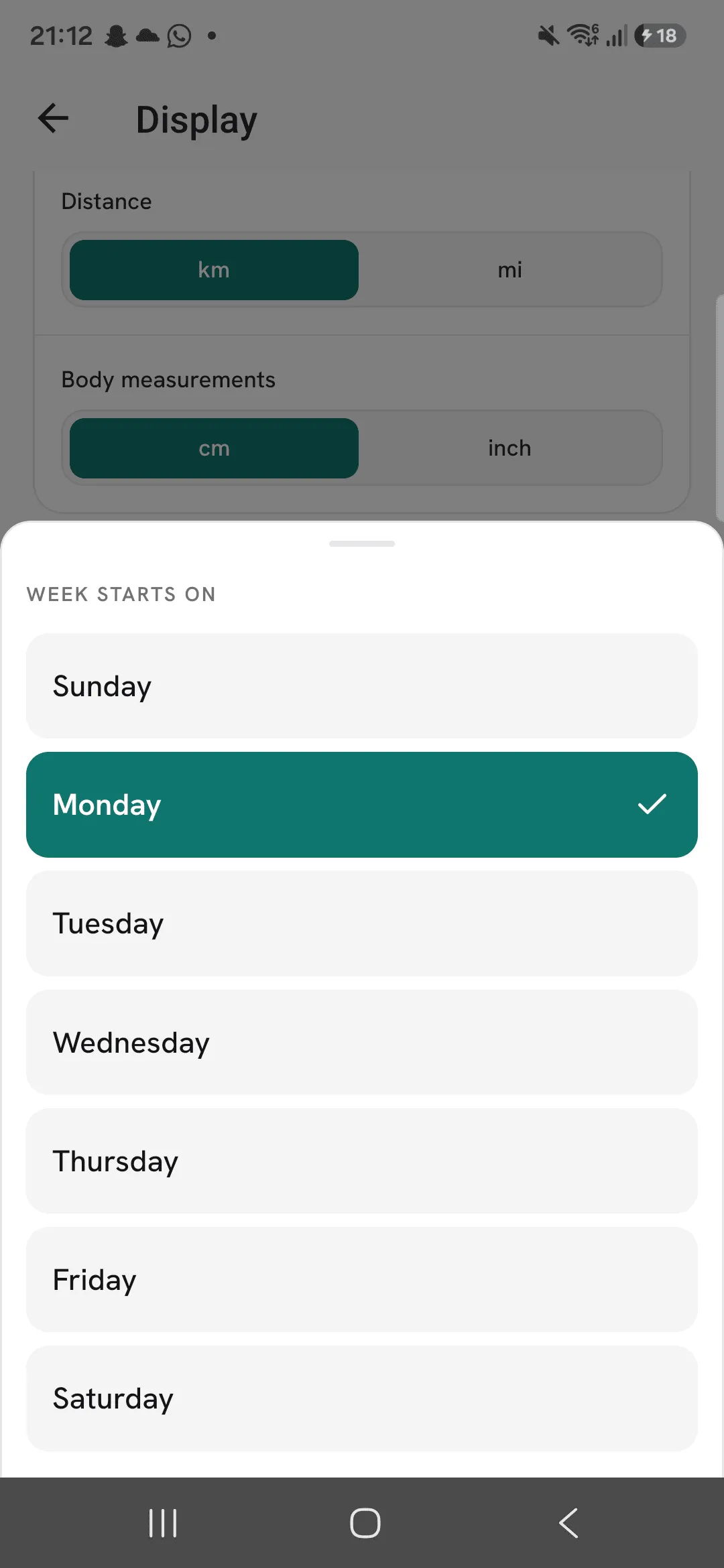
- Week starts on sets the first day of the week in your calendar and your weekly streak.
Pick your language
Tap Language under Display and choose English or Dutch. The app switches straight away. In Dutch, weights are written with a decimal comma, like 62,5 kg.
Saved to your account
Your units, date format, week start and language are saved to your account, so a new phone picks them up when you sign in.
Tips
- Set your weight unit before you import from Strong on an iPhone. That export doesn’t name a unit, so Overlood reads the weights in yours.
Frequently asked questions
Does switching from kg to lb change my old workouts?
No. A workout keeps the unit you logged it in. Your charts show in the unit you’ve set now.
Do my settings follow me to a new phone?
Yes. Units, date format, week start and language are saved to your account.
Which languages does Overlood speak?
English and Dutch.
