

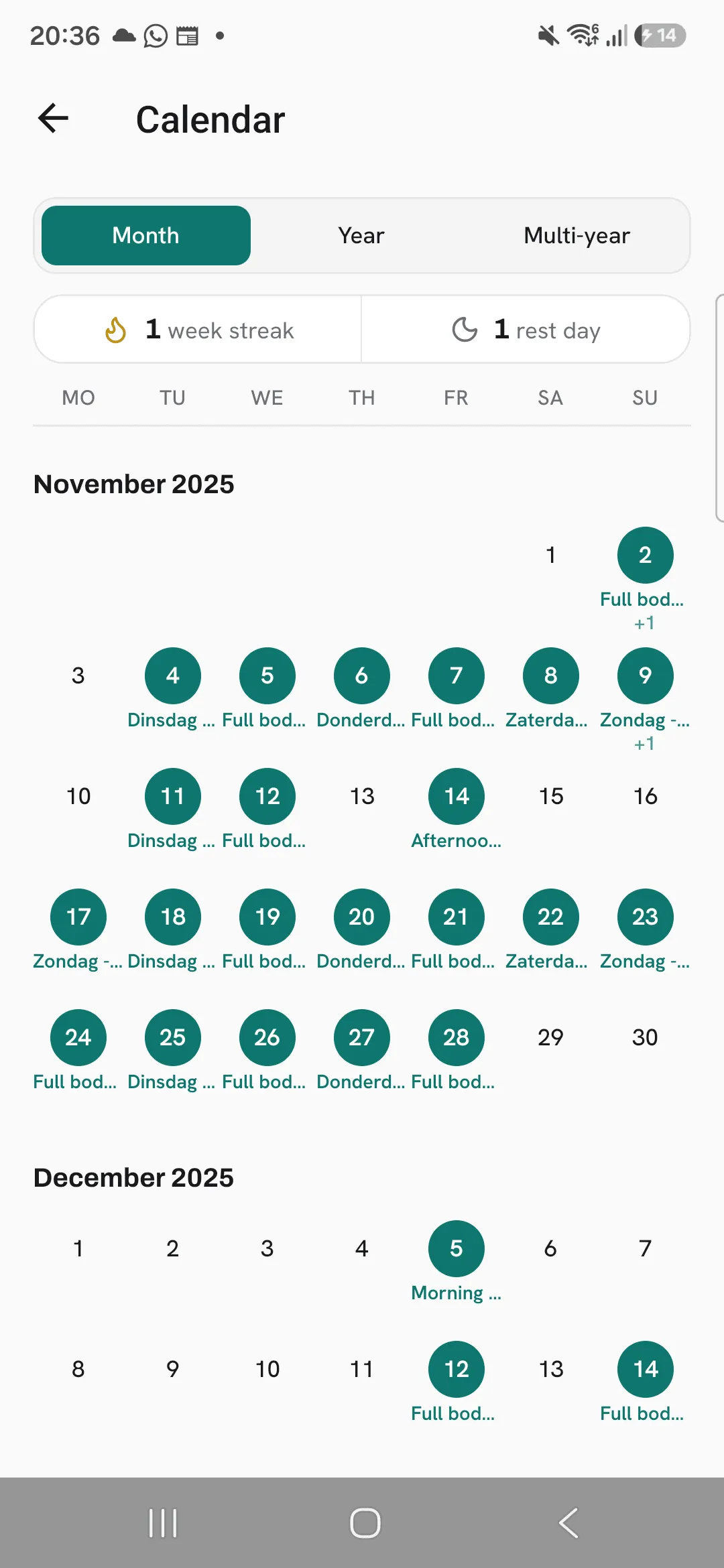
Overlood marks every day you trained on a calendar and counts your weekly streak: the weeks in a row with at least one finished workout.
A calendar full of marked days shows how often you actually train, across months and years. The streak gives you one plain goal for the week: get one workout in.
Your weekly streak
Your streak sits at the top of Today, with a strip of up to your last eight weeks under it. A week counts once it has one finished workout, and weeks you set a PR in are marked in a different colour.
Before your first workout, the line under the streak invites you to log one. After that, it tells you where this week stands:
- One workout this week keeps your streak. The week isn’t done yet, so your streak is at risk, not broken.
- This week’s done. Your streak is safe. You’ve trained this week.
- Train once this week to start a new streak. A whole week went by without a workout, so the count starts again.
A week’s result is locked once it ends.
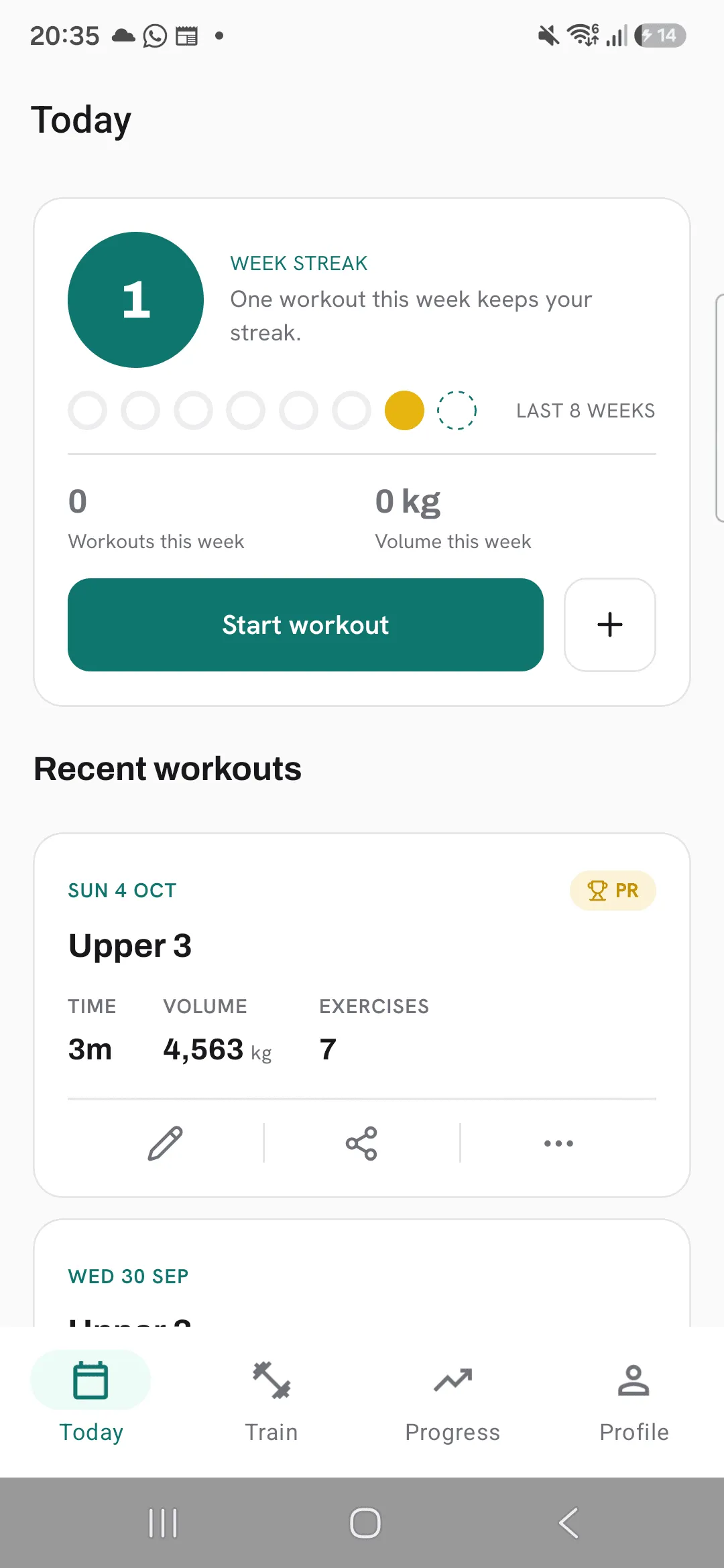
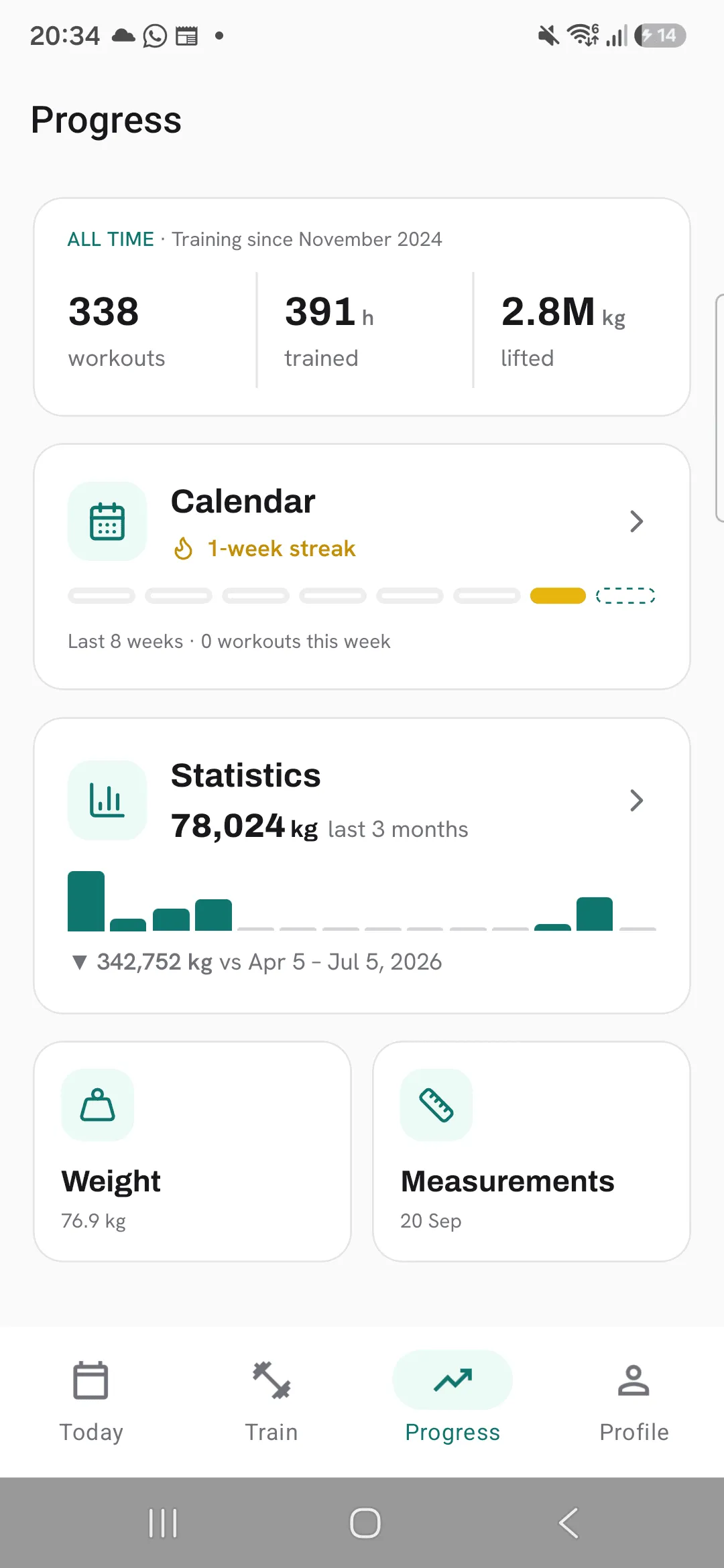
Open the calendar
Open Progress and tap Calendar. The card shows your current streak and how many workouts you’ve done this week. Tapping the number of workouts on the All time card opens the calendar too.
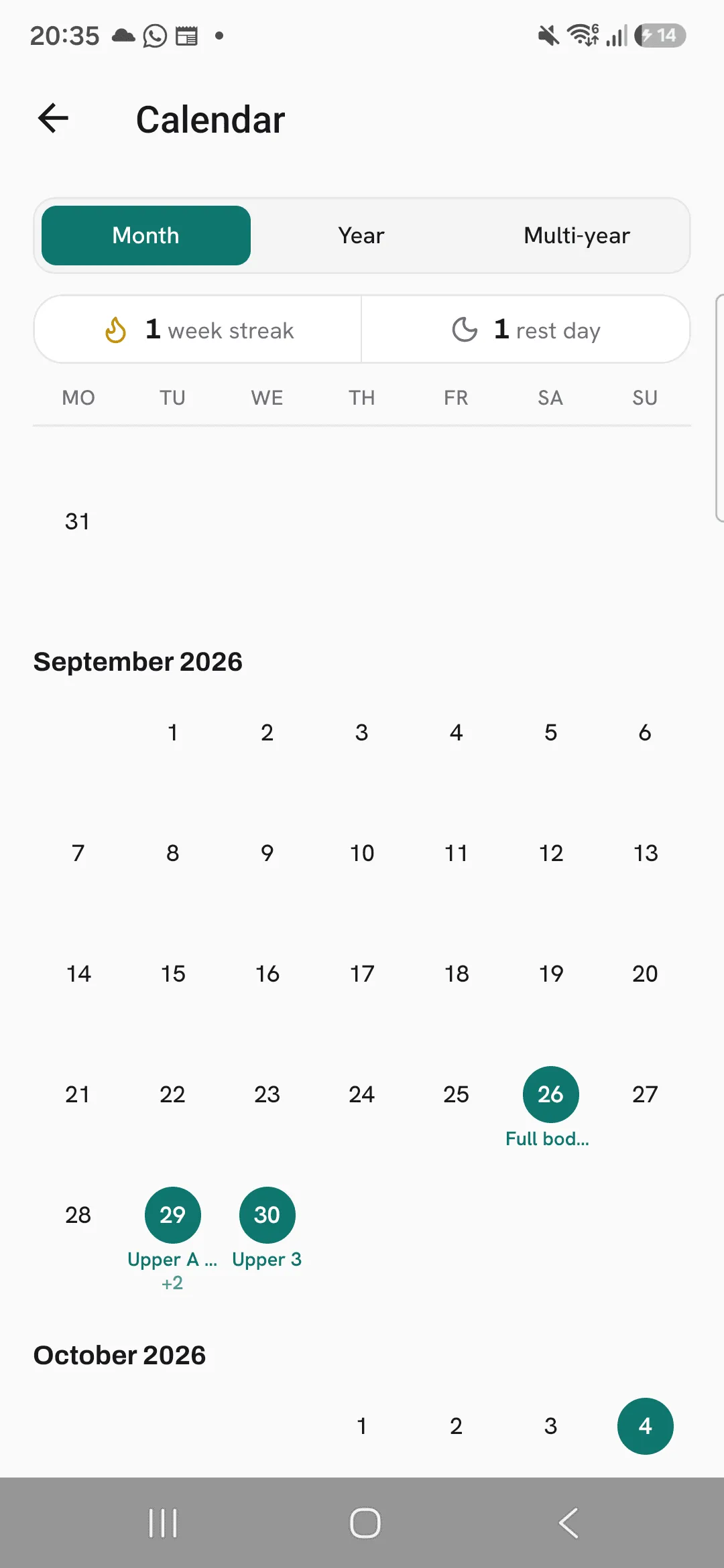
Read the month view
Each trained day is a filled circle, with the name of that day’s workout under it. Today has a ring around it.
Above the month you see your week streak and your rest days: how many days since you last trained.
Scroll up to go back through earlier months, all the way to your first workout.
Open a workout from a day
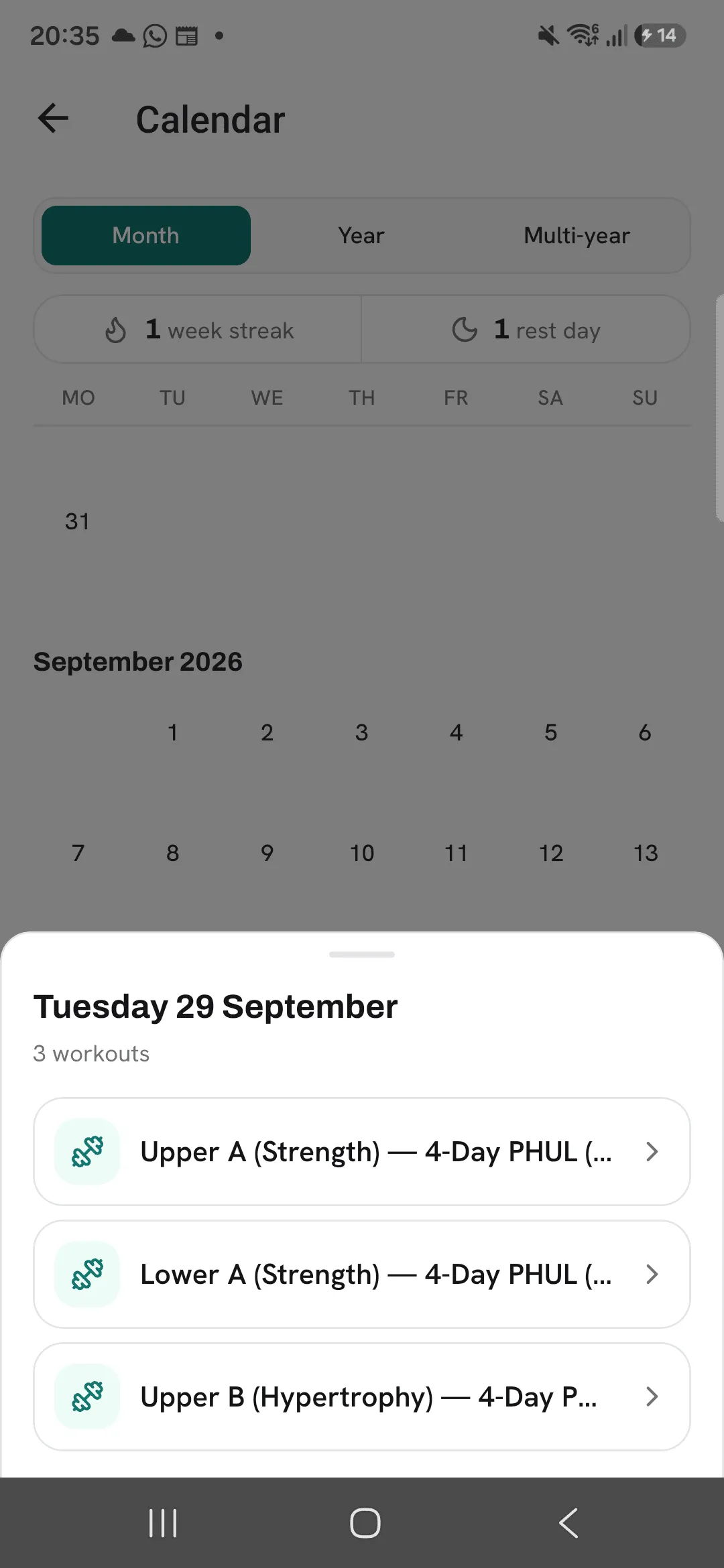
Tap a trained day to open its workout. If you trained more than once that day, a sheet lists each workout so you can pick one.
See a year or more
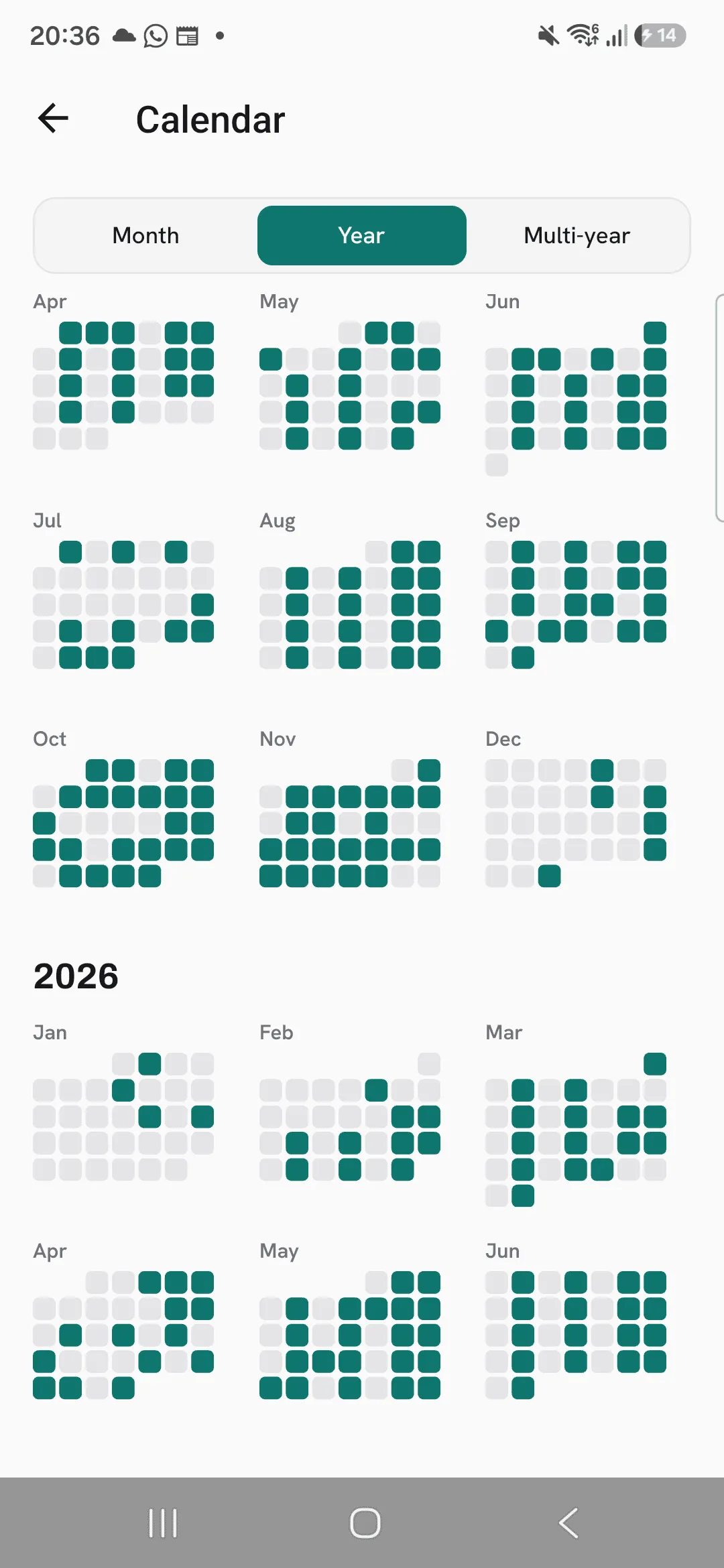
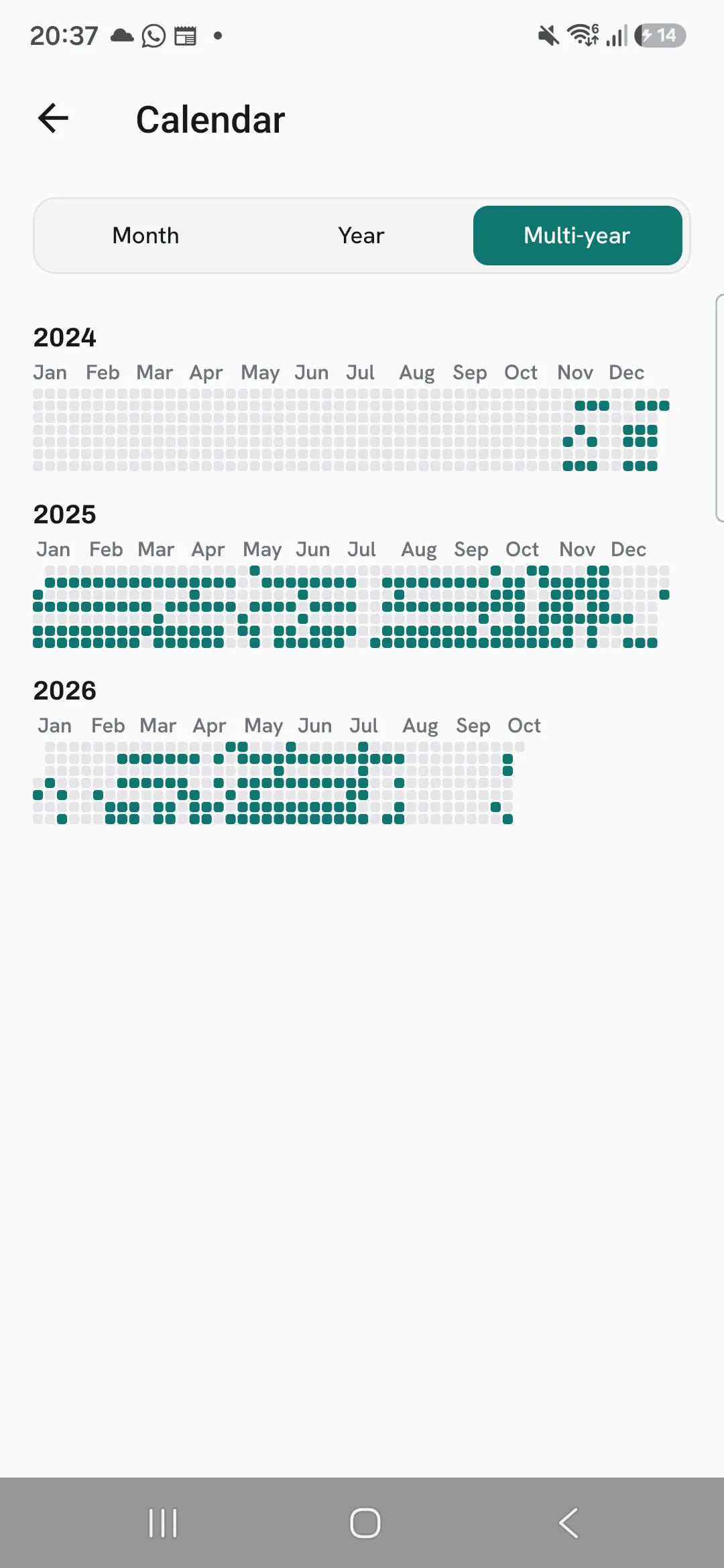
Switch to Year to see a year’s months at once, and tap one to open it. Multi-year shows a strip per year with every day you trained; tap a year to open it.
Pick the day your week starts
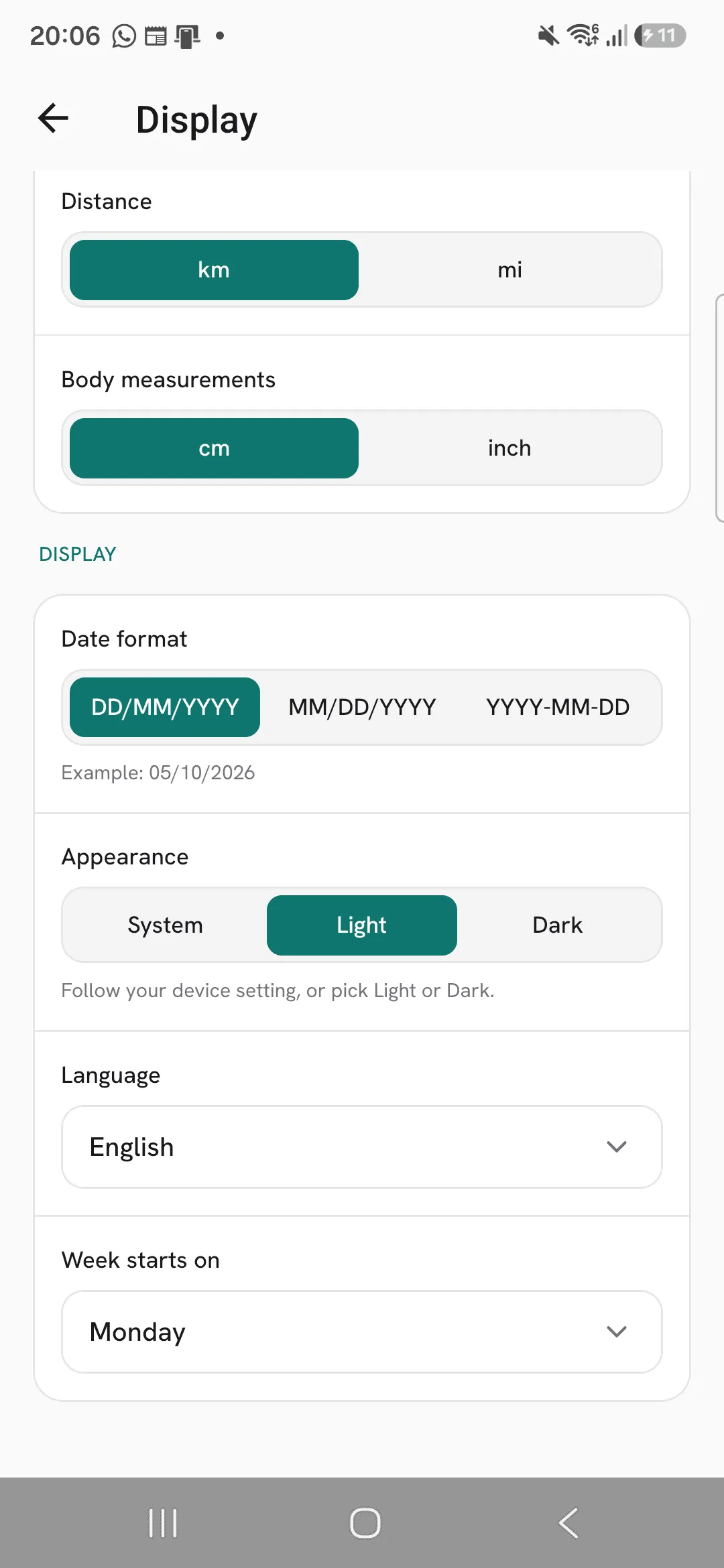
The calendar and your streak follow your Week starts on setting under Profile, then Display. Pick any day of the week.
Tips
- One workout a week keeps your streak. A short workout on a busy week still counts.
- Switch to Multi-year to see every year of training at once.
- Set Week starts on under Profile, then Display, to the day your training week begins. The calendar and your streak both follow it.
Frequently asked questions
How many workouts do I need each week?
One. Any week since you joined with at least one finished workout counts toward your streak.
When does my streak break?
When a whole week ends without a finished workout. Until the week is over, your streak is at risk, not broken.
Do imported workouts show on the calendar?
Yes. Workouts you import from Hevy or Strong show on the days you did them.
