

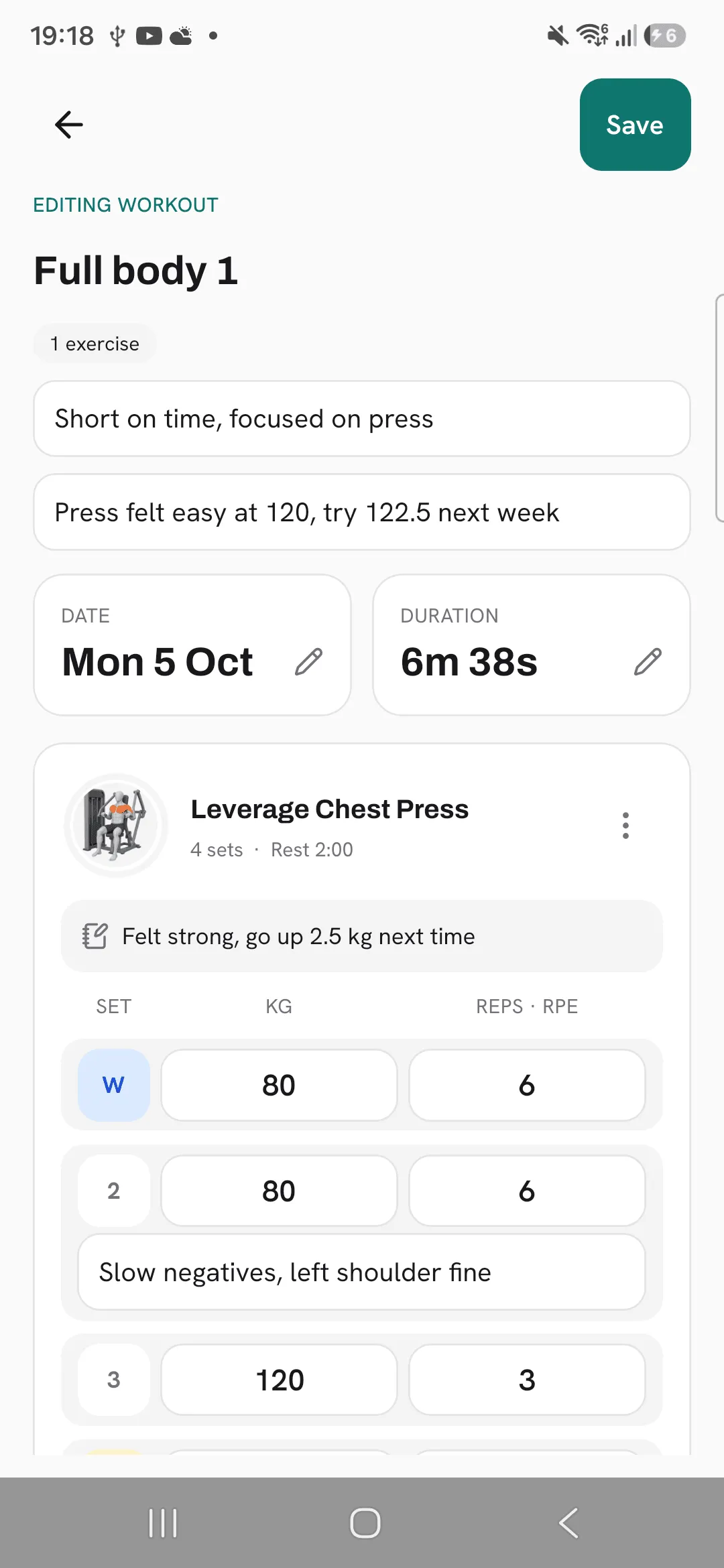
Overlood lets you open any finished workout and change it: its name, date, duration and notes, its exercises and every set.
Your history is only as good as what’s in it. Fix a typo in a weight or a set you forgot to log, and your PRs and charts are right again.
Open a workout to edit
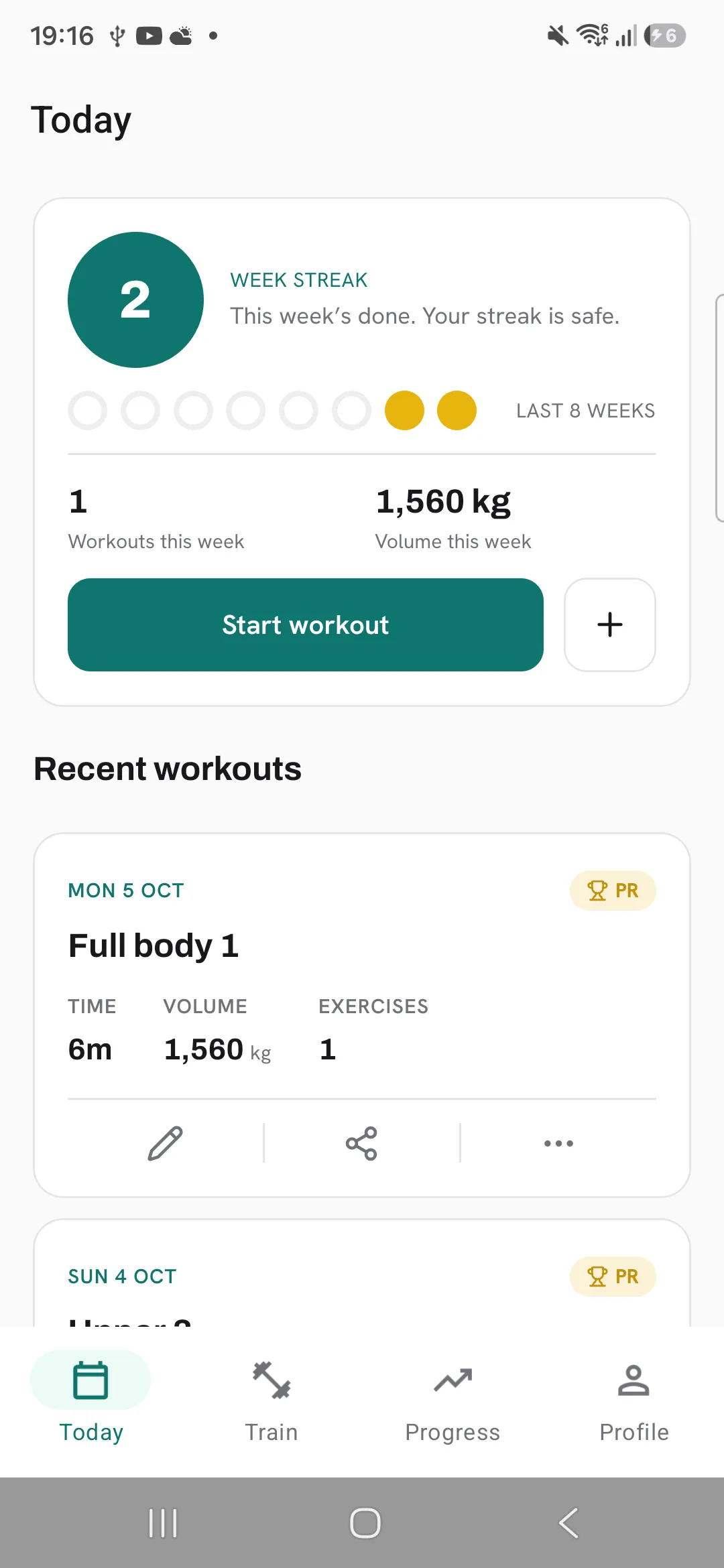
- On Today, tap the pencil on a workout’s card under Recent workouts.
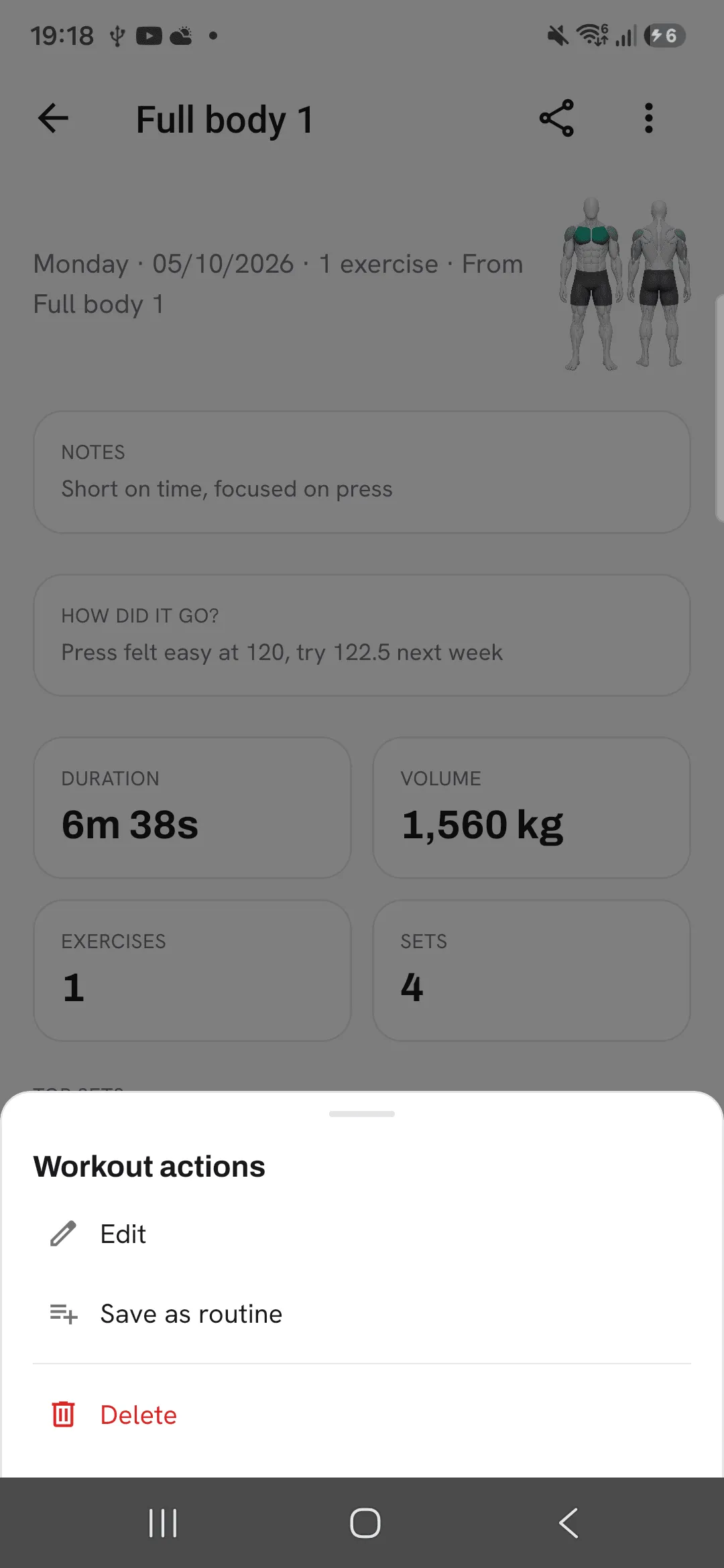
- Or open the workout and pick Edit from its menu.
You can open a workout from the training calendar or from an exercise’s history too, and edit it from there.
What you can change
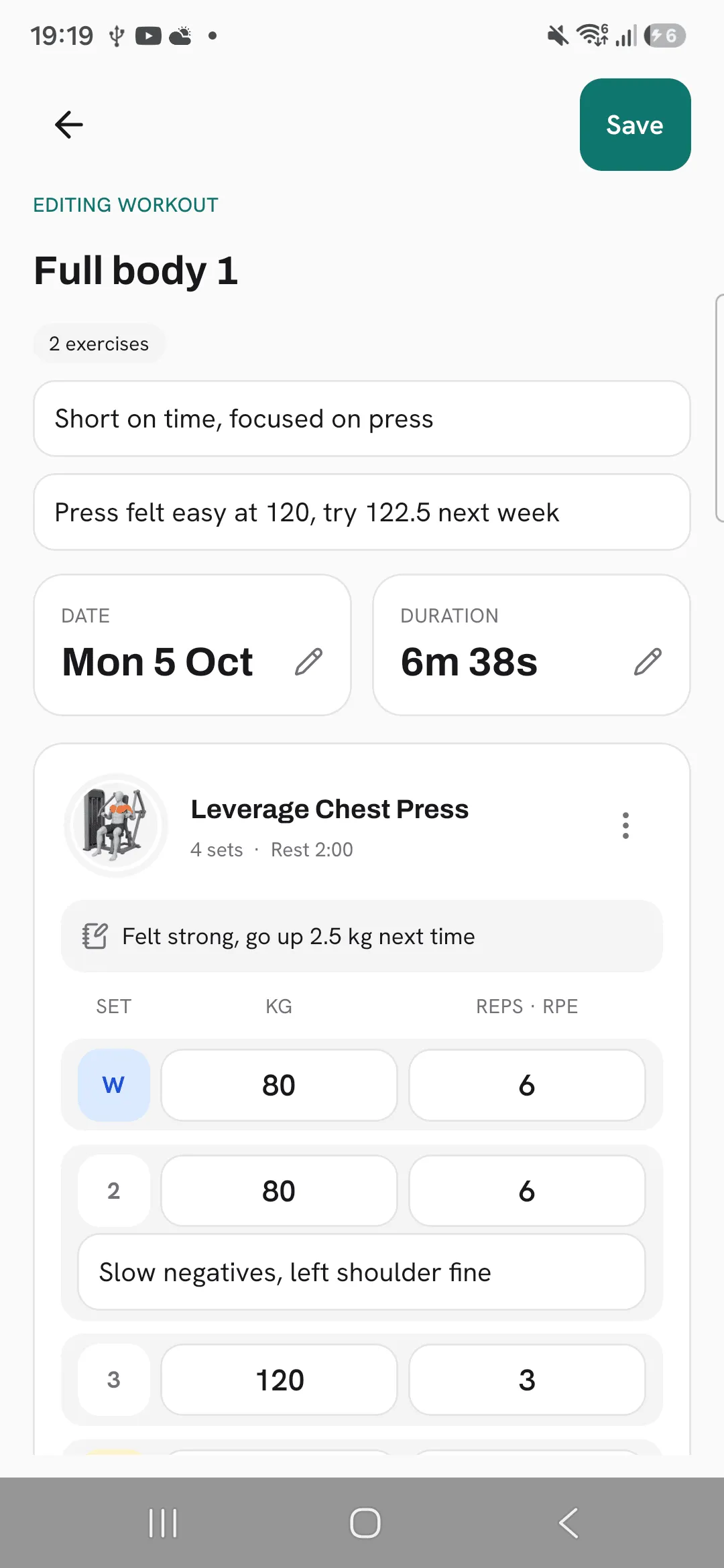
The screen shows Editing workout at the top.
- Name, notes and How did it go? Tap and type.
- Date and duration. Tap the tiles to pick another day or a new duration.
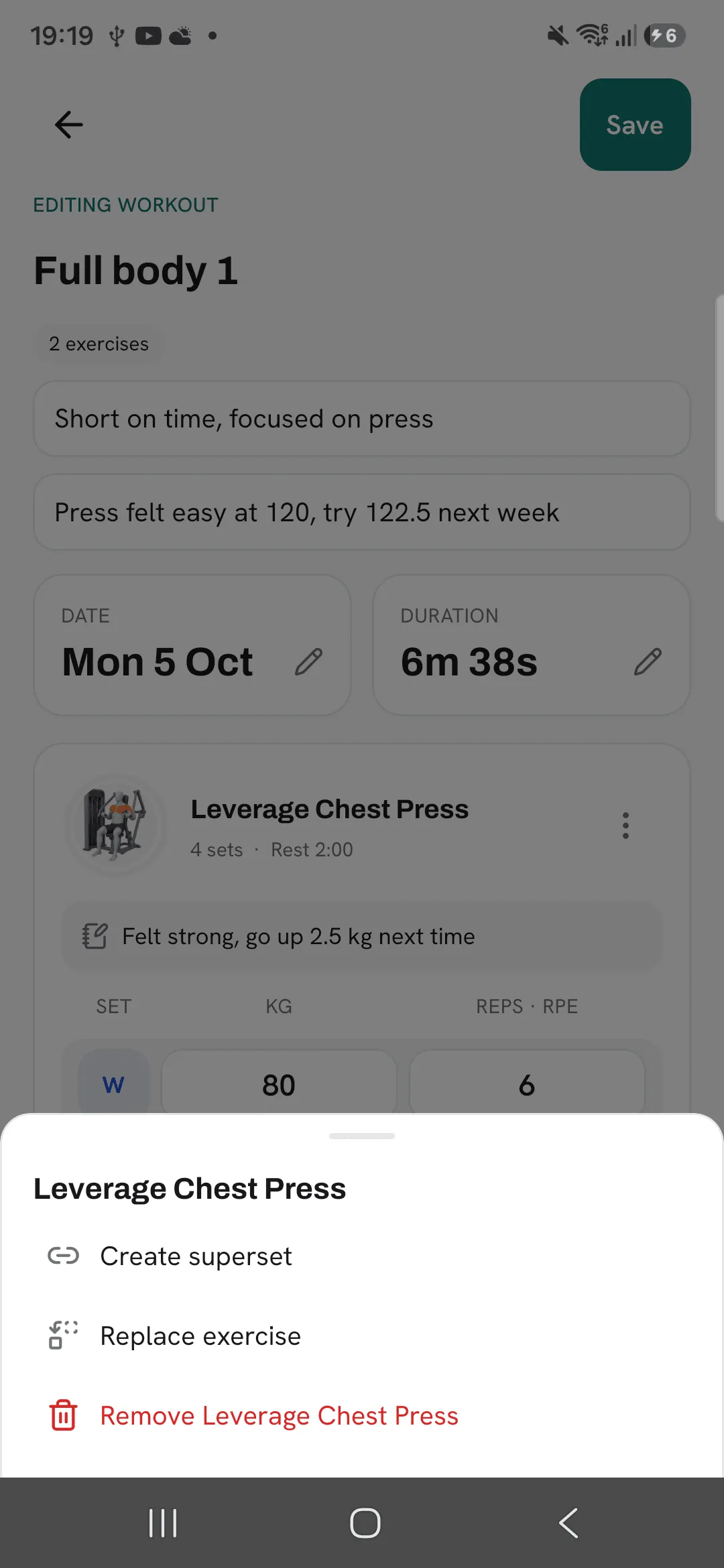
- Exercises. Tap Add exercise, drag to reorder, or use an exercise’s ⋮ menu to replace it, remove it or put it in a superset.
- Sets. Change the weight, reps or effort rating, tap Add set, or tap a set’s number to change its type, add a note or remove it.
Save it
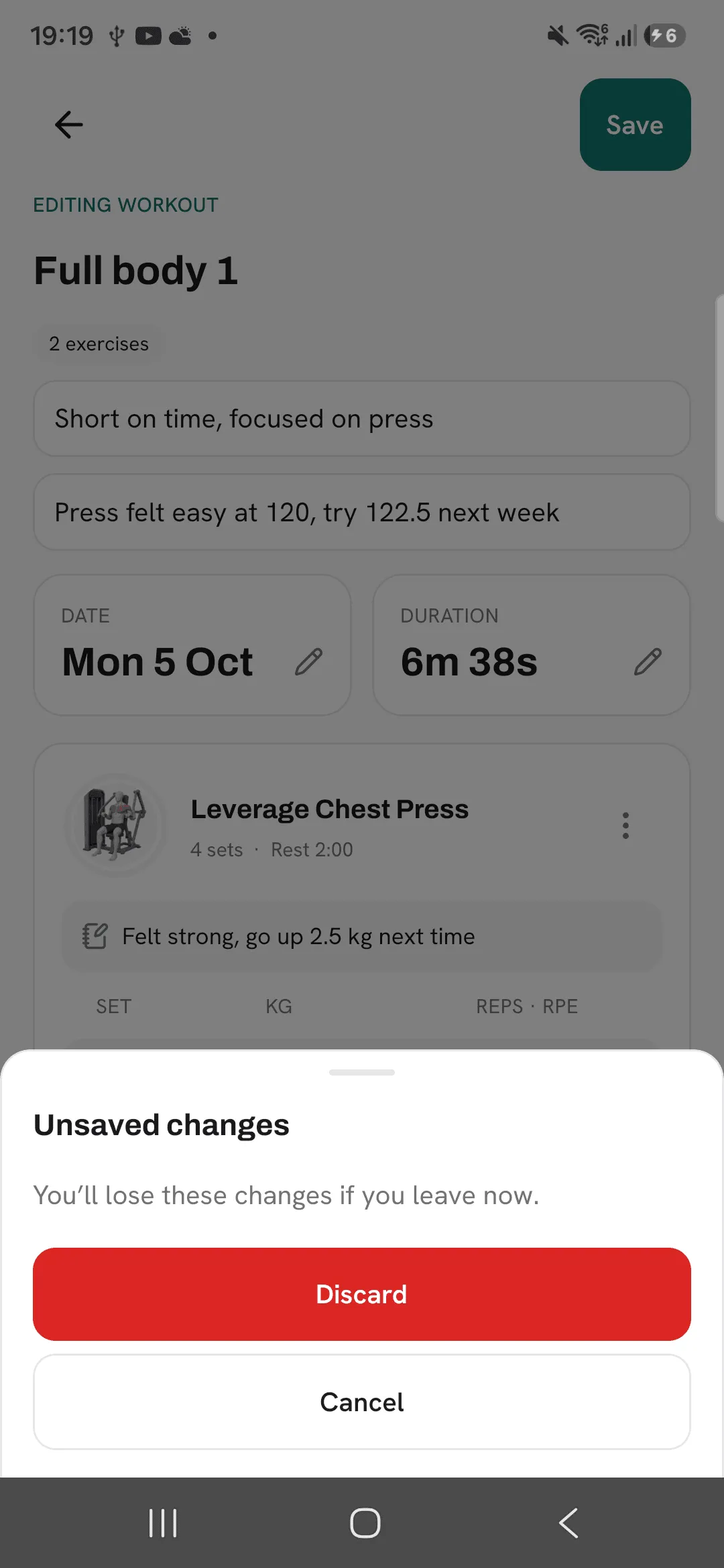
Tap Save at the top. If you leave with changes you haven’t saved, Overlood asks whether to discard them.
After you save, your PRs and charts are worked out again from the edited workout. Your weekly streak follows too while the week is still running. A week that has ended keeps its result.
Save as routine or delete
The workout’s menu also has Save as routine, which opens a new routine with this workout’s exercises and sets, and Delete, which removes the workout from your history after you confirm.
Tips
- If you log a workout a day late, change its date to the day you trained, so your calendar matches.
- Fix a mistyped weight right away. A PR set by a typo stays until you correct it.
- Edit a workout instead of logging it again, so your PRs count it once.
Frequently asked questions
Do my PRs change when I edit a workout?
Yes. After you save, your PRs and charts are worked out again from the edited workout.
Can I change the time I trained?
You can change the day and the duration. There’s no time of day to set.
What happens if I leave without saving?
Overlood asks first. Tap Discard to drop your changes, or Cancel to keep editing.
Can I undo a deleted workout?
No. Deleting removes the workout from your history for good.
