

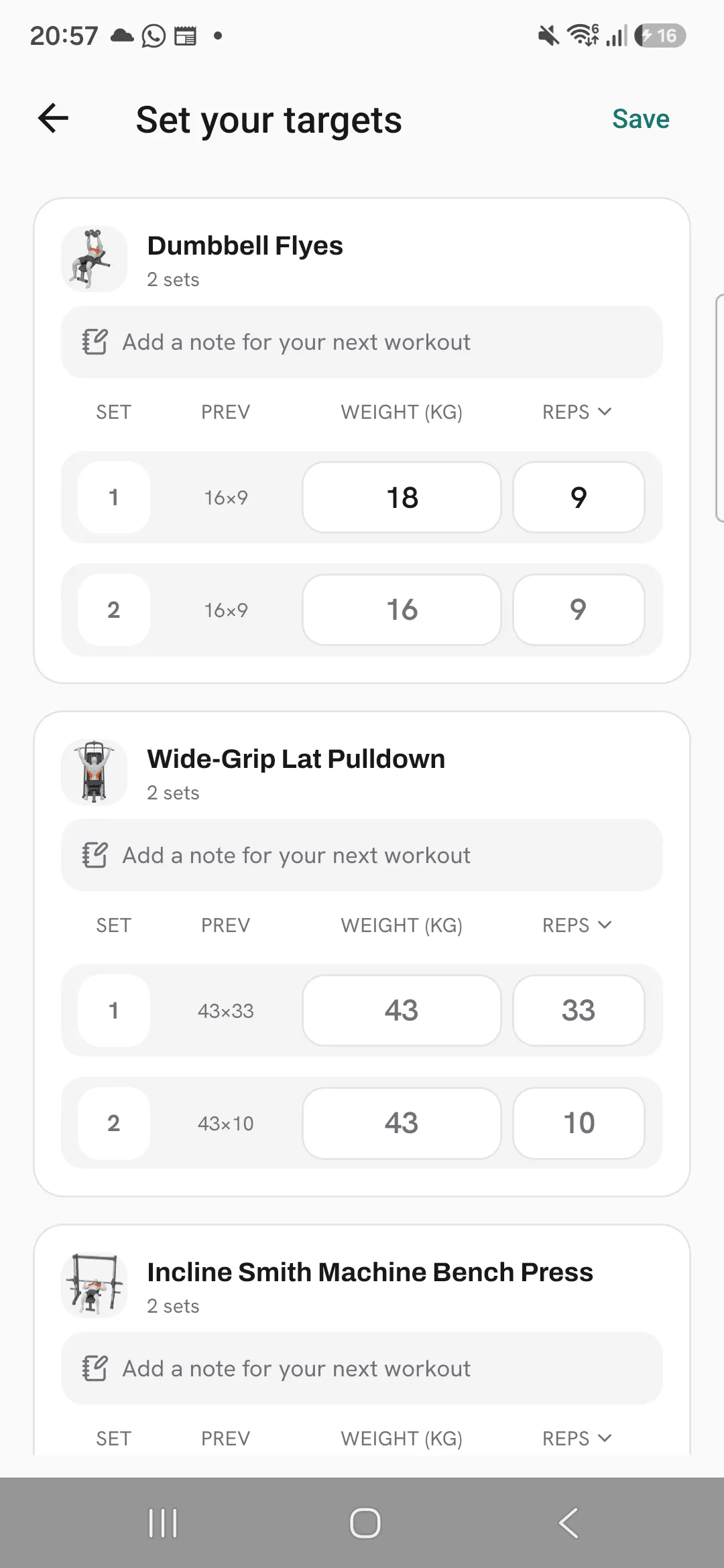
Targets let you set the numbers you’re aiming for in the next workout you start from a routine, one set at a time.
Overlood normally fills each set with what you did last time. When you mean to go heavier, or back off for a week, a target puts those numbers in the workout before you start, so you don’t have to remember it at the gym.
Open the targets
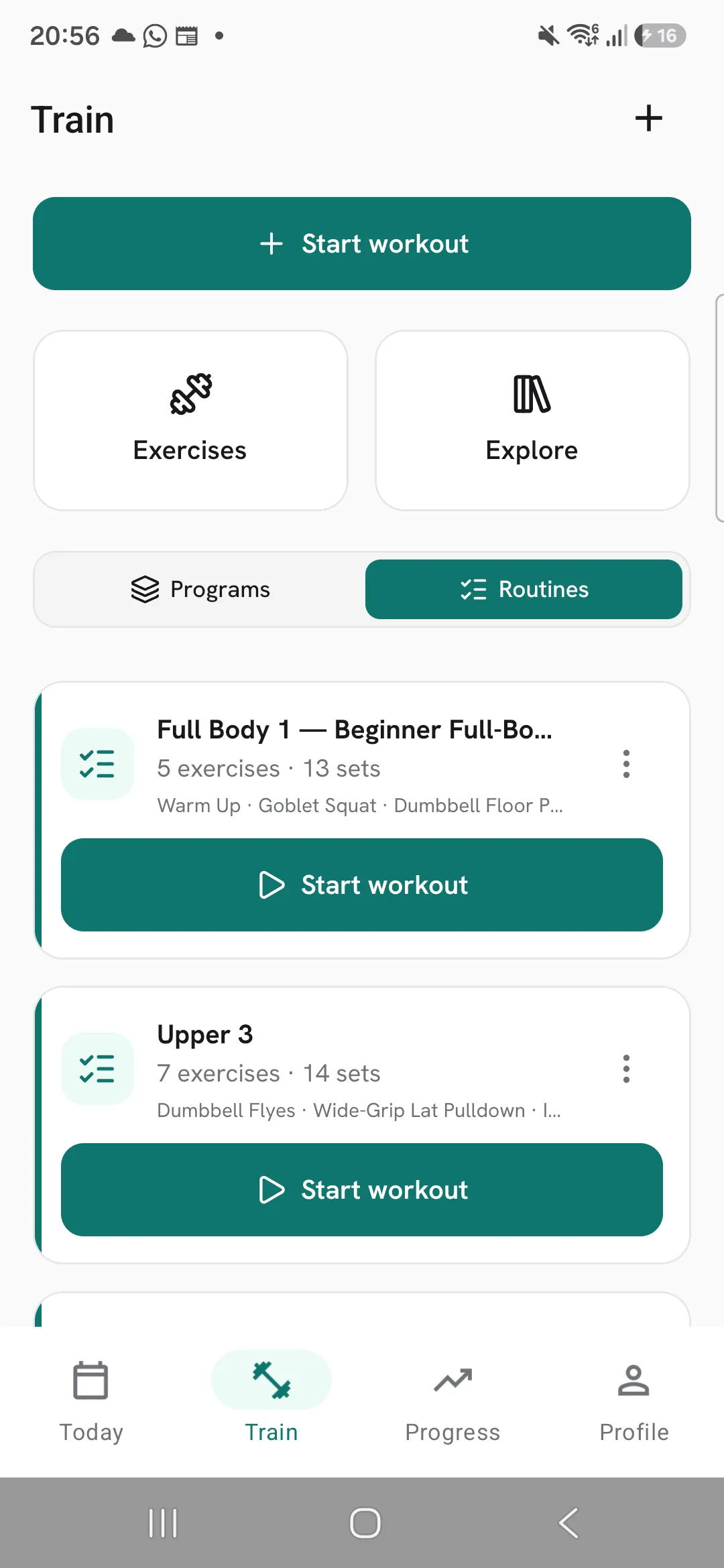
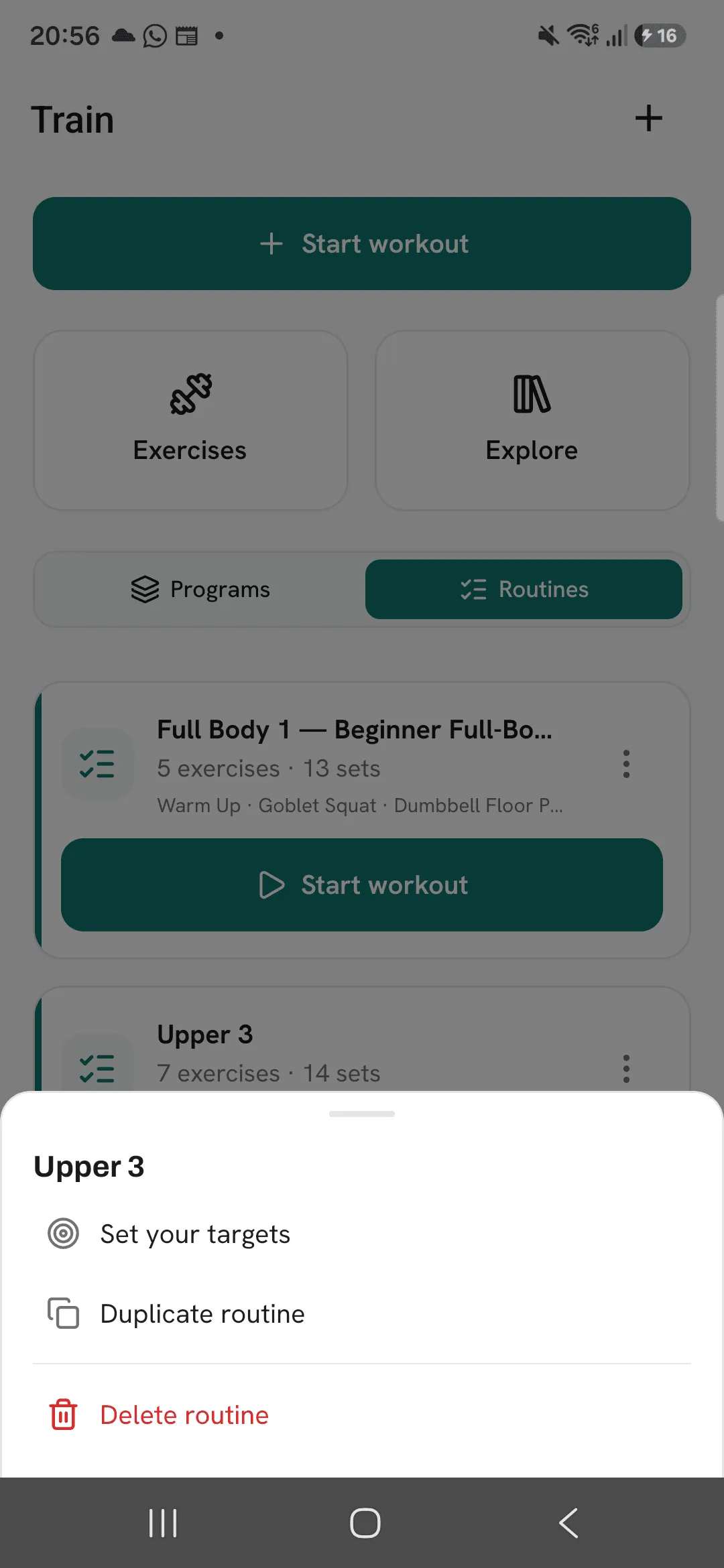
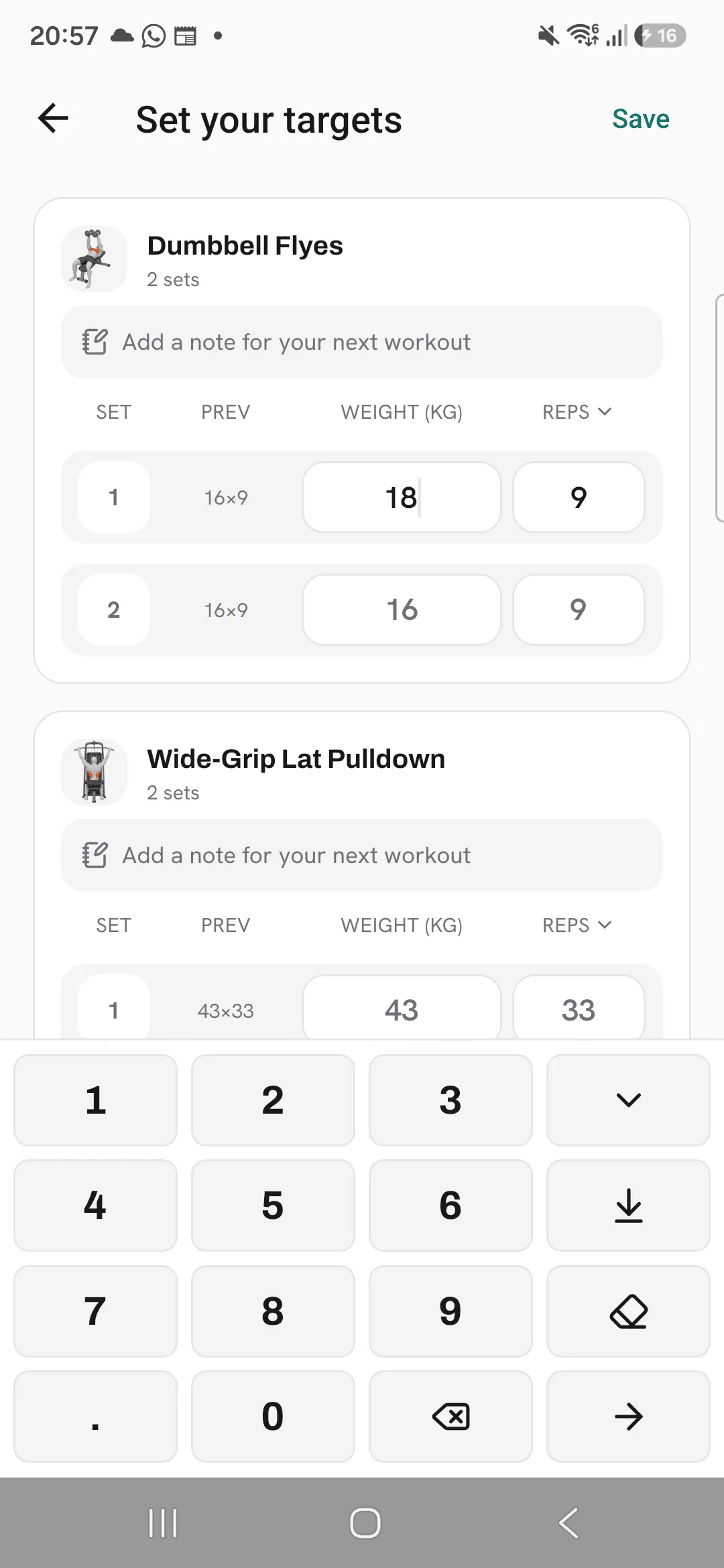
On Train, tap ⋮ on a routine and pick Set your targets. In the routine editor, tap the target icon at the top of the screen.
Set your numbers
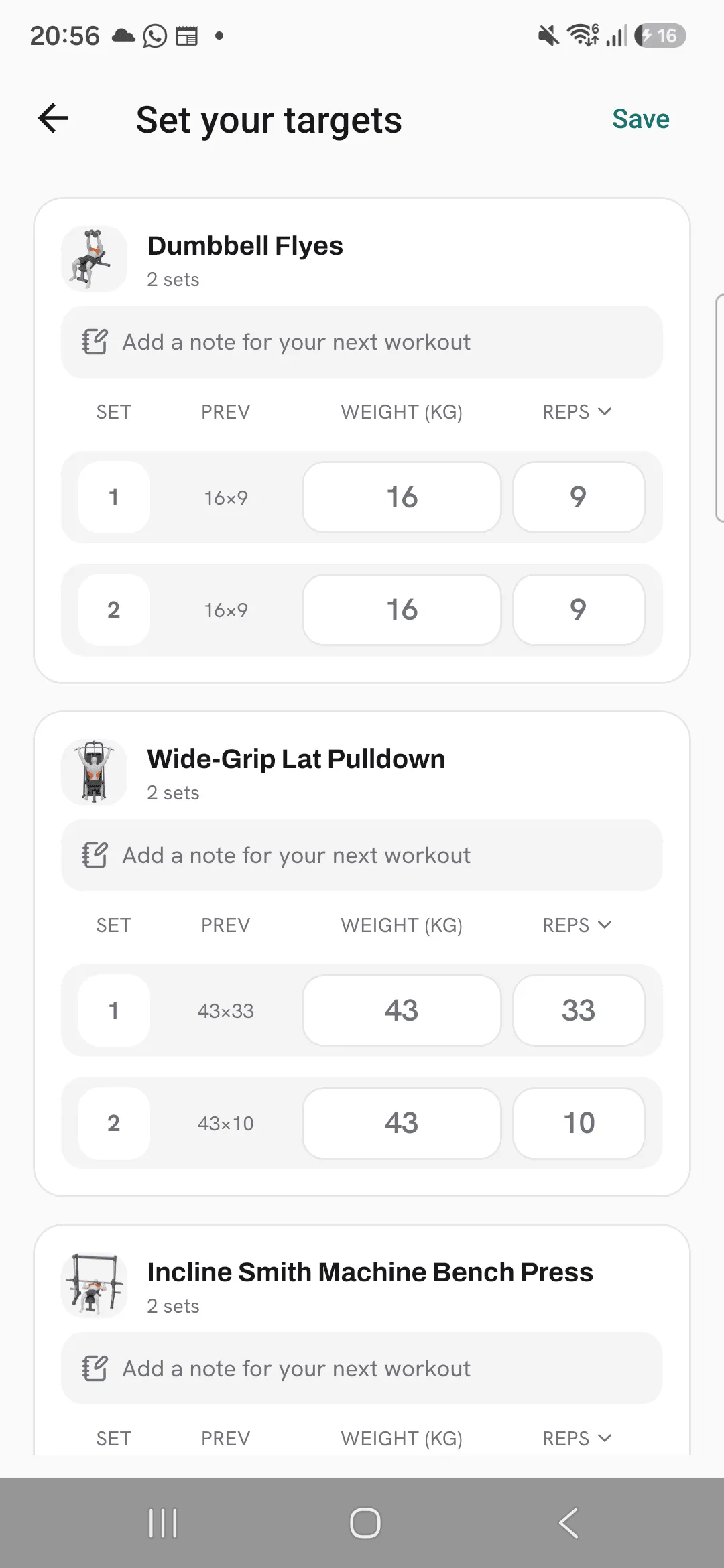
Each exercise in the routine has a card with its sets. For each set you see:
- Prev: what you did in that set last time you trained this routine.
- The weight and reps the next workout would suggest, shown faint in each field.
Tap a field and type the number you’re aiming for. Typing one value makes the whole set a target, and the other fields take the suggestion shown. On the keypad, the arrow key copies the number you typed to every set of the exercise, and the eraser key clears that set’s target.
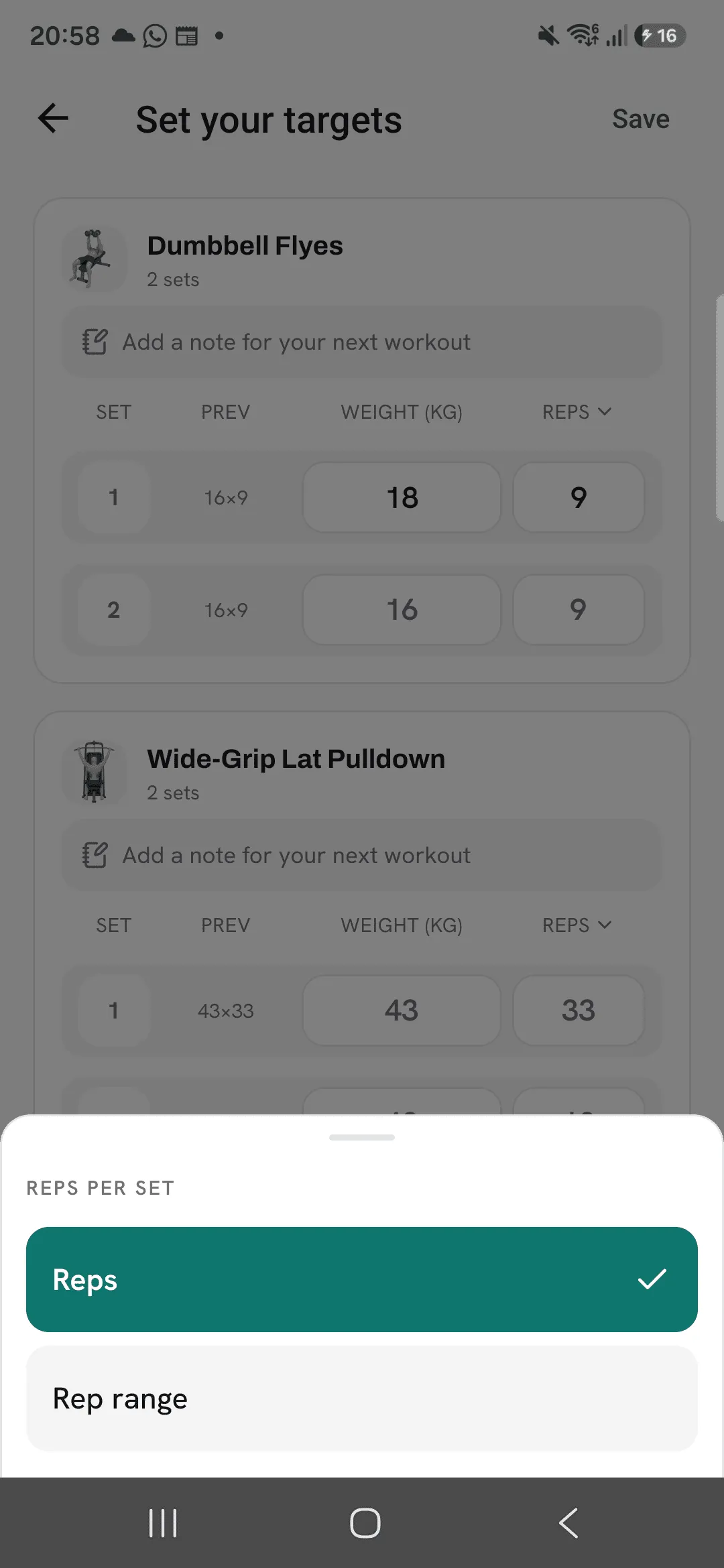
Tap the Reps heading to switch an exercise to a Rep range, such as 8 to 12.
Each exercise also has a note field for your next workout. It shows the routine’s note until you type your own.
Tap Save when you’re done.
Train with your targets
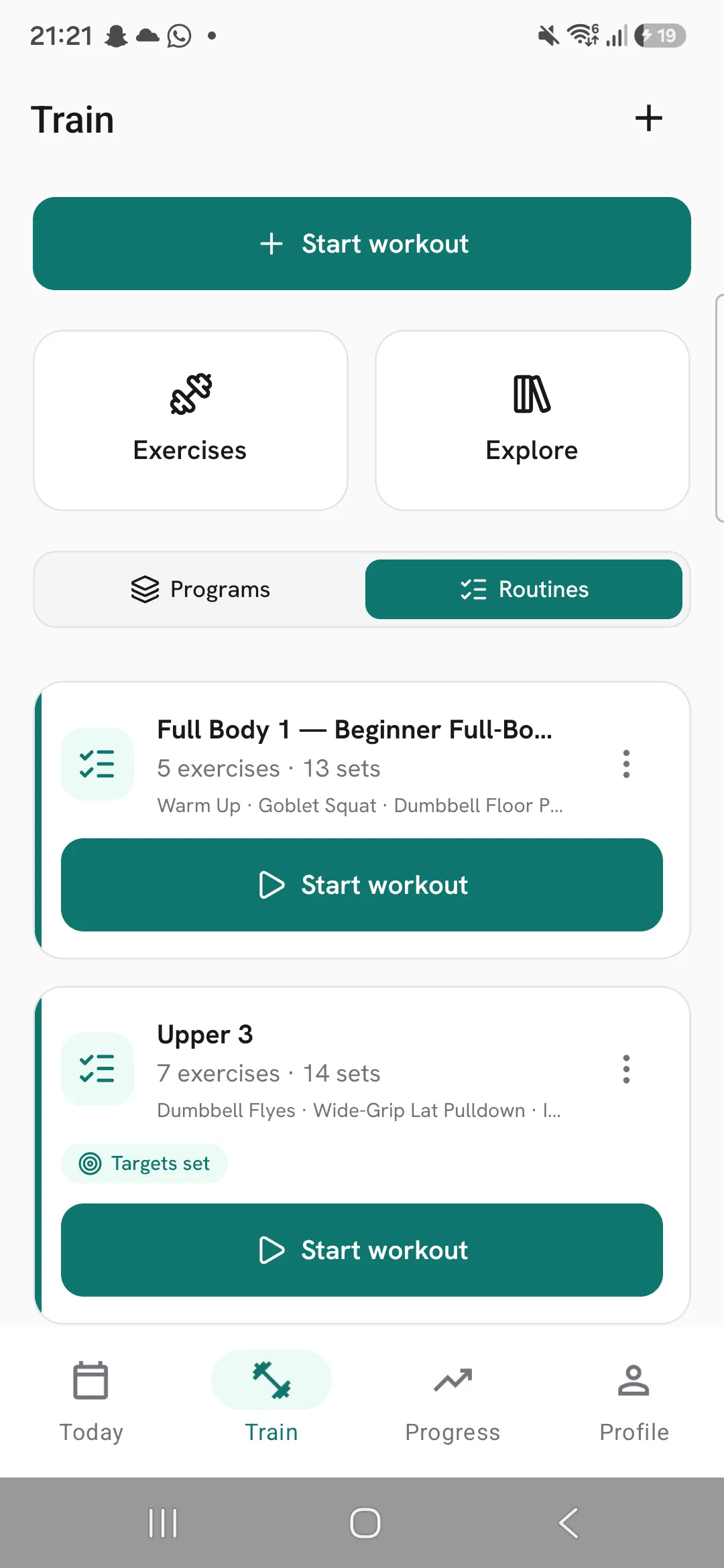
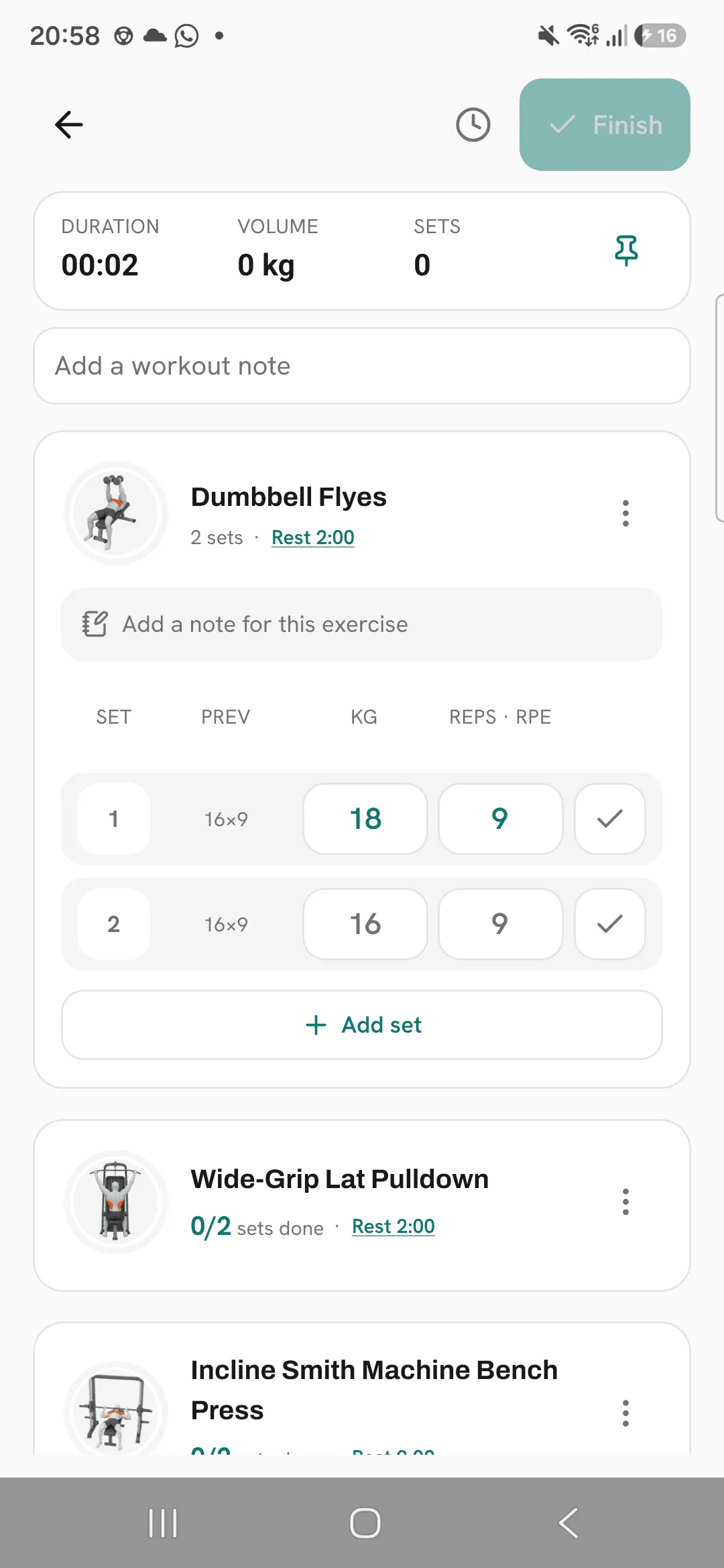
The routine’s card on Train shows Targets set until you use them. Start a workout from the routine and each set with a target opens with your target as its hint, in the accent colour, so you can tell it apart from a normal suggestion. Your note for the next workout replaces the routine’s note on that exercise.
After the workout
Targets are for one workout. When you finish the workout that used them, they’re cleared, and the next one fills in from your history again. Targets you save while a workout is running wait for the workout after it.
To start over, tap Clear all targets in the editor. Every set goes back to its suggestion, and your notes and the routine stay as they are.
Tips
- Set targets right after a workout, while you still know which lifts felt easy and which didn’t.
- For straight sets, type the weight once and tap the arrow key on the keypad to copy it to every set.
- Use the note for the next workout as a cue, such as “pause at the bottom”. It replaces the routine’s note for that one workout.
Frequently asked questions
Do targets carry over to the workout after next?
No. A target applies to the next workout you start from the routine. After you finish it, your sets fill in from your history again.
Does setting targets change my routine?
No. The routine’s exercises, sets and numbers stay as they are. Targets sit on top for one workout.
Can I set a target for only one set?
Yes. Sets without a target show your usual suggestion.
Can a target be a rep range?
Yes, for weight and reps exercises. Switch the Reps heading to Rep range.
