

Overlood lets you write a note on a workout, on each exercise and on a single set, and pin a note to an exercise so it comes back every time you train it.
Seat settings, grip, a twinge in your shoulder, the cue that made it click. Write it down where you’ll see it next time.
Notes while you train
- Workout note: Add a workout note, at the top of the workout.
- Exercise note: each exercise card has Add a note for this exercise. It belongs to this workout only.
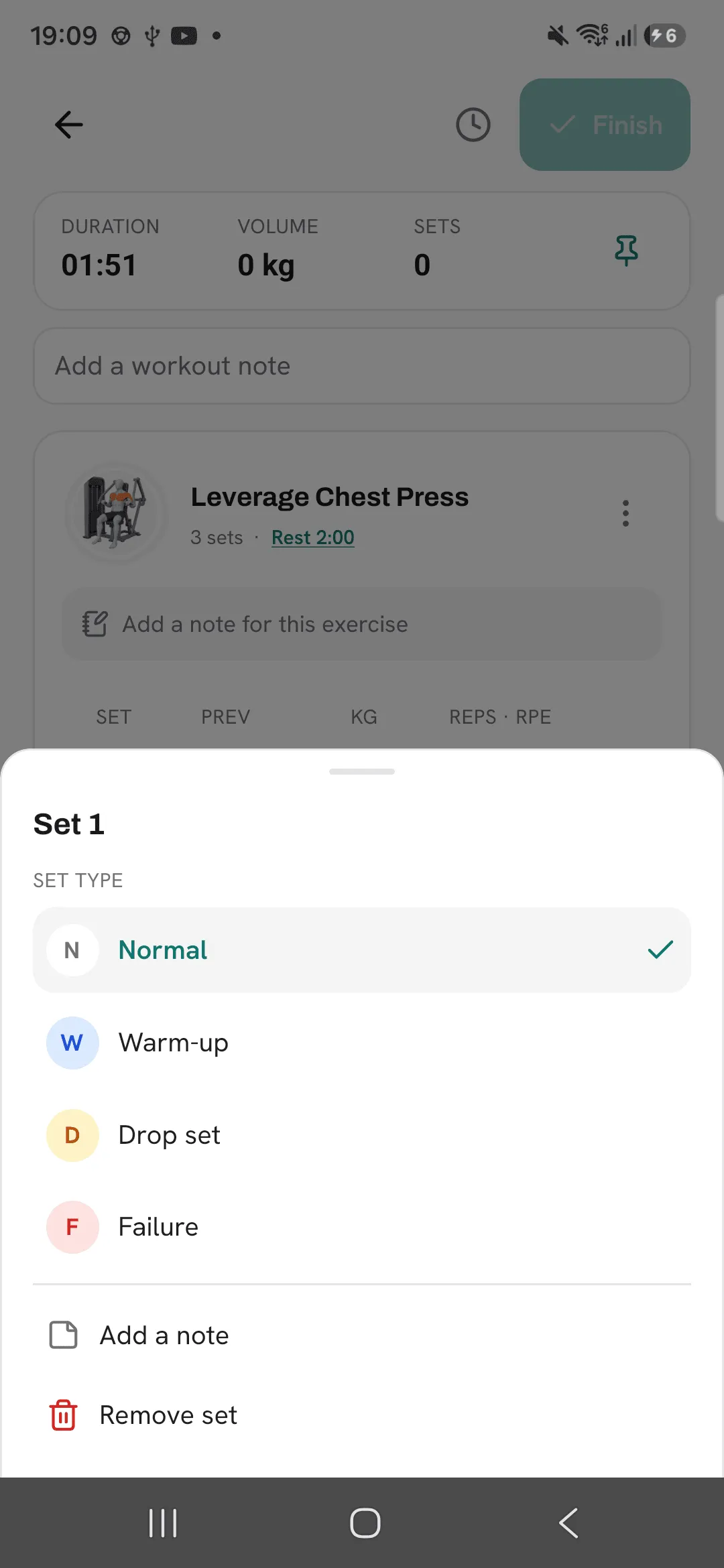
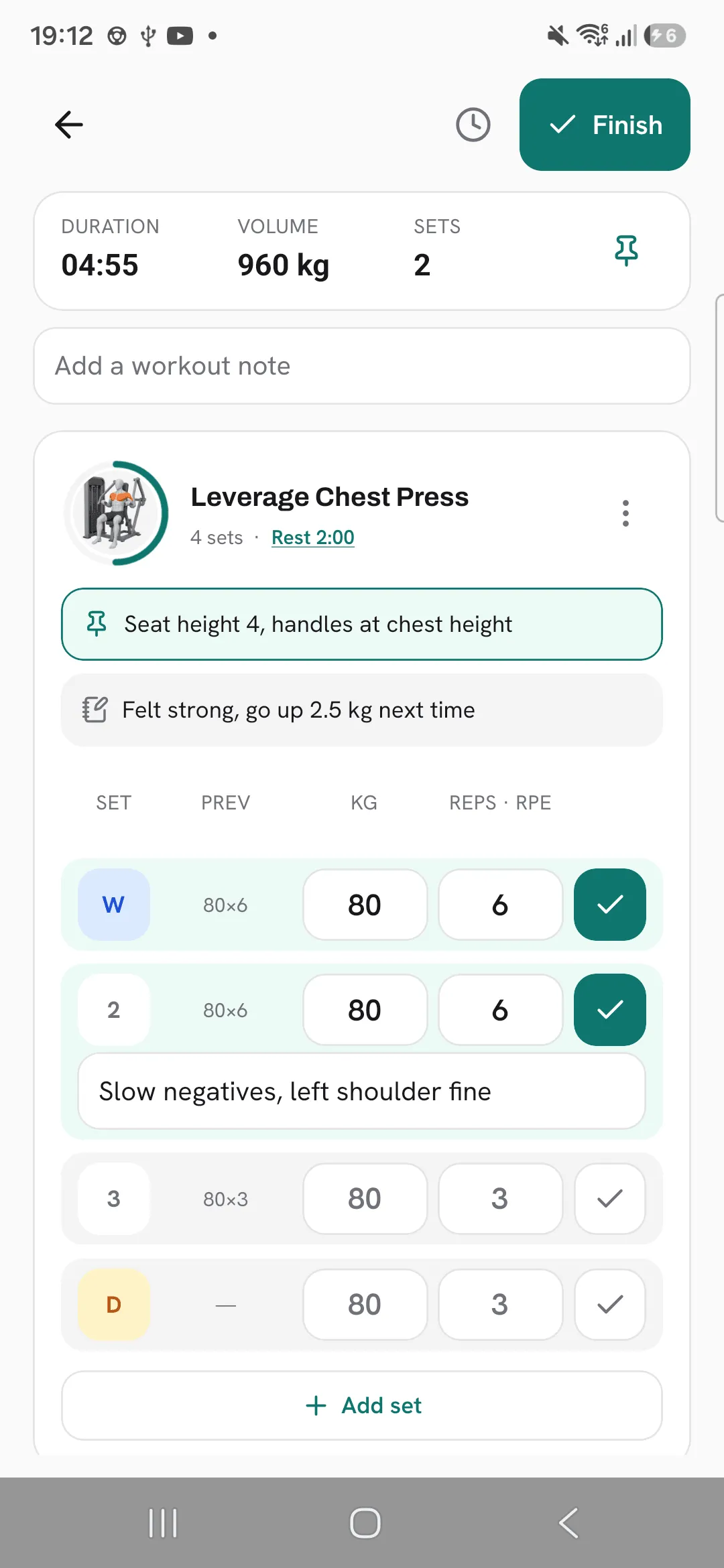
- Set note: tap a set’s number and pick Add a note, or tap the note key on the keypad. The note opens under the set.
To change a note, tap it and type. To remove one, clear its text.
Pin a note to an exercise
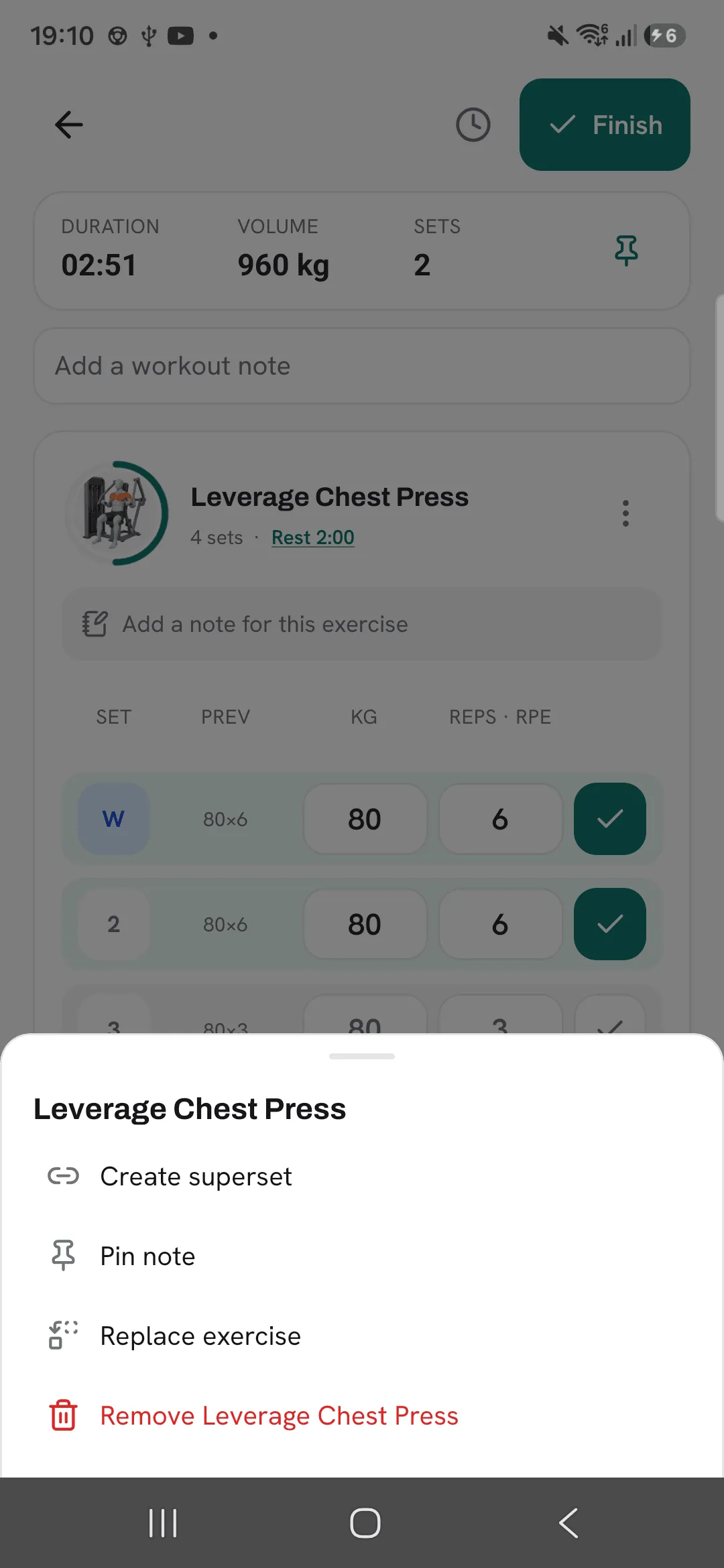
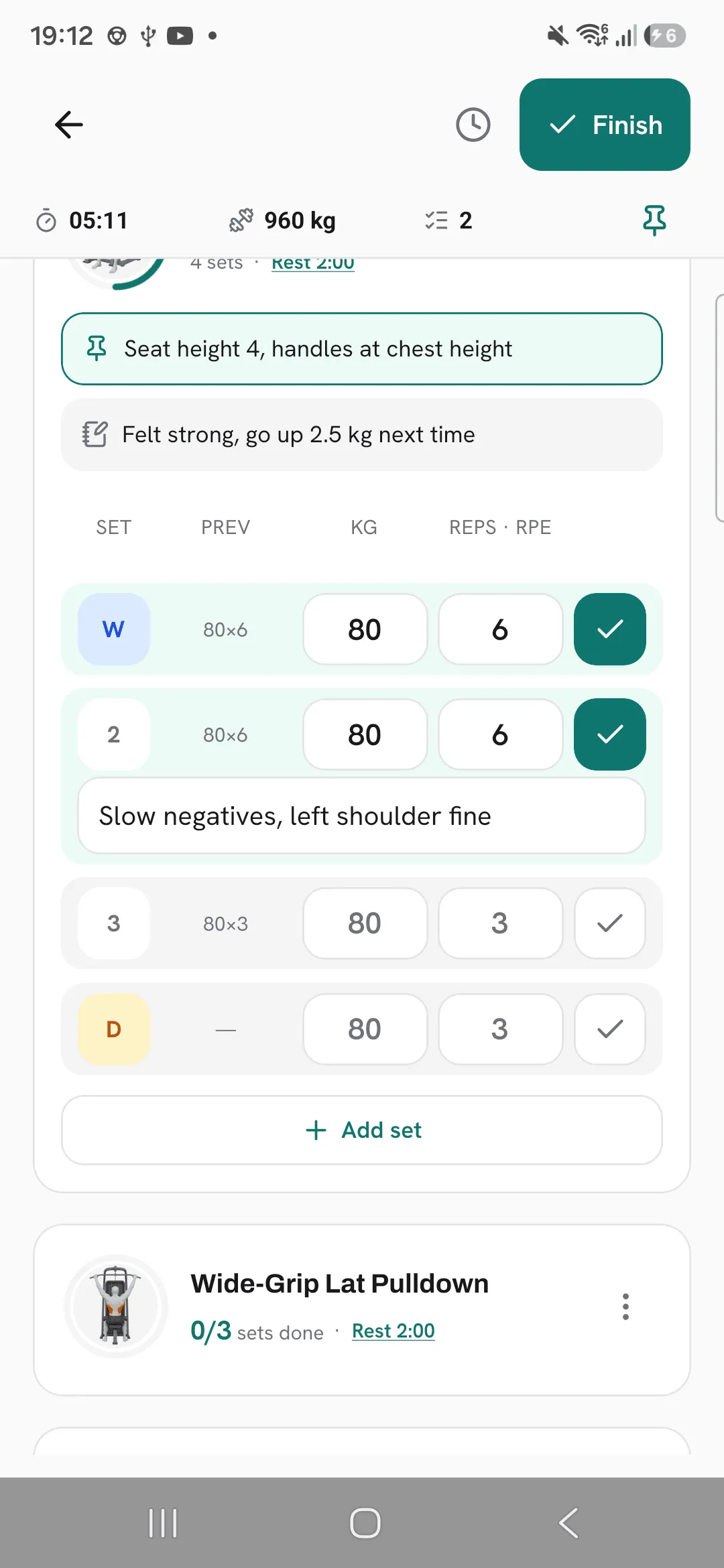
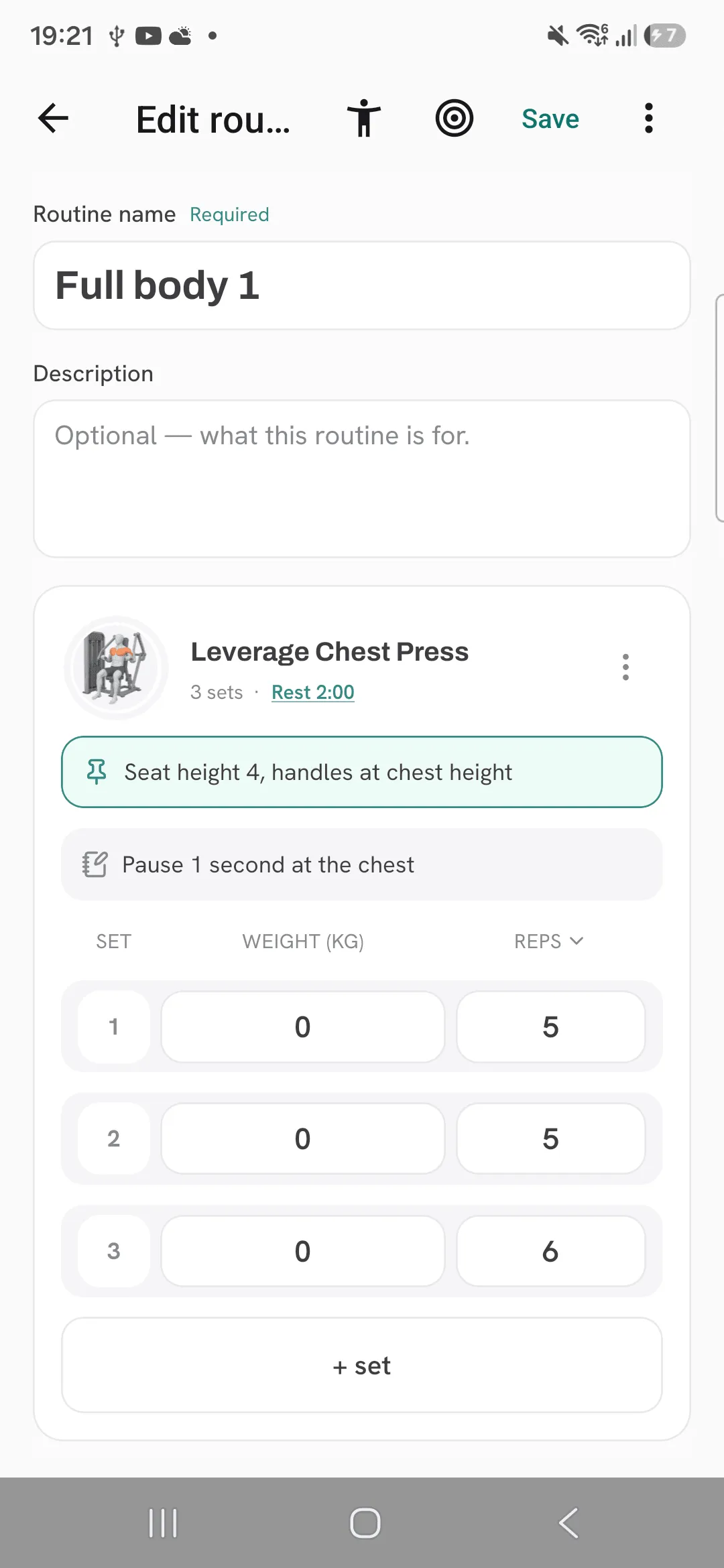
Open the ⋮ menu on an exercise and tap Pin note. A pinned note belongs to the exercise, not the workout, so it shows under that exercise in every workout and routine you do it in.
It saves when you tap outside it. To remove it, tap the pin icon, then Remove pinned note.
Notes in a routine
In the routine editor, each exercise has Add a note for workouts from this routine. A workout you start from that routine opens with it as the exercise note, unless you set a note for your next workout on that routine’s targets. Changing the note during a workout leaves the routine as it is.
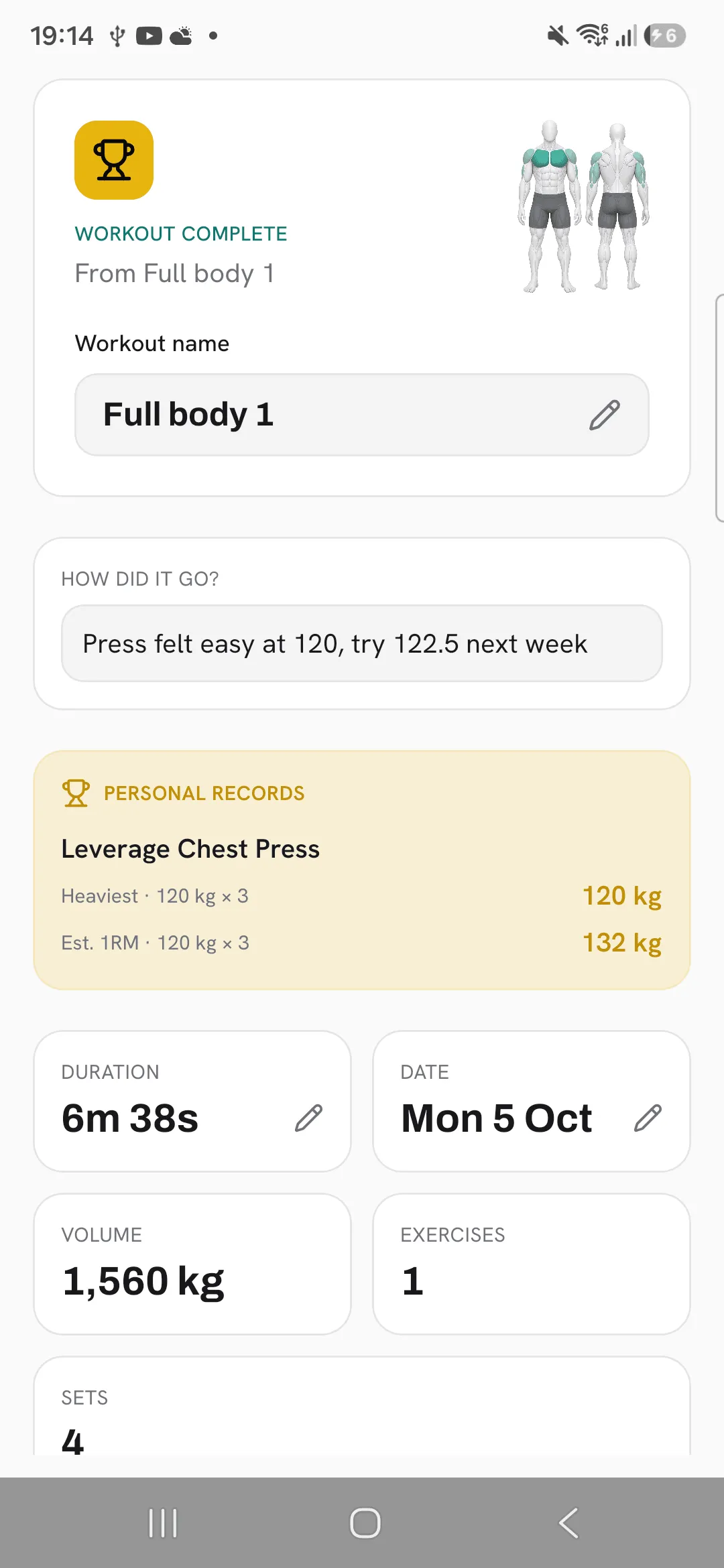
How did it go?
When you finish, the summary has a How did it go? field for how the workout felt and what to change next time.
Read them back
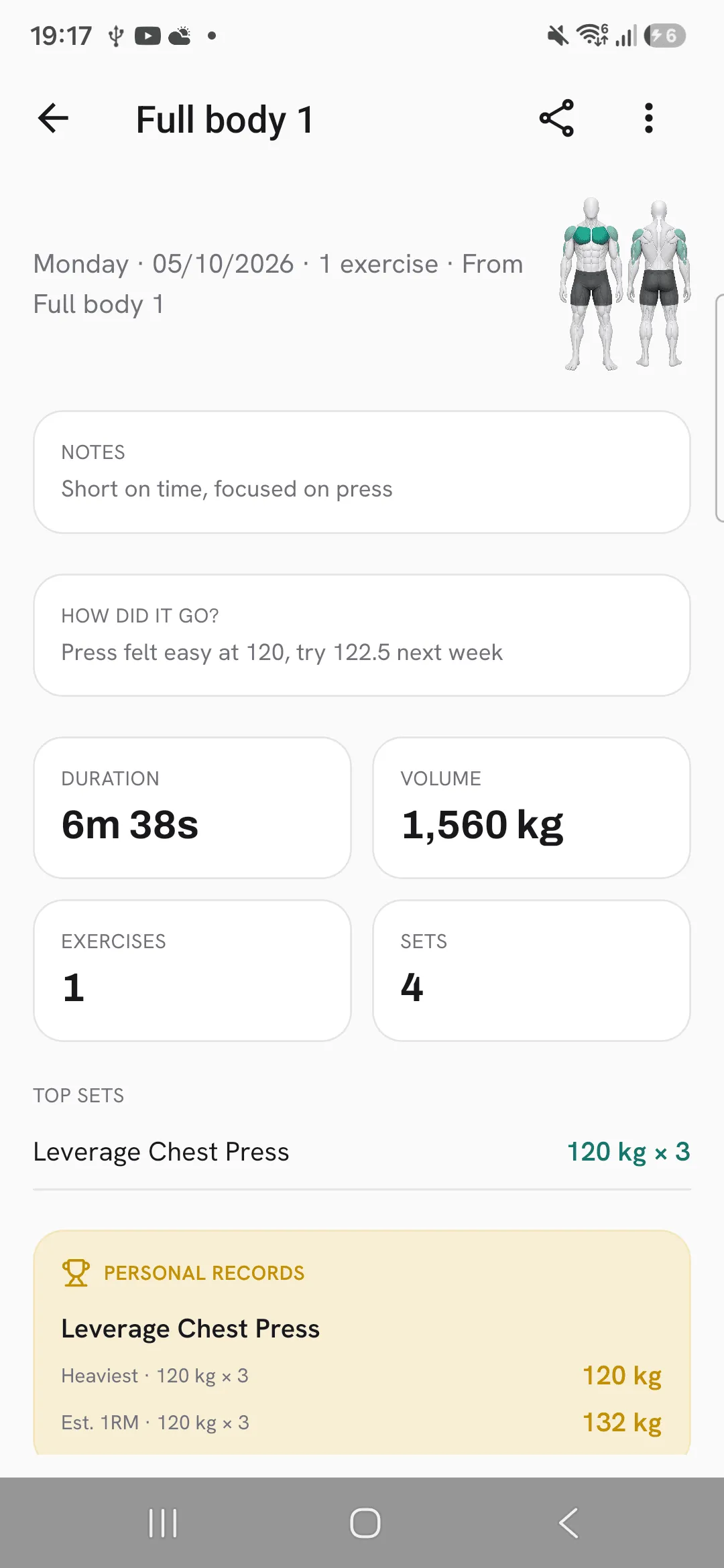
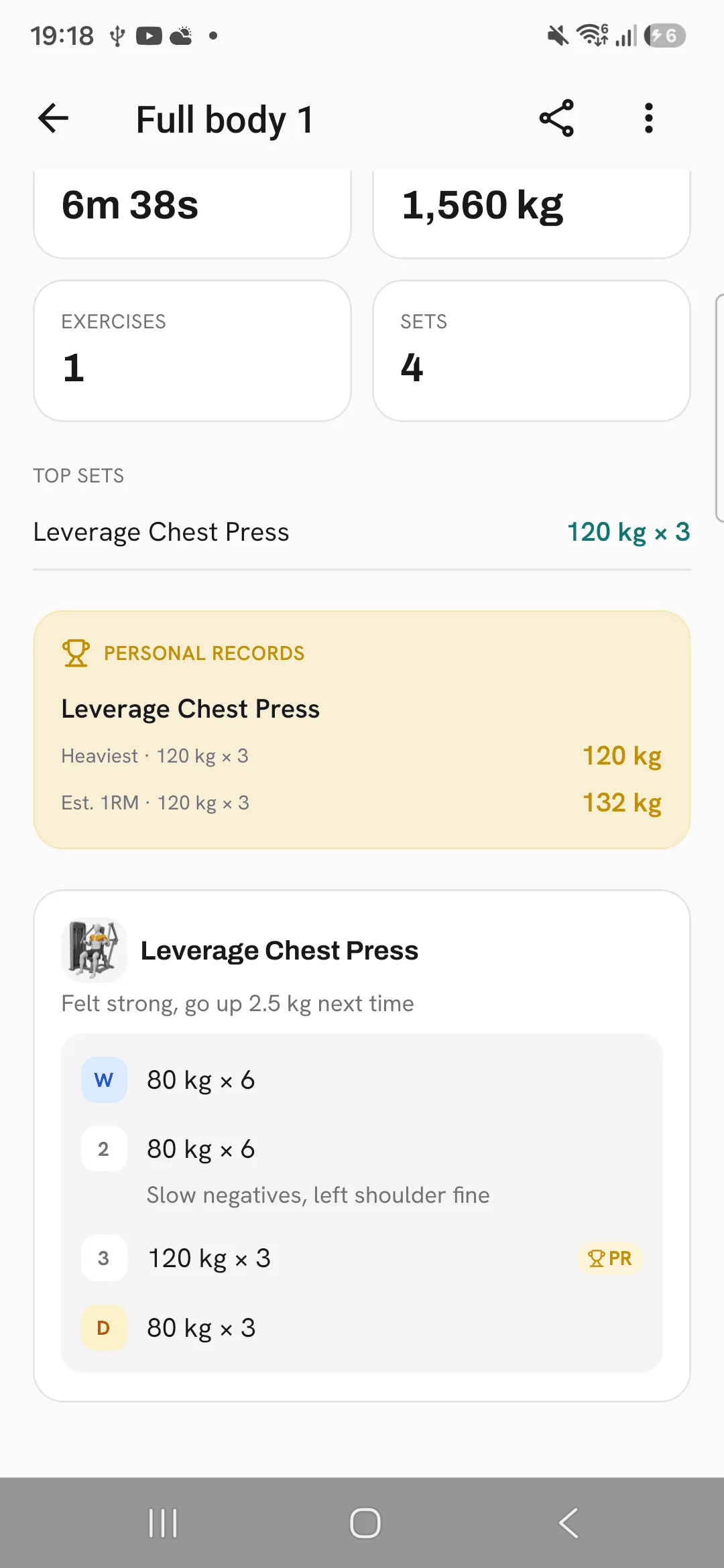
Open a finished workout and its notes are there: the workout note, How did it go?, each exercise’s note under its name and each set’s note under its set. You can change any of them when you edit the workout.
Tips
- Pin the seat height or grip you use on a machine, and it’s there the next time you train it.
- Put cues for a routine’s exercises in the routine, so workouts from it start with them.
- Write what to change next time in How did it go? when you finish.
Frequently asked questions
Does a pinned note show in every workout?
Yes. A pinned note belongs to the exercise, so it shows in every workout and routine with that exercise.
How do I delete a note?
Clear its text. For a pinned note, tap the pin icon and pick Remove pinned note.
Where do I find my notes later?
Open the workout. Its notes, How did it go?, and each exercise and set note show with the sets.
Can links go in a note?
Yes. A web link in a note can be tapped when you read the workout back.
