

Hevy exports your workouts as a CSV file. Import that file in Overlood and your Hevy workouts and sets come with it, with your PRs and charts rebuilt from them.
Export your data from Hevy
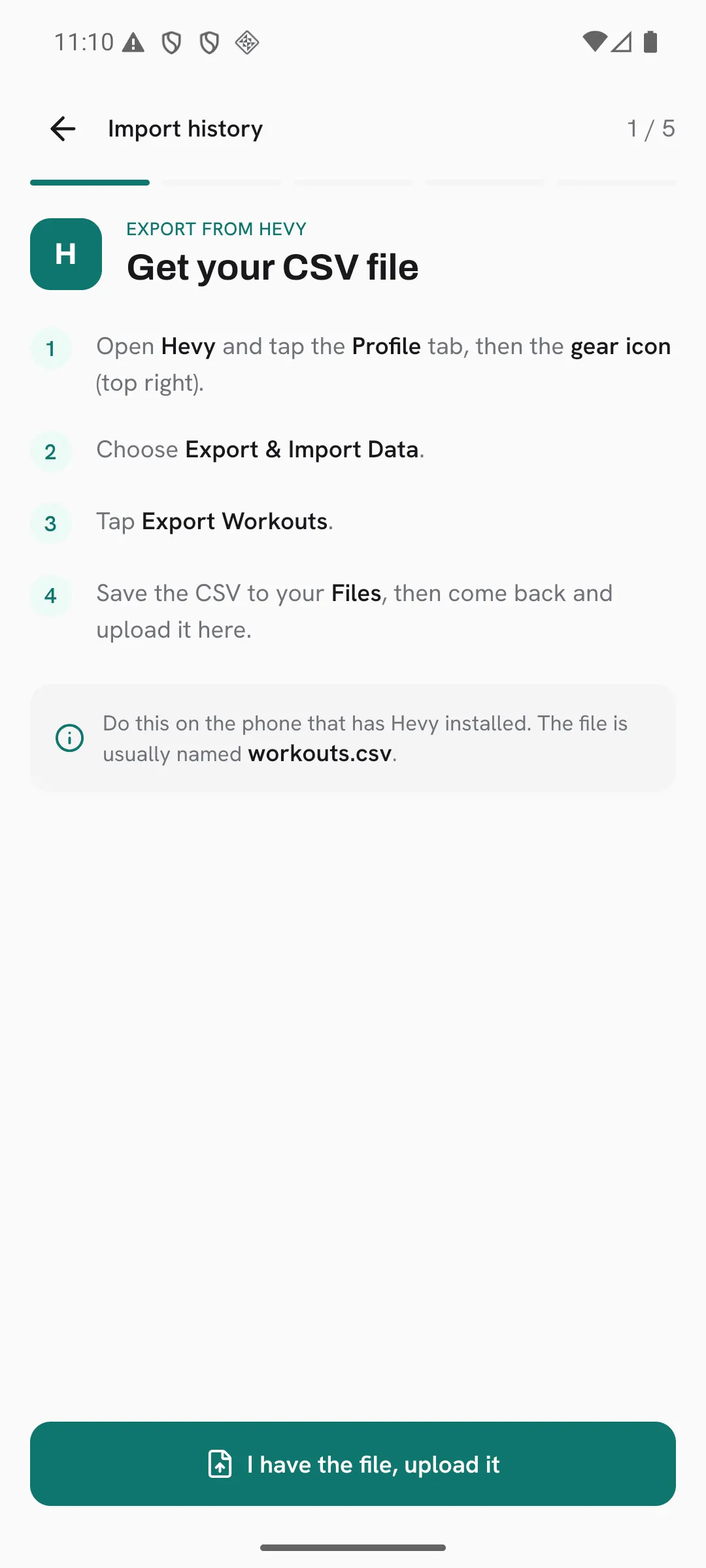
Do this on the phone that has Hevy installed.
- Open Hevy and tap the Profile tab, then the gear icon at the top right.
- Choose Export & Import Data.
- Tap Export Workouts.
- Save the CSV to your Files. It’s usually named
workouts.csv.
Import it into Overlood
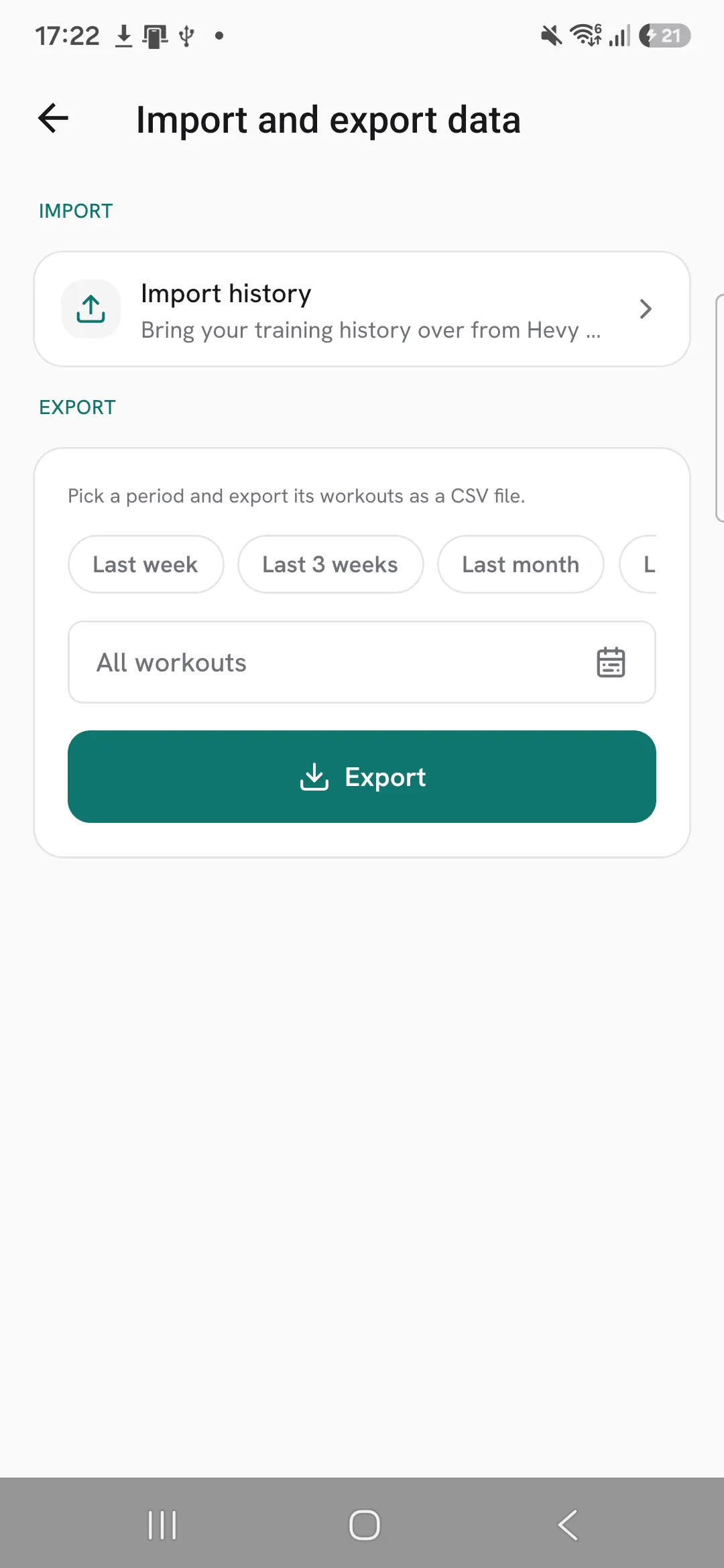
- In Overlood, open Profile, then Import and export data.
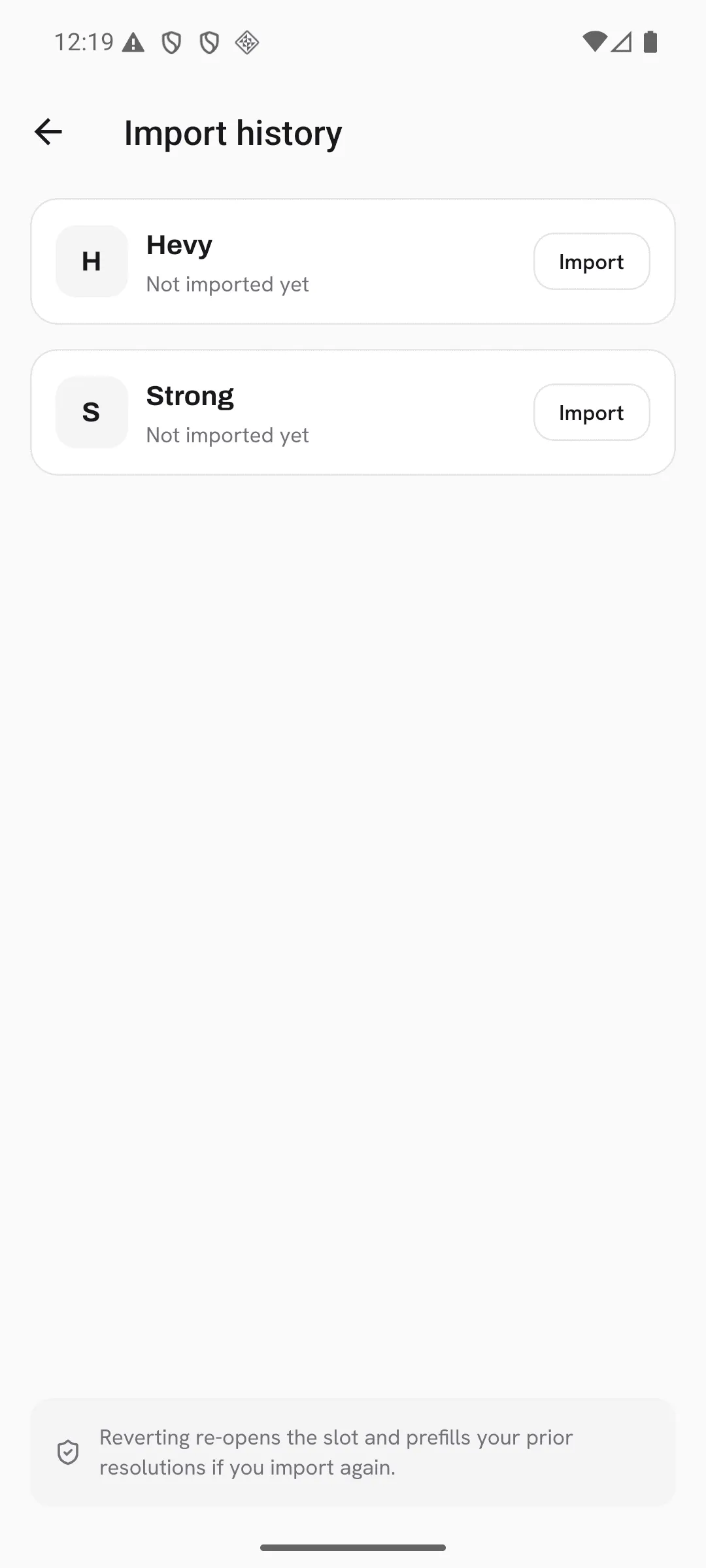
- Tap Import history, then Import on the Hevy card.
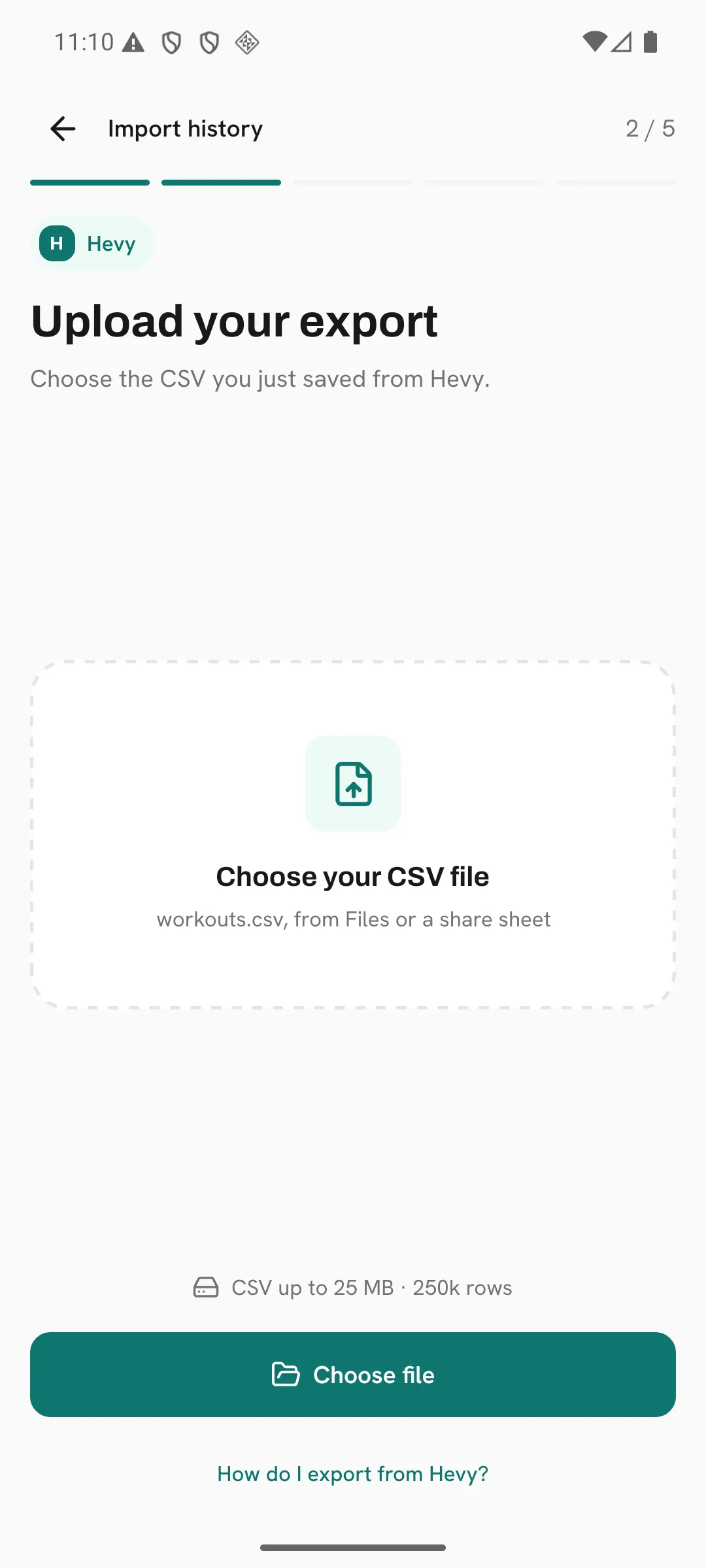
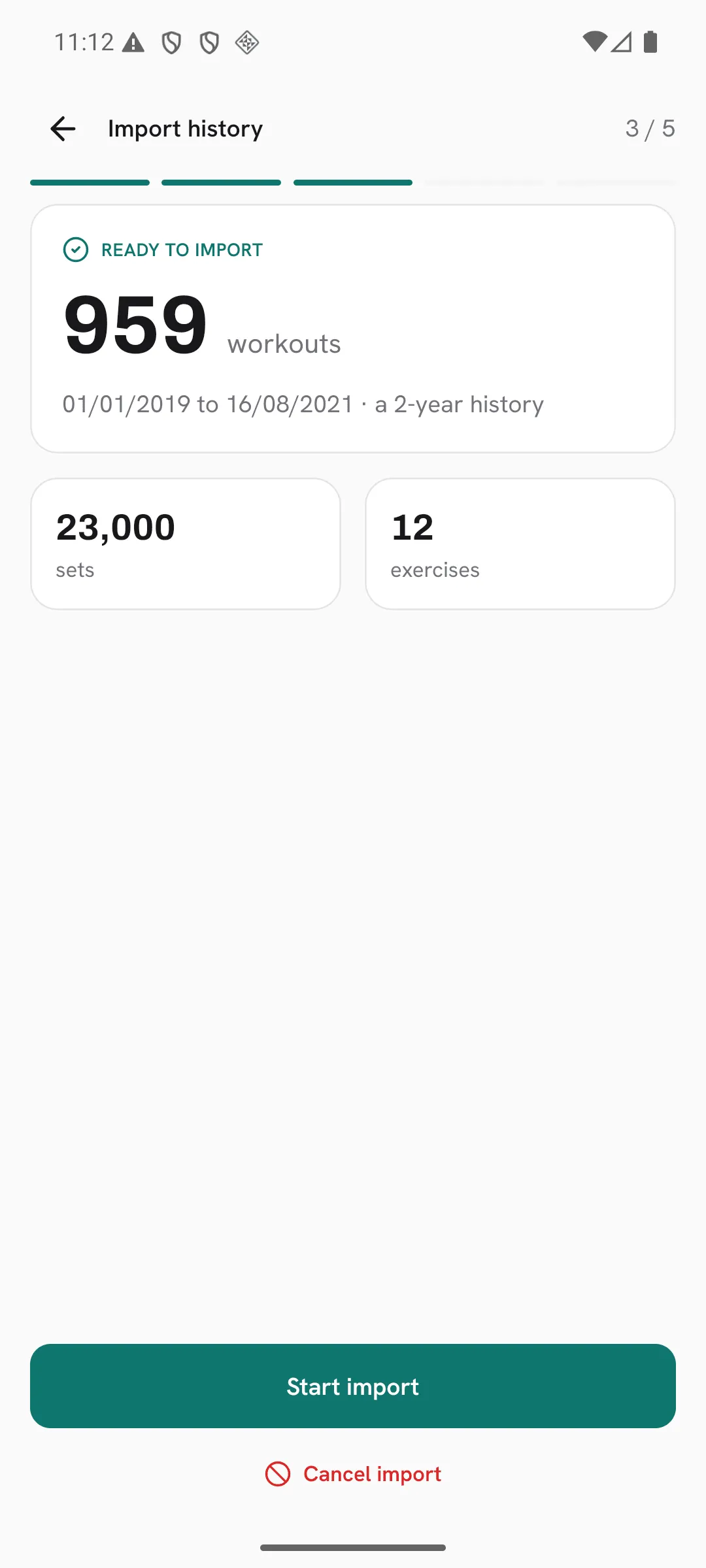
- Tap I have the file, upload it, then Choose file and pick the CSV. Overlood reads it and shows how many workouts, sets and exercises it found, and the dates they cover.
- If some exercises need your call, resolve them. Then tap Start import.
The import runs on our servers, so you can close the app while it works. To check on it, open Import history and tap Resume on the Hevy card.
What comes across
- Your workouts, with their name, date, duration and notes.
- Every set, with its weight, reps and RPE, plus time and distance for exercises that use them.
- Warm-up, failure and drop sets keep their type.
- Supersets stay linked, as long as at least two of their exercises come across.
- Your exercise notes.
- Exercises Overlood knows are matched for you. For an exercise it doesn’t recognize, you pick: match it to an Overlood exercise, create it as your own, or skip it.
Hevy’s export names its weight unit, kg or lb, so Overlood reads your weights right without you setting anything first.
What doesn’t
- Rest times. An import doesn’t carry them.
- Sets with no reps, time or distance. The preview tells you how many it skipped.
- Very long notes are shortened. The preview tells you how many.
Workouts you already logged
If an imported workout falls on a date you already logged in Overlood, both are kept.
Undo an import
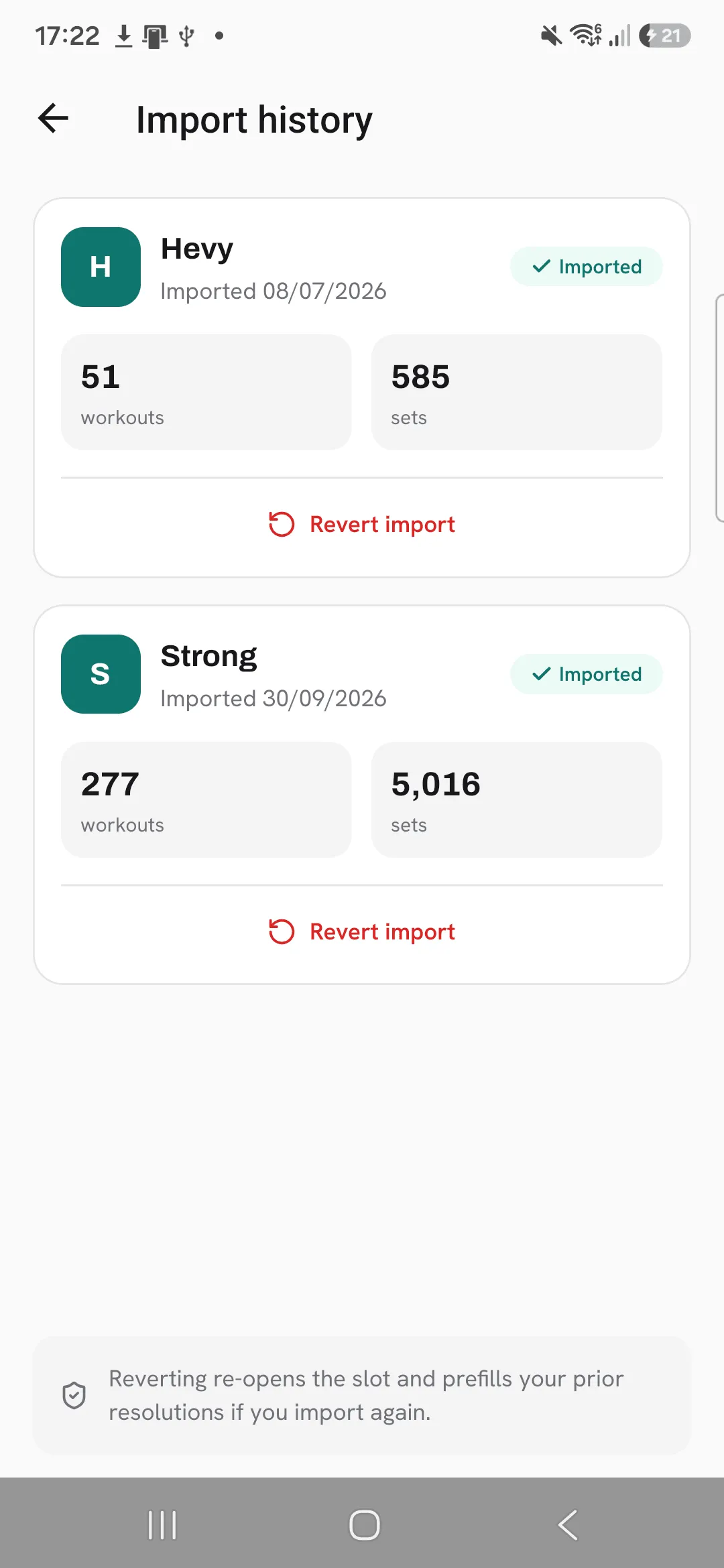
You get one import per source. Revert import on the Hevy card removes every imported workout and the custom exercises it created, unless you’ve used one in your own workouts or routines. Workouts you logged yourself stay. After a revert you can import again, and the choices you made for unrecognized exercises are filled in for you.
Tips
- Import before your next workout, so a PR in it is measured against your real best.
- Compare the dates in the preview with when you started in Hevy before you tap Start import.
- Take your time on the exercises it doesn’t recognize. If you revert and import again, your choices are filled in.
Frequently asked questions
Do my PRs and charts come across?
Yes. Overlood rebuilds them from the workouts you import.
Do I need to set kg or lb before importing?
No. Hevy’s export names its weight unit, so Overlood reads your weights in the unit you logged them in.
Do my supersets come across?
Yes, as long as at least two exercises of the superset come across.
Can I undo an import?
Yes. Revert import on the Hevy card removes every imported workout and the custom exercises it created, unless you’ve used one in your own workouts or routines. Workouts you logged yourself stay.
