

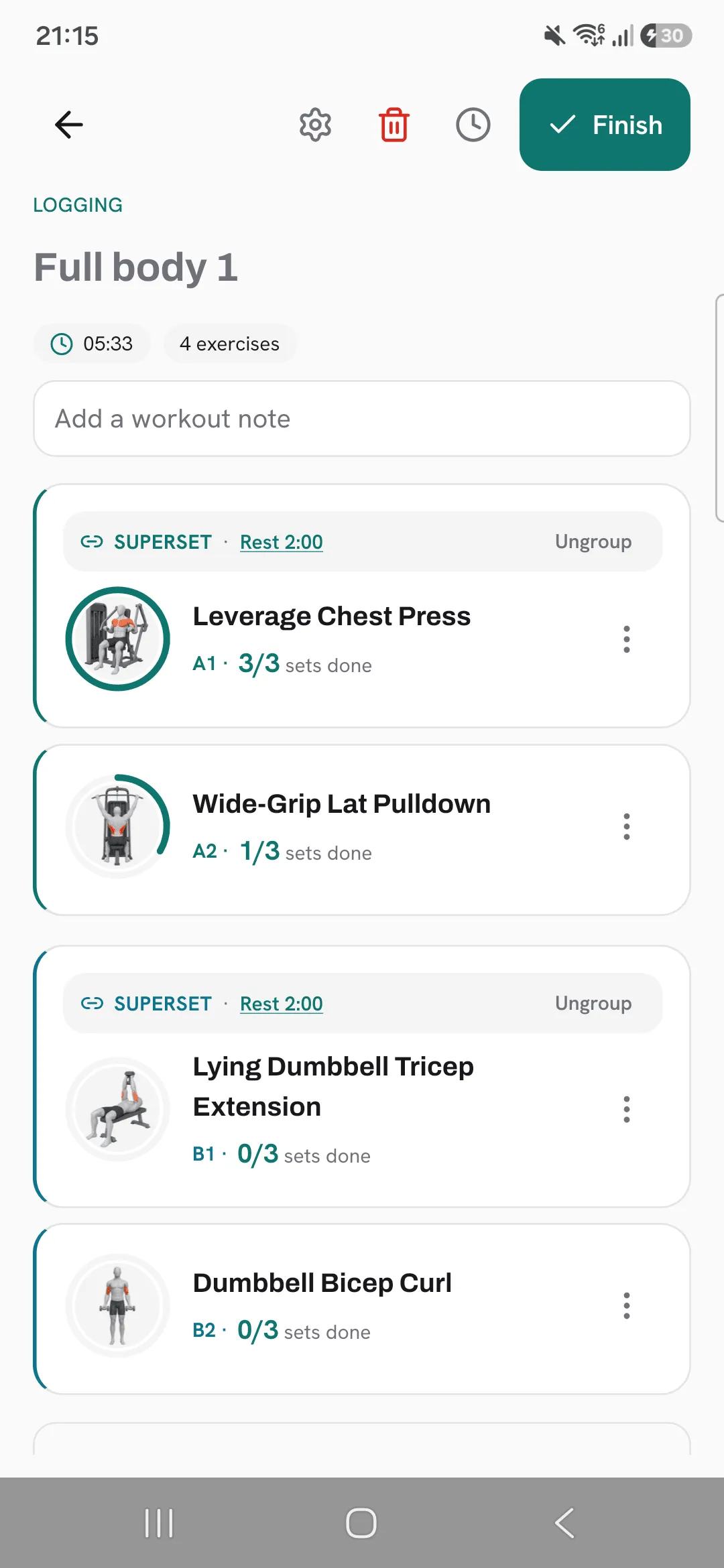
A superset in Overlood links two or more exercises so you do them back to back, one set of each per round.
It keeps the log in the order you actually train, and the rest timer waits until the round is done.
Create a superset
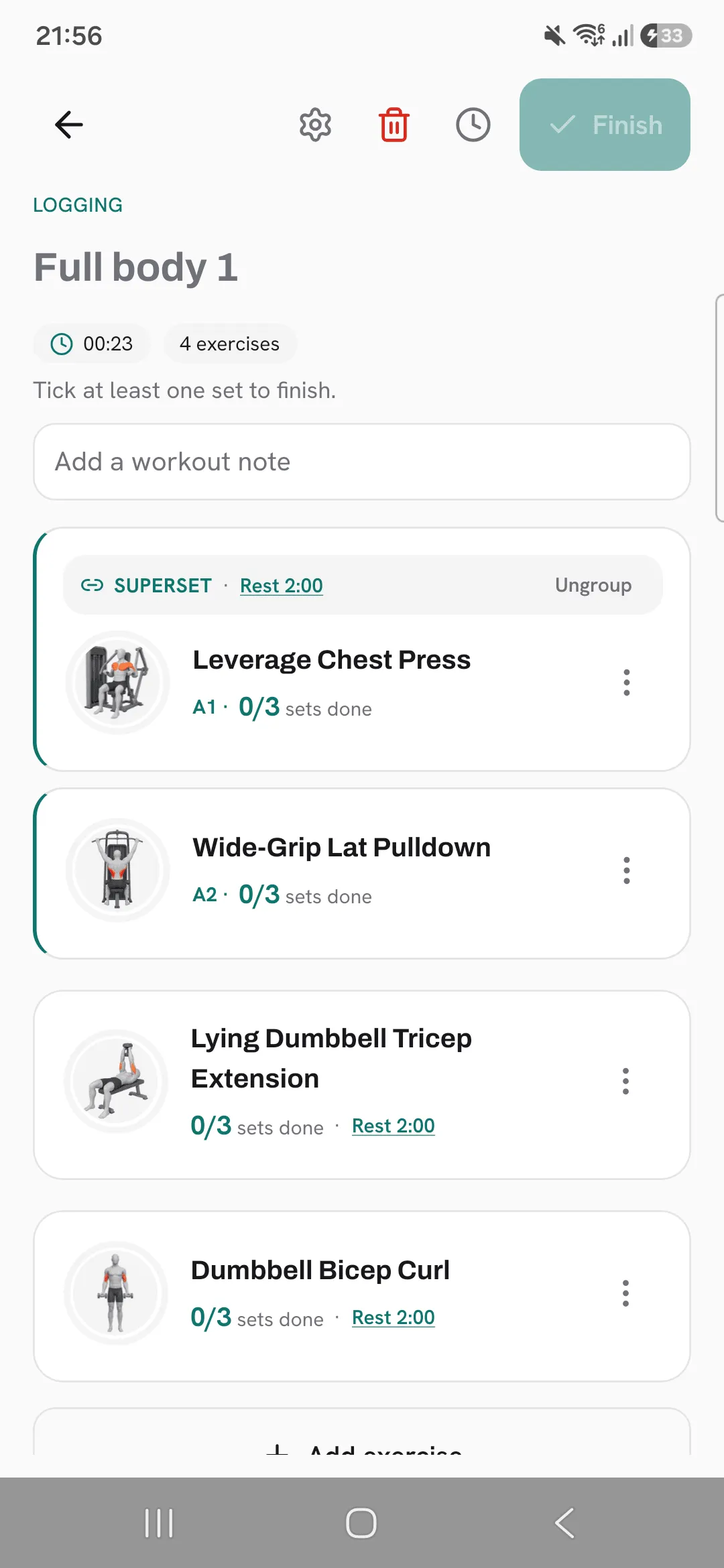
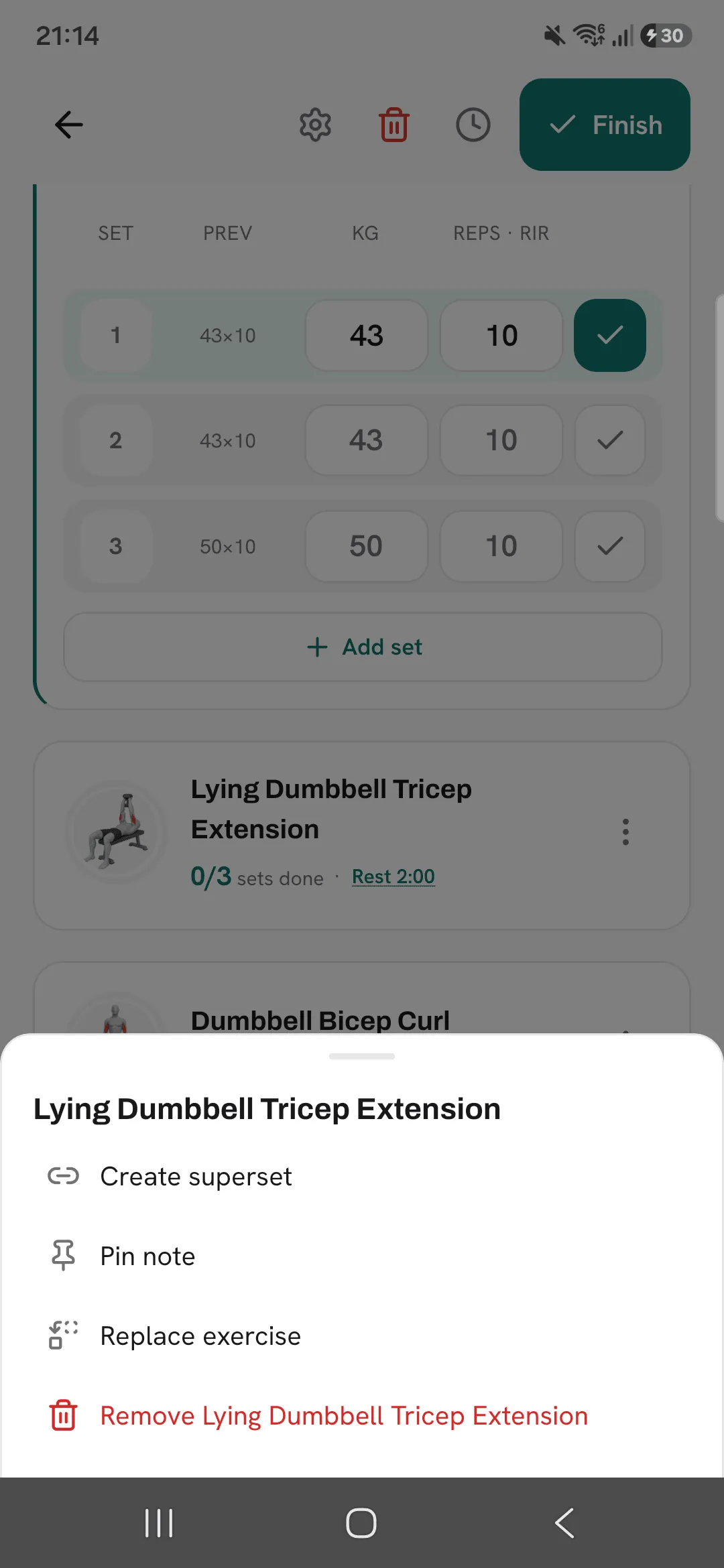
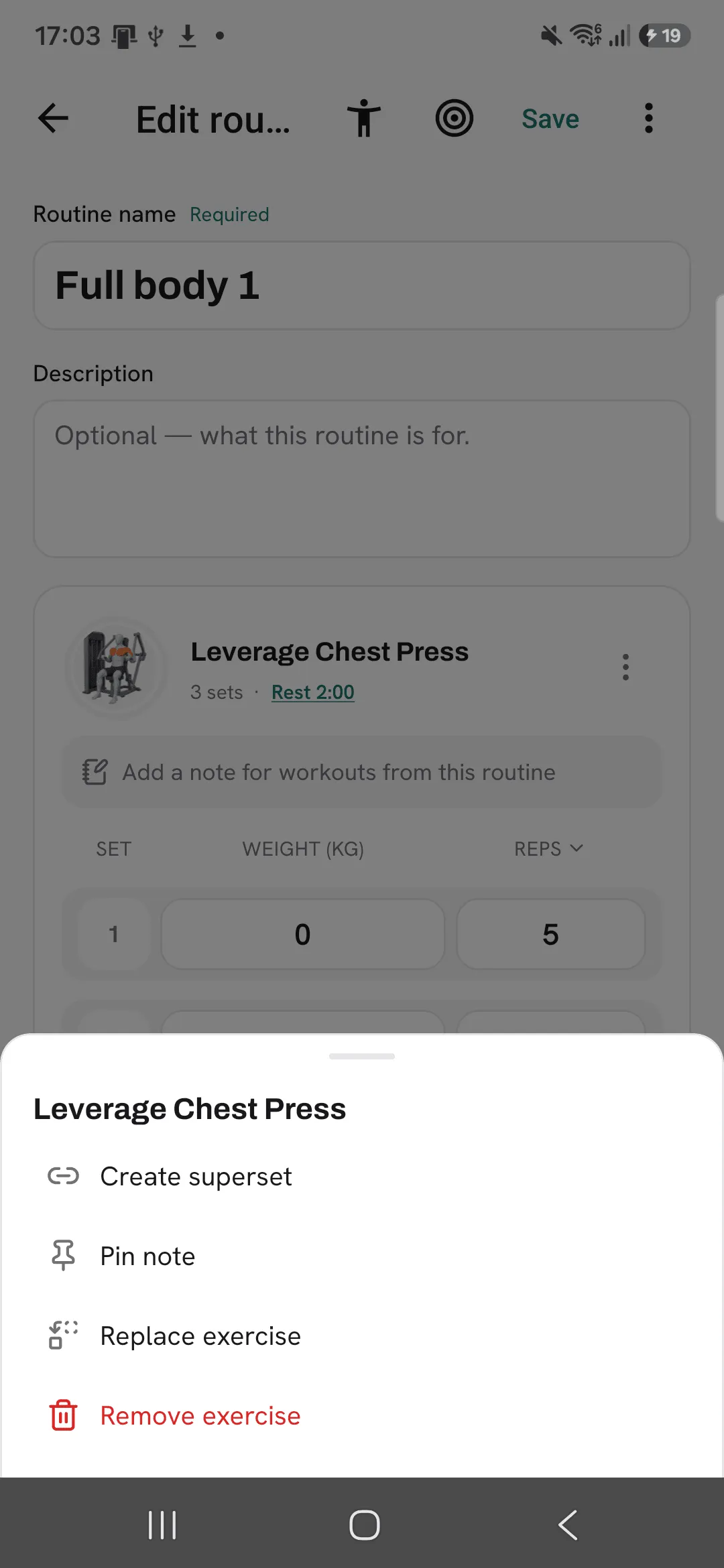
- During a workout, tap the ⋮ menu on an exercise.
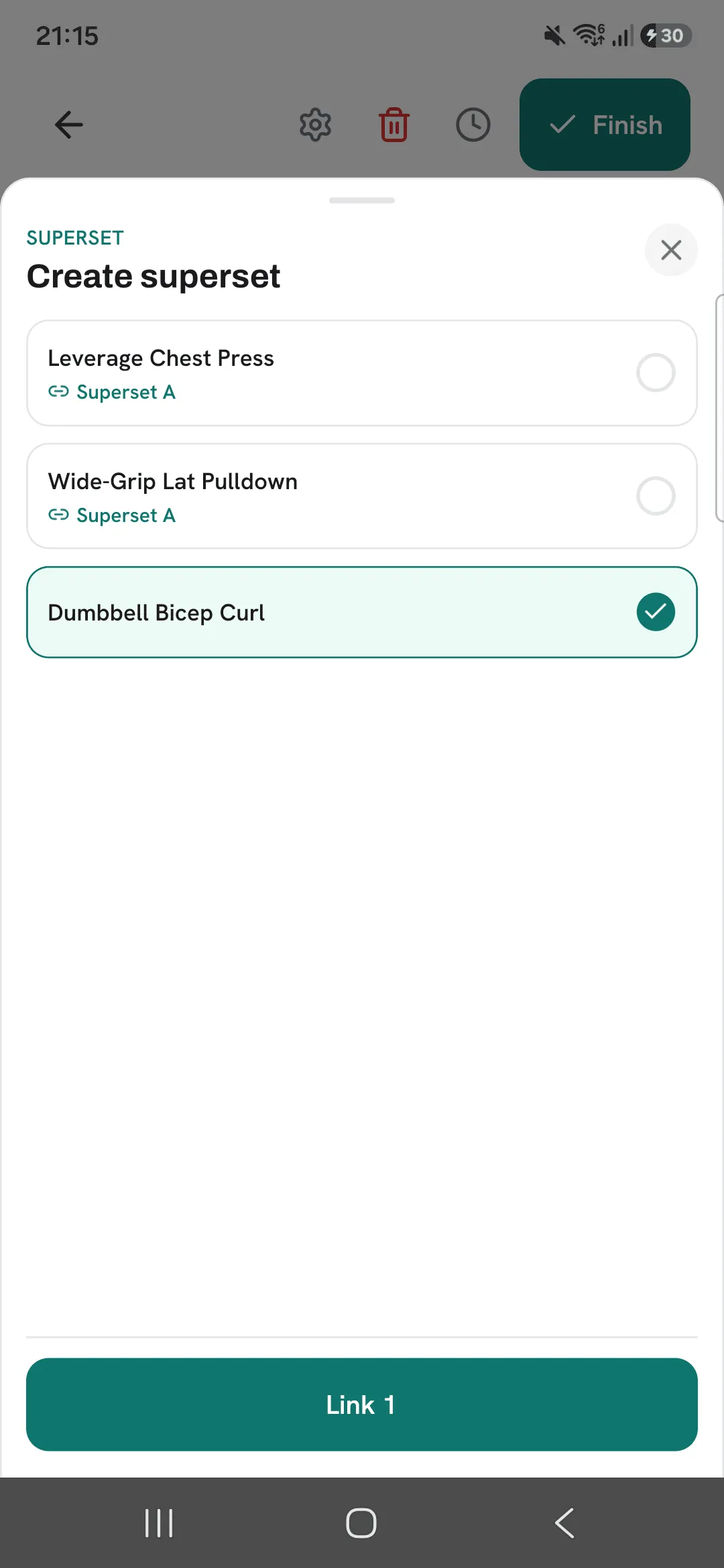
- Tap Create superset.
- Pick the exercises to link with it, then tap the Link button, which counts how many you picked.
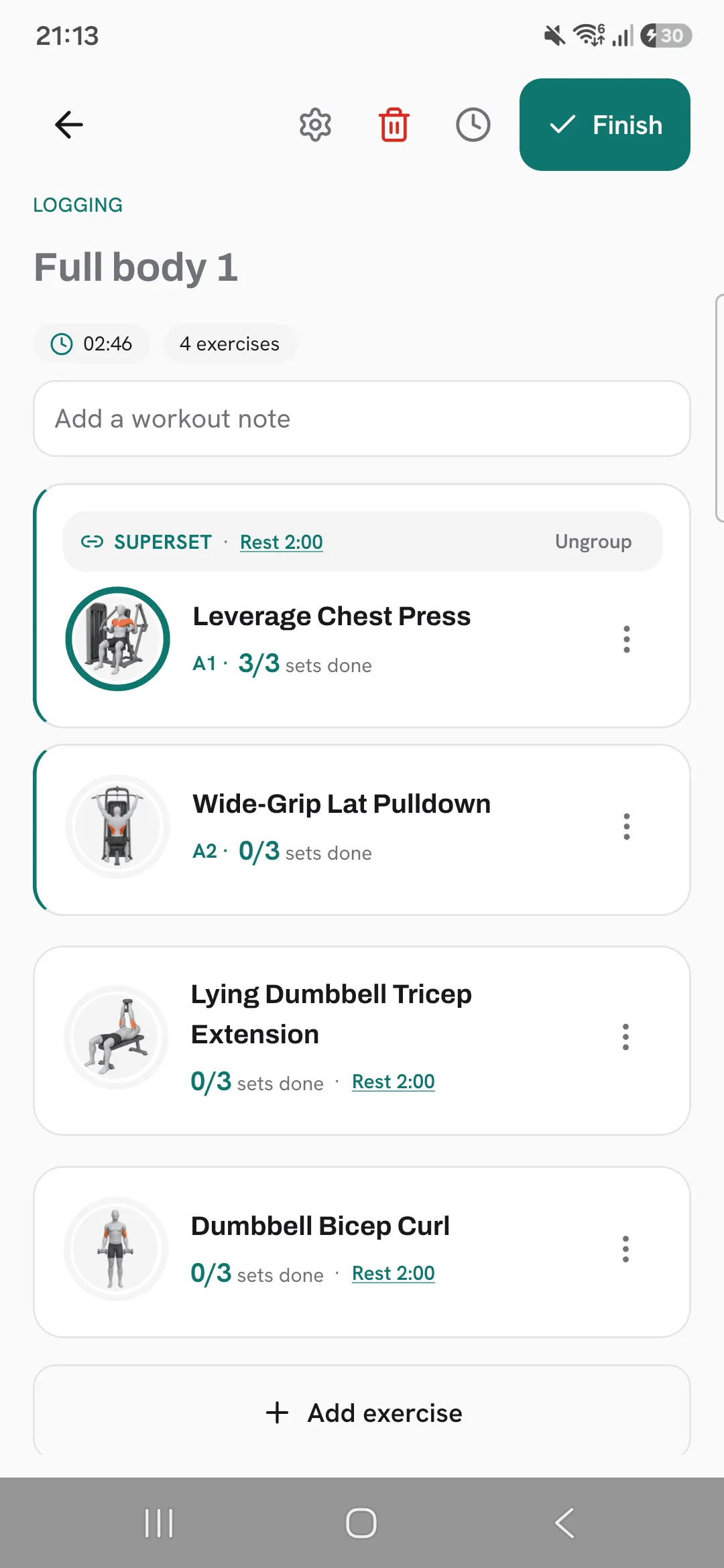
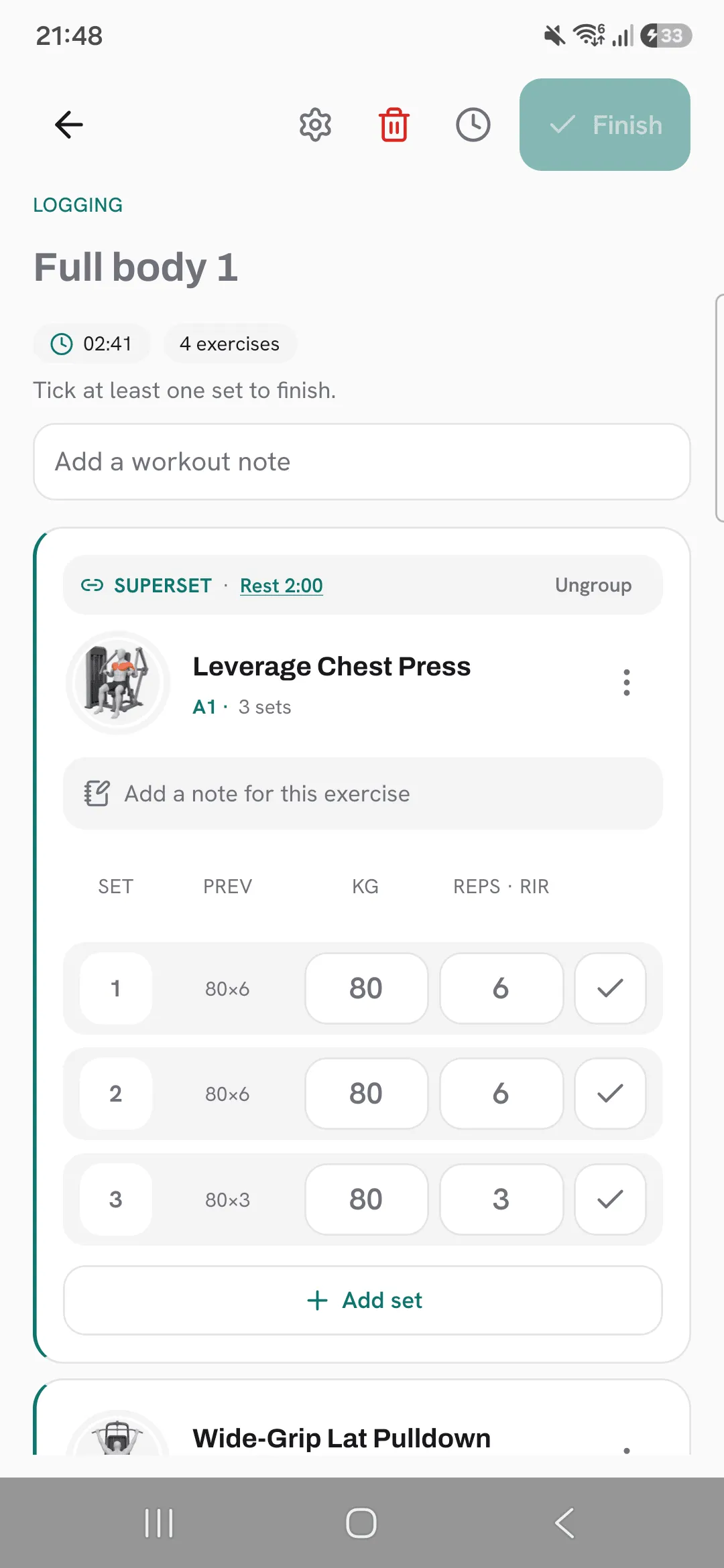
The linked exercises move together as one block, labelled A1, A2 and so on. Supersets are colour-coded, so two in a row are easy to tell apart.
An exercise already in a superset has Add to superset and Remove from superset in the same menu.
Log it
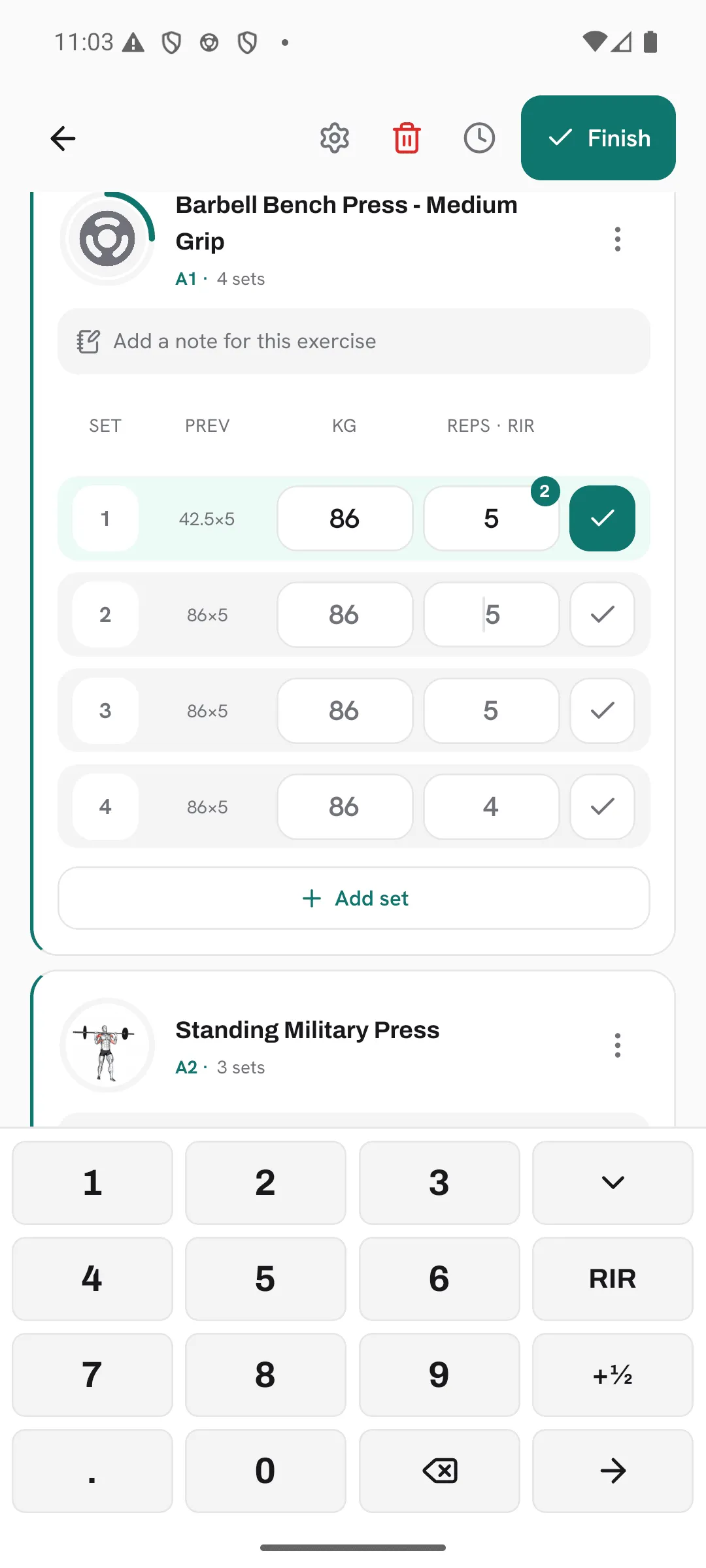
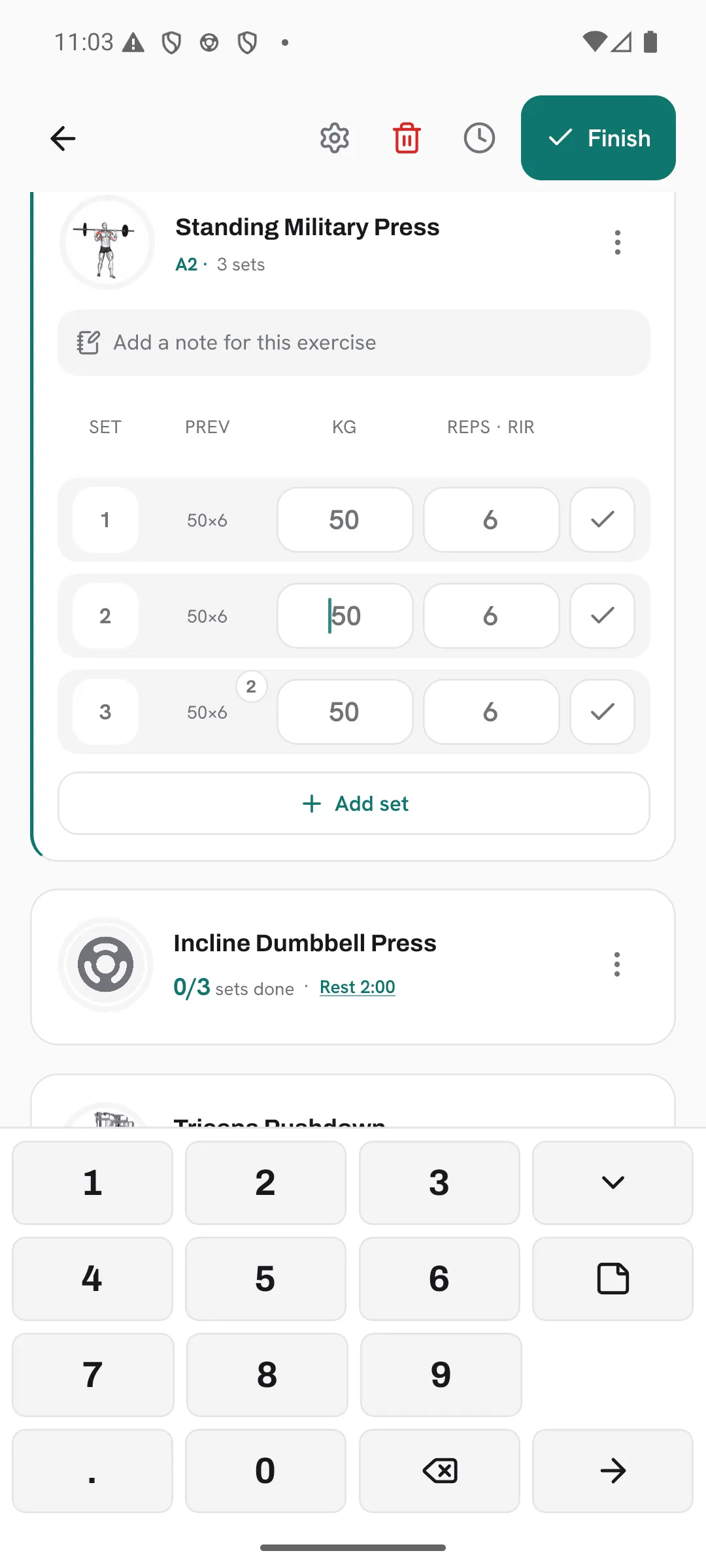
Tick a set and the next member of the superset is up: set 1 of A1, then set 1 of A2, then back to A1 for set 2.
Rest
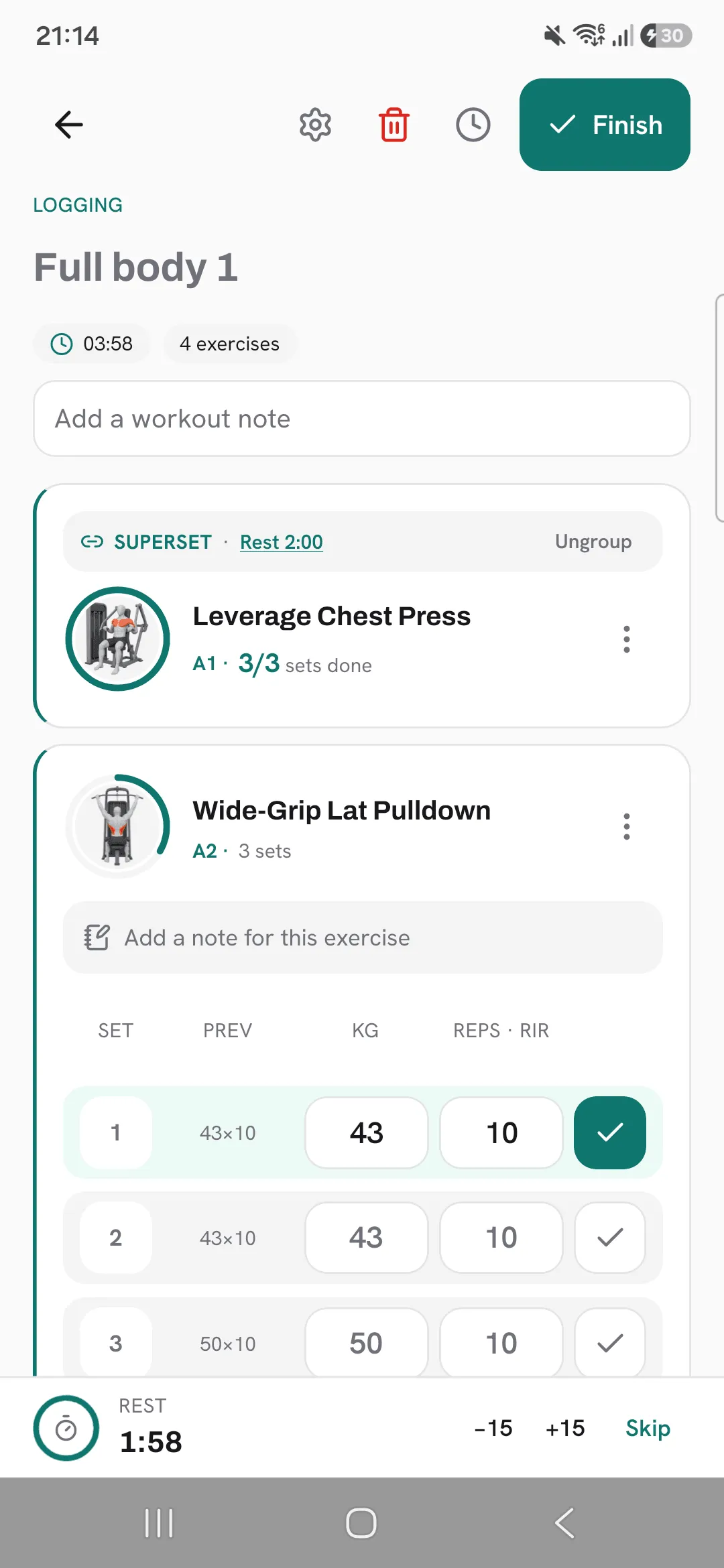
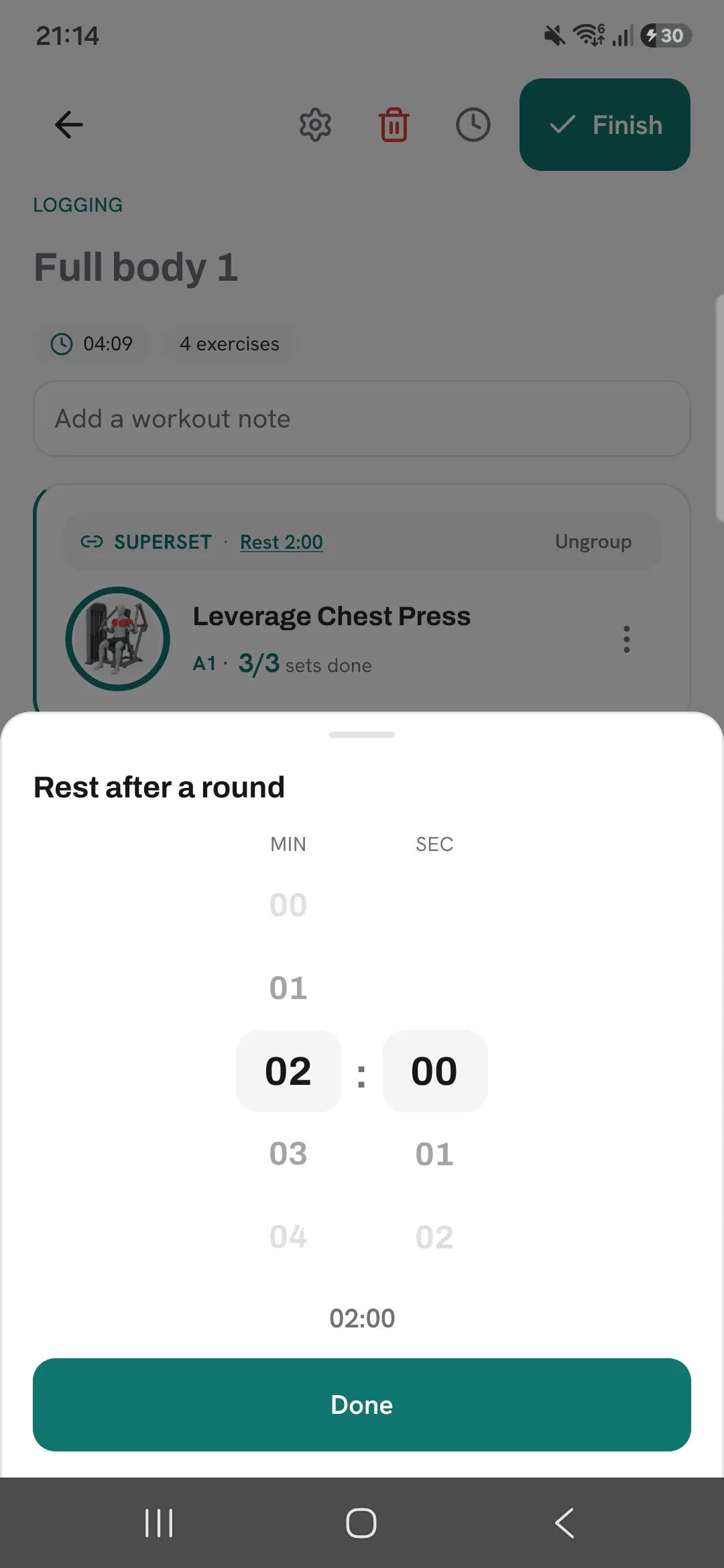
There’s no rest between the exercises of a superset. One rest starts after the last exercise of each round. Tap the rest on the superset to change how long it is.
Supersets in a routine
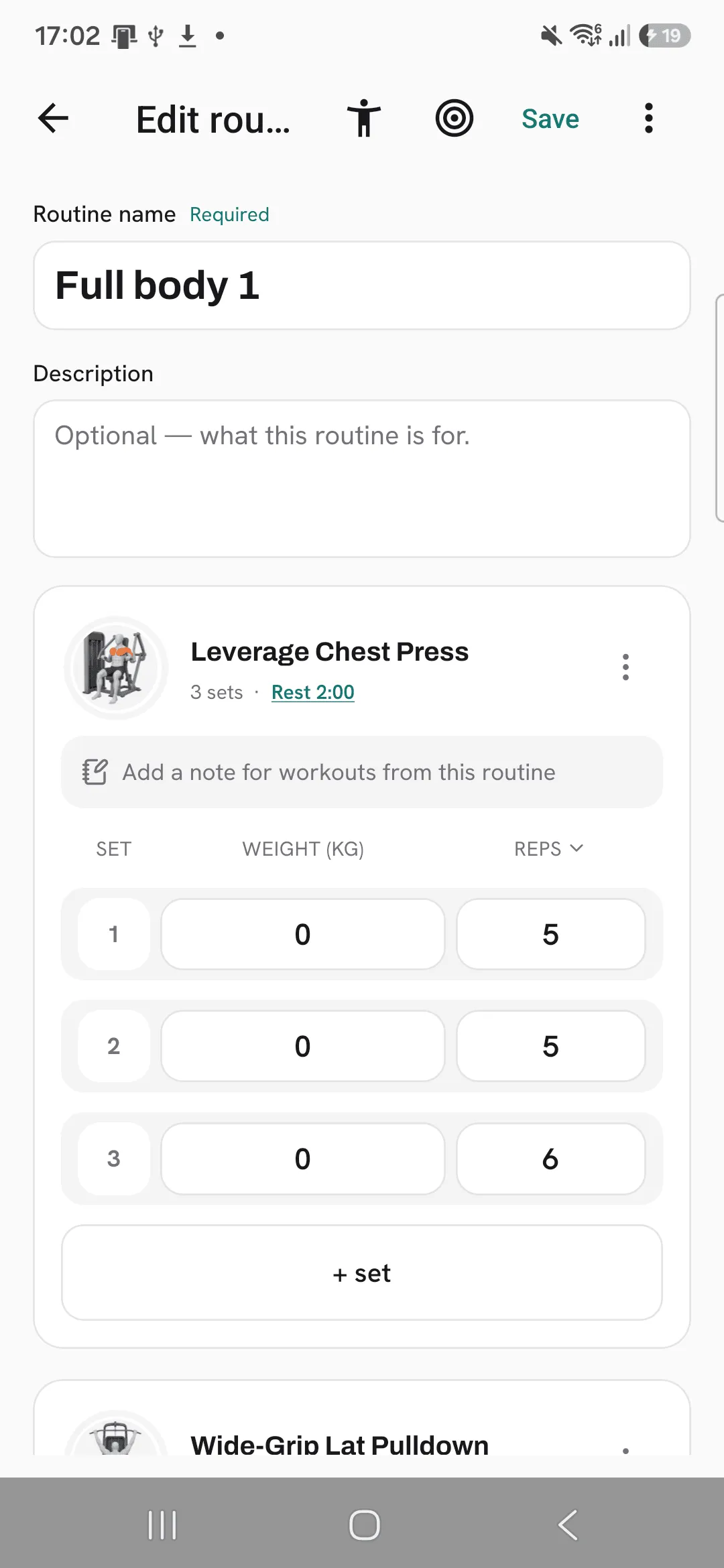
The routine editor has the same Create superset option in each exercise’s menu. A workout you start from that routine opens with the superset already linked.
Saving a workout as a routine and duplicating a routine both keep their supersets.
Tips
- Set up supersets in a routine, and every workout you start from it opens with them linked.
- Pair exercises that don’t share a machine or bench, so you’re not waiting to start the second one.
- Tap Ungroup in the superset’s header to split it back into separate exercises.
Frequently asked questions
Is there a rest between exercises in a superset?
No. One rest starts after the last exercise of each round.
Can a superset have more than two exercises?
Yes. Link two or more, and they’re labelled A1, A2 and so on.
Does a superset survive saving a workout as a routine?
Yes. Saving a workout as a routine and duplicating a routine both keep their supersets.
