

Overlood turns a finished workout into an image you can post or send: your muscle map, a new PR, your workout log or your muscle distribution, on a card sized for a phone story.
You trained, you want to show it. The card does the layout, and what you see is the image you share, at full story size.
Open the share screen
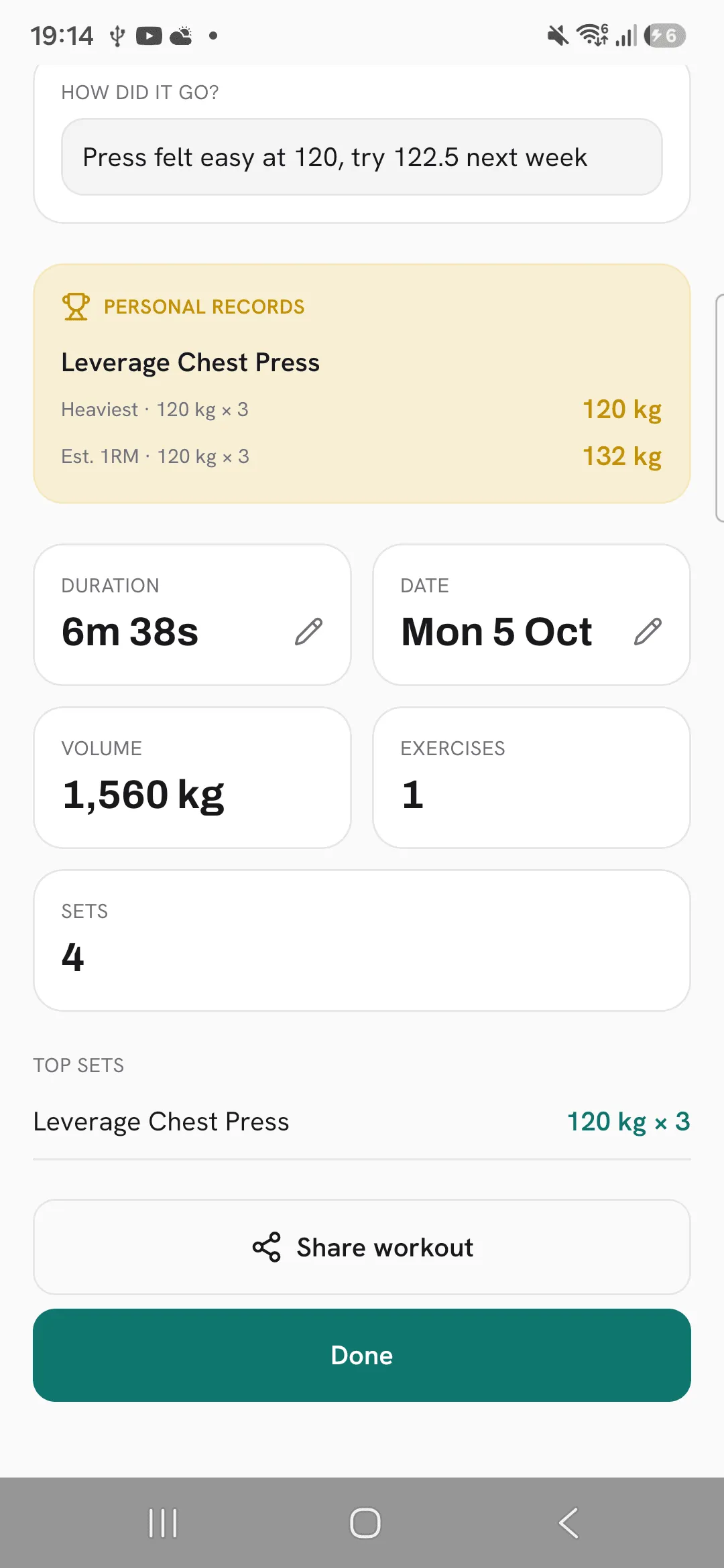
- Right after you finish, tap Share workout on the summary.
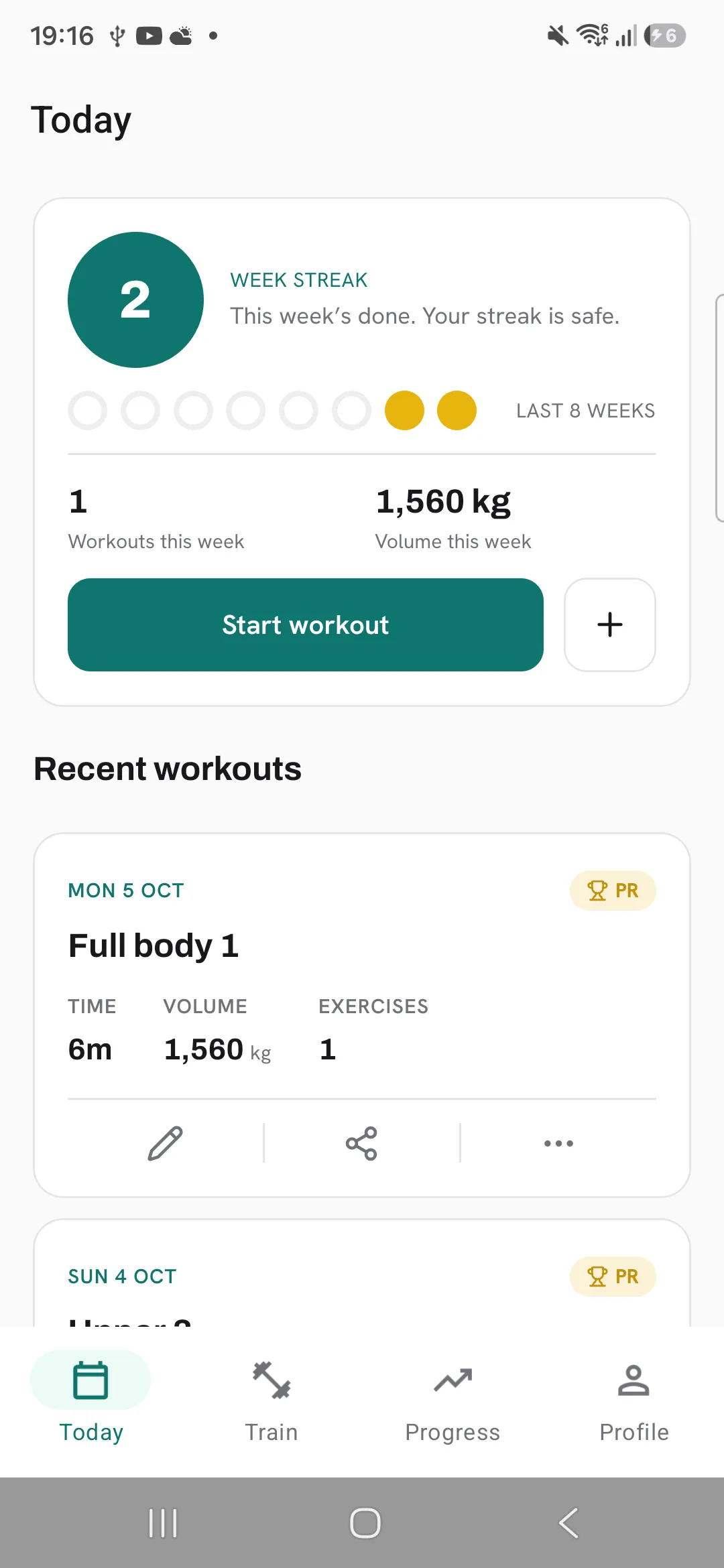
- On Today, tap Share on a workout’s card under Recent workouts.
- Or open a finished workout and tap the share button at the top.
Pick a card
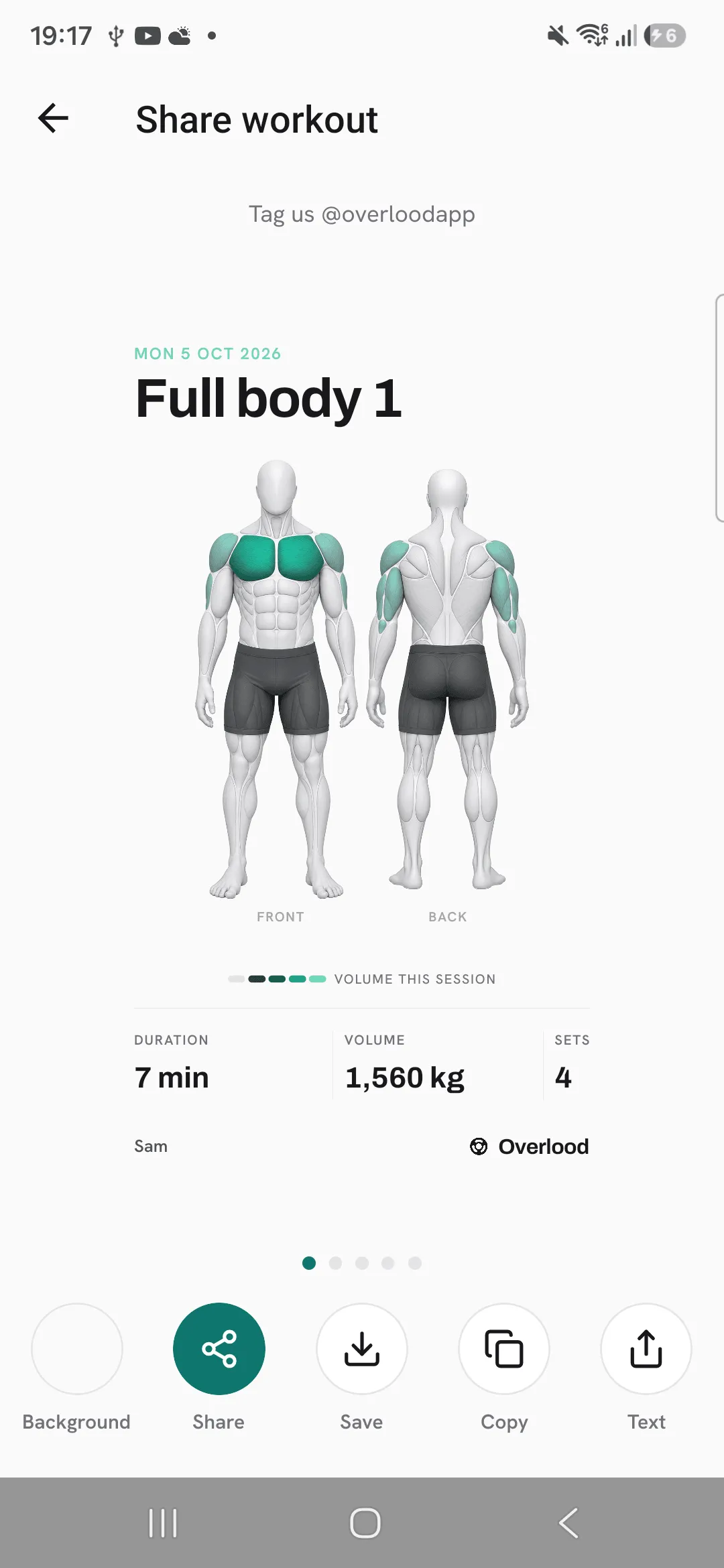
Swipe sideways through the cards. The one on screen is the one you share.
- Body lit up: your front and back muscle map shaded by this workout’s volume, with duration, volume and sets.
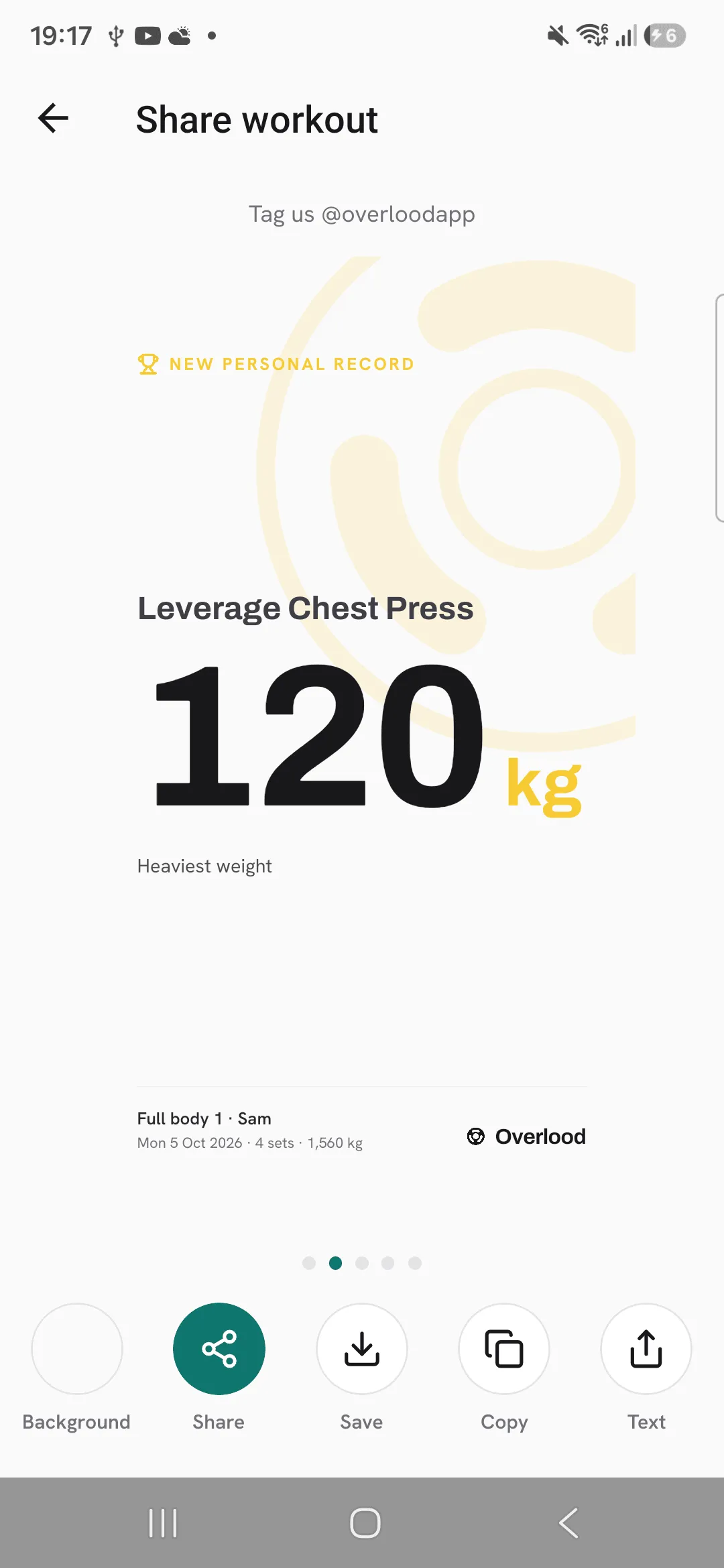
- New personal record: one card for each PR you set, with the exercise and the number.
- Workout log: each exercise with its top set and number of sets, and your totals.
- Muscle distribution: a chart of how the workout spread across chest, back, legs, shoulders, arms and core.
PR cards only show when you set a PR. The muscle cards need exercises with muscles, so a cardio-only workout may not have them.
Pick a background
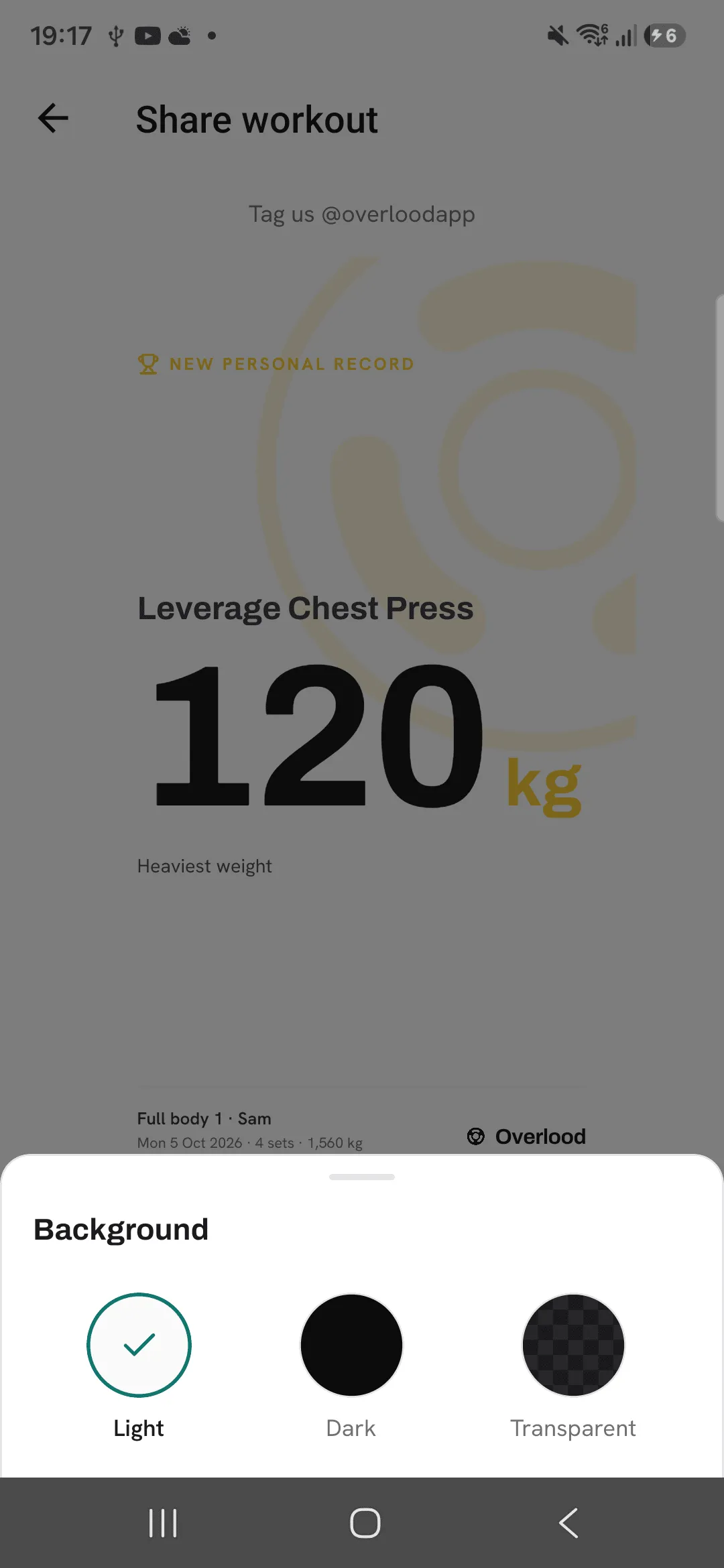
Tap Background and pick Light, Dark or Transparent.
Share or save it
- Share opens your phone’s share sheet with the image.
- Save puts the image in your photos. The first time, your phone may ask to let Overlood add photos.
- Copy puts the workout on your clipboard as plain text.
- Text opens the share sheet with the workout as plain text.
Tips
- Pick Transparent as the background to lay the card over your own photo in a story.
- Every PR you set gets a card of its own. Swipe to it to share that exercise.
- Use Copy to paste your workout as text into a chat or a notes app.
Frequently asked questions
What size is the image?
1080 by 1920 pixels, the size of a phone story.
Does Overlood need access to my photos?
Only to save a card, and only to add it. Sharing through the share sheet needs no permission.
Can I share an older workout?
Yes. Open it, or find it under Recent workouts on Today, and tap Share.
