

Sets per muscle charts how many sets each muscle gets, week by week, so you can see whether a muscle is getting the work you meant to give it.
Counting sets per muscle is a simple way to keep your training in balance. A muscle that slips to a few sets a week stands out on the chart long before you notice it in the mirror.
Open the chart
Open Progress, then Statistics, then Sets per muscle. It opens on the last three months, with your three busiest muscles plotted.
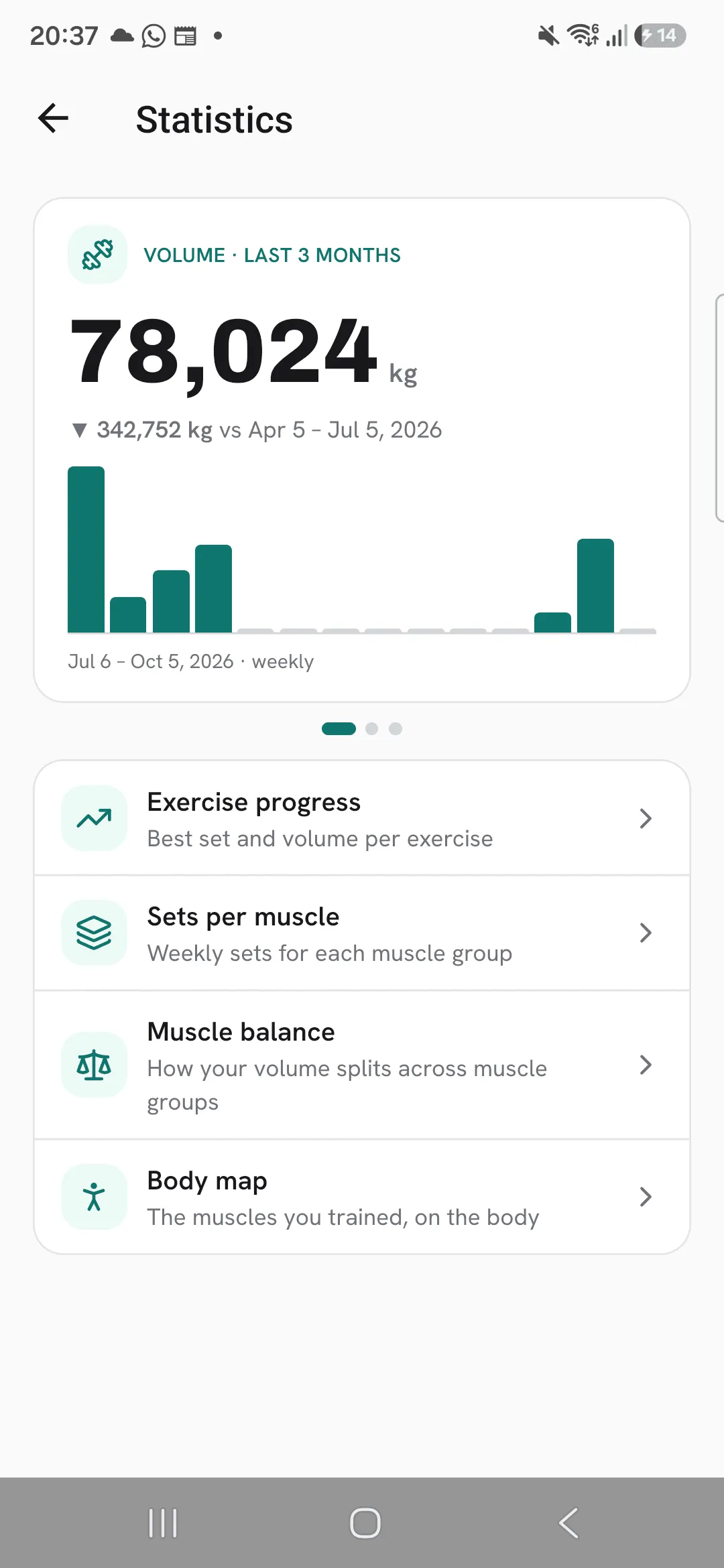
Choose which muscles to plot
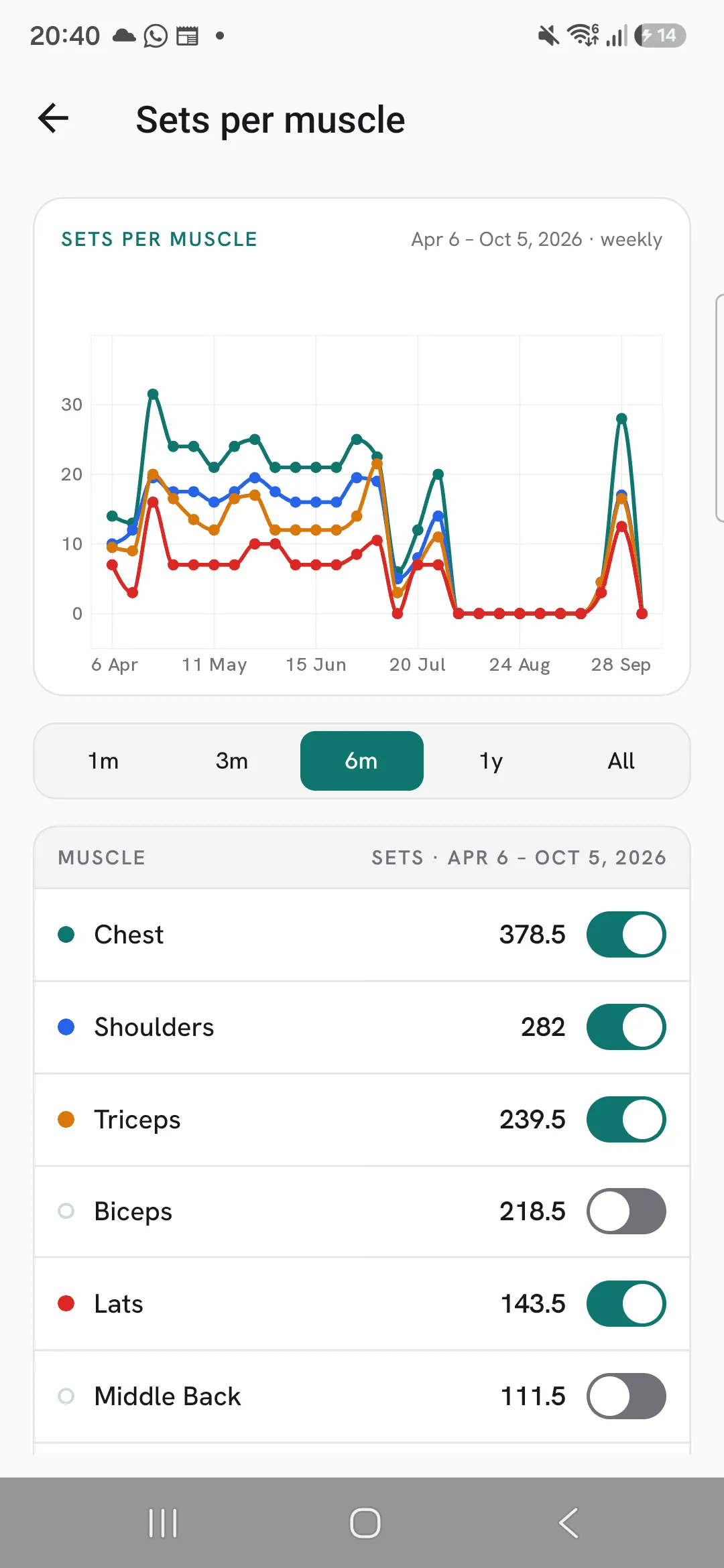
The list under the chart has every muscle, busiest first, with its total sets for the period. Switch a muscle on to add its line to the chart, and off to remove it. You can plot up to six at once.
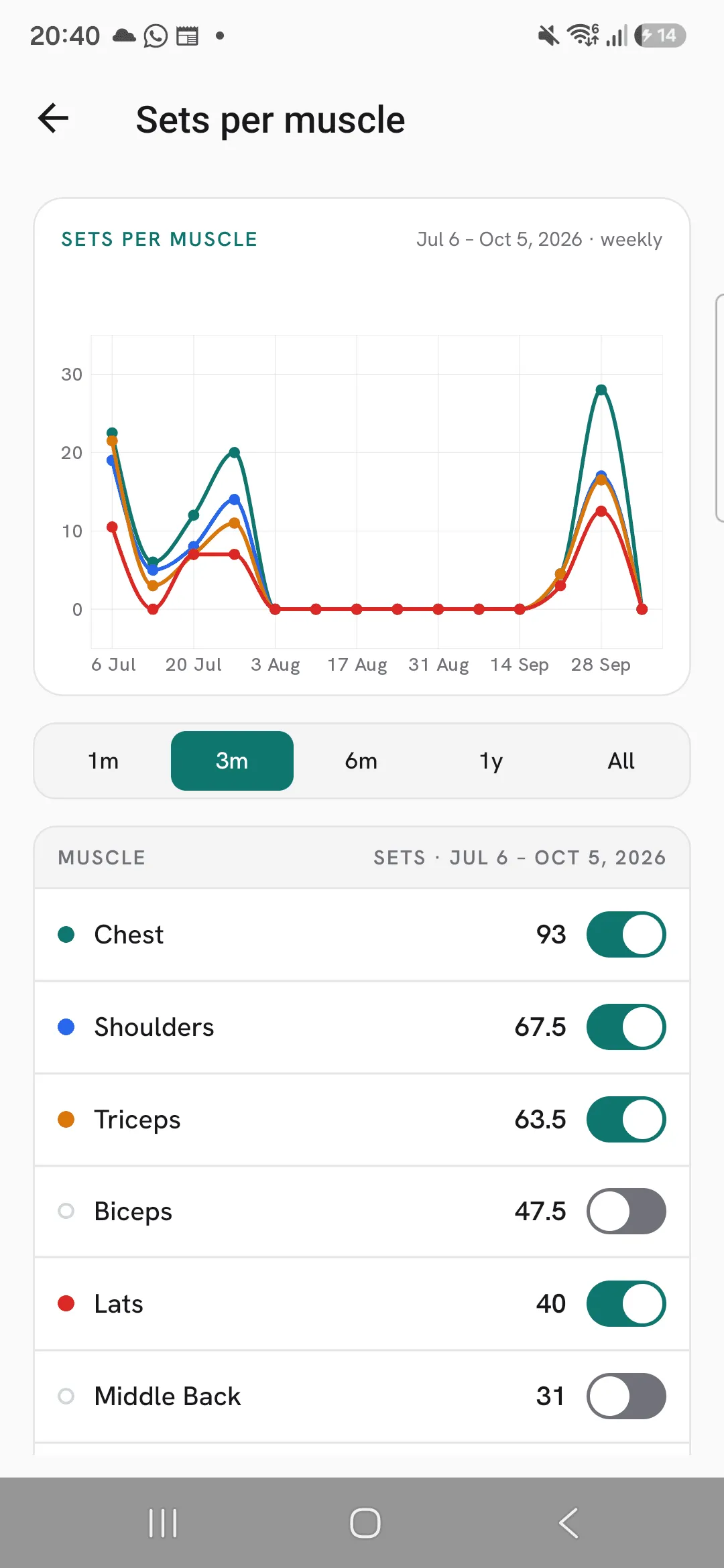
Pick a range
Choose 1 month, 3 months, 6 months, 1 year or all time. Up to 6 months, each point is a week. For a year or all time, each point is a month.
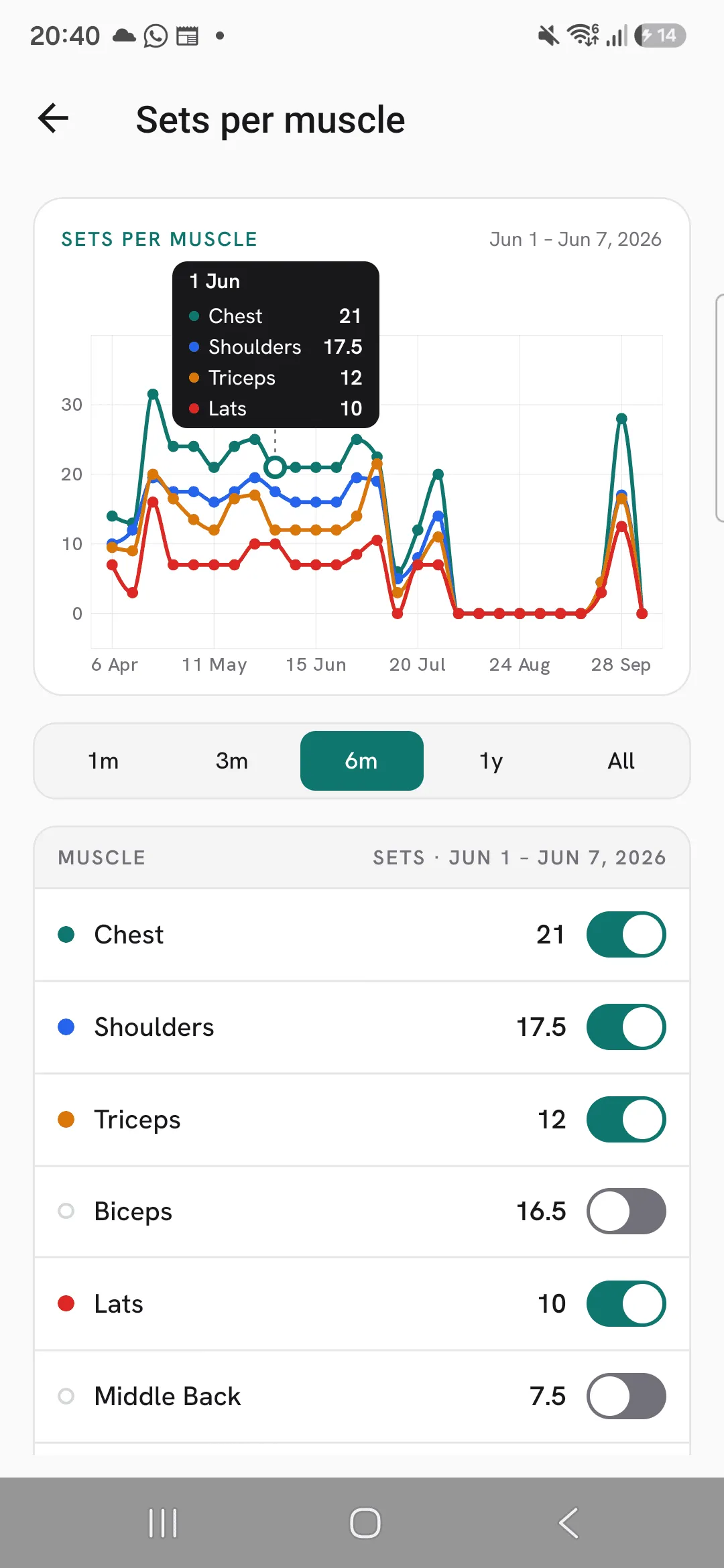
Read a week
Tap the chart, or drag along it, to pick a week or month. The list then shows each muscle’s sets for just that week or month. Your pick stays after you lift your finger, until you tap elsewhere or scroll.
How sets are counted
Each ticked set counts in full for the exercise’s primary muscle, and half for each muscle it also works. An exercise’s About tab lists both. Warm-up sets are left out unless you turn on Count warm-up sets in stats under Profile, then Workout defaults.
To see the same counts shaded on a body figure, one week at a time, open Body map under Statistics.
Tips
- Plot a muscle you’re bringing up next to one you’re not, and watch the gap over a few months.
- Tap a week on the chart to check whether a muscle got its sets that week.
Frequently asked questions
How are sets counted per muscle?
Each set counts in full for the exercise’s primary muscle and half for each muscle it also works.
Do warm-up sets count?
Not unless you turn on Count warm-up sets in stats under Profile, then Workout defaults.
How many muscles can I plot at once?
Six. Switch one off to add another.
