

Muscle balance shows how your sets split across six muscle groups on one chart, so you can see at a glance which part of your body gets the most work.
Most lifters train the muscles they like and skip the ones they don’t. A chart of all six groups side by side makes that visible, and the comparison with the period before shows which way it’s moving.
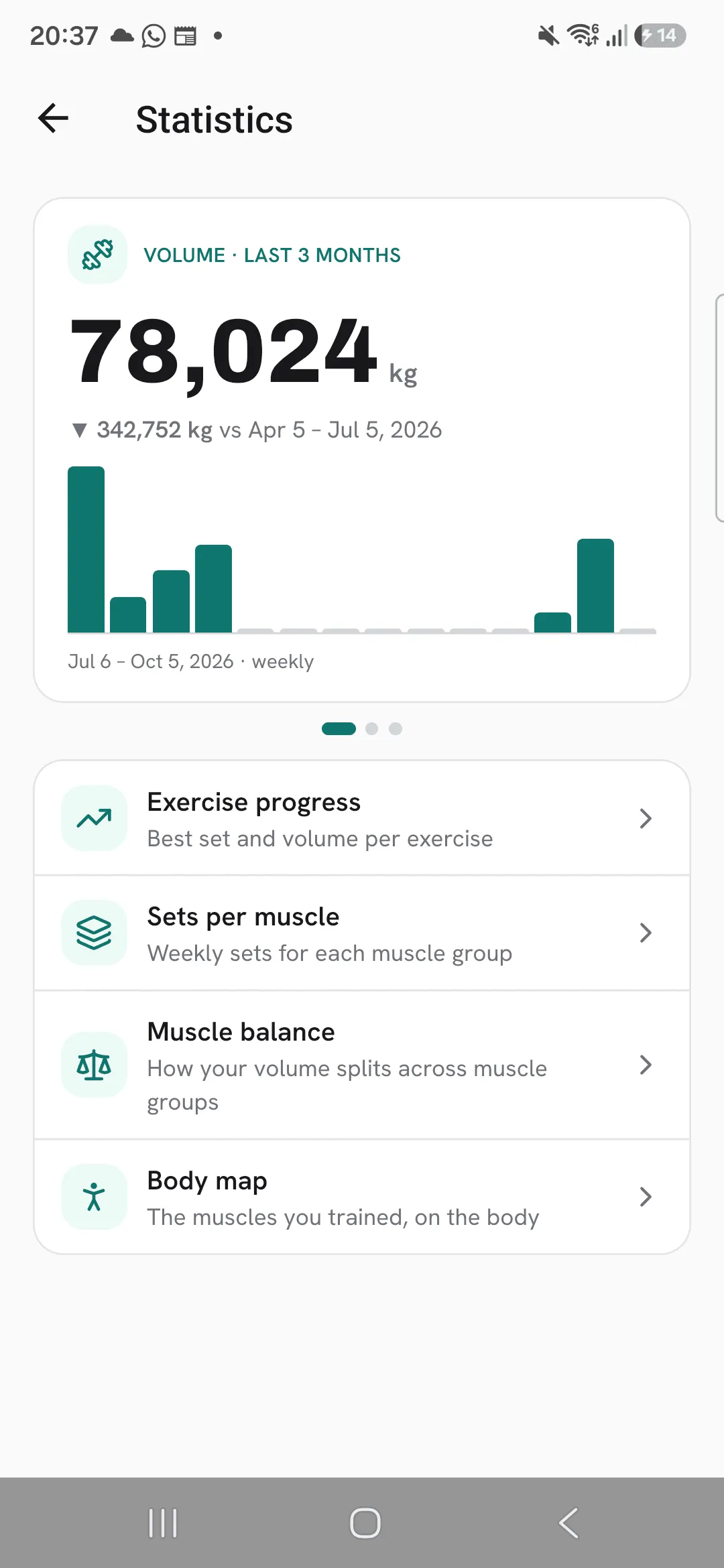
Open the chart
Open Progress, then Statistics, then Muscle balance.
Read the chart
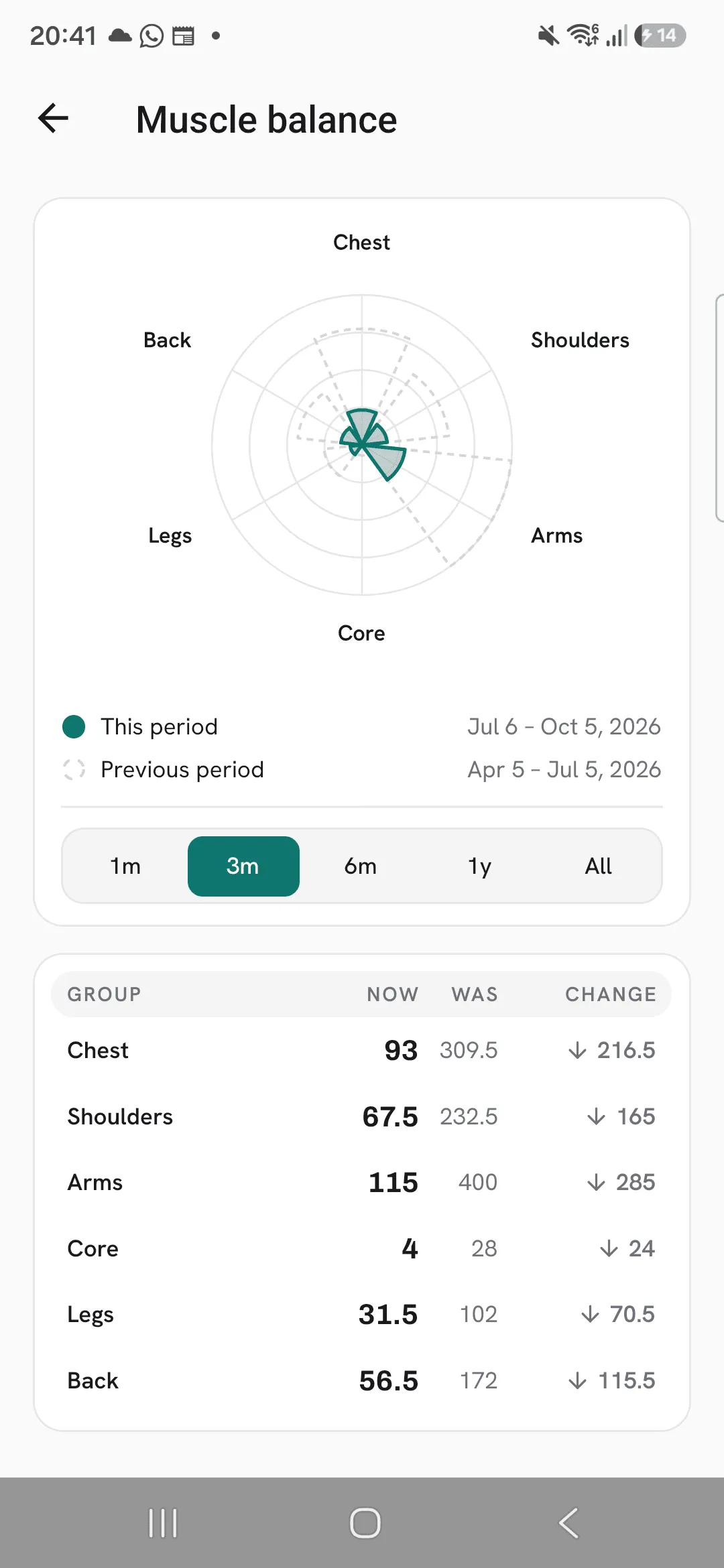
Each of the six petals is one group: Chest, Shoulders, Arms, Core, Legs and Back. The busiest group of this period and the one before reaches the edge, and every other petal is drawn against it.
Choose 1 month, 3 months, 6 months, 1 year or all time. The default is 3 months.
Compare with the period before
A dashed outline behind the petals shows the period before, of the same length. The table under the chart lists every group’s sets Now and what it Was, and the change between them. On all time there’s no period before, so the table lists sets only.
How sets are counted
A ticked set counts in full for the group of the exercise’s primary muscle, and half for each other group it also works. Warm-up sets are left out unless you turn on Count warm-up sets in stats under Profile, then Workout defaults.
For the count per muscle instead of per group, open Sets per muscle.
Tips
- Check it after a few weeks on a new program, to see where the program puts your sets.
- A down arrow in the Change column marks a group that got fewer sets than the period before.
Frequently asked questions
How are sets counted per group?
A set counts in full for the group of the exercise’s primary muscle, and half for each other group it also works.
Do warm-up sets count?
Not unless you turn on Count warm-up sets in stats under Profile, then Workout defaults.
Which muscles make up each group?
Back is lats, middle back, traps and lower back. Legs is quads, hamstrings, glutes, abductors, adductors and calves. Arms is biceps, triceps and forearms. Shoulders includes the neck, and core is your abs.
