

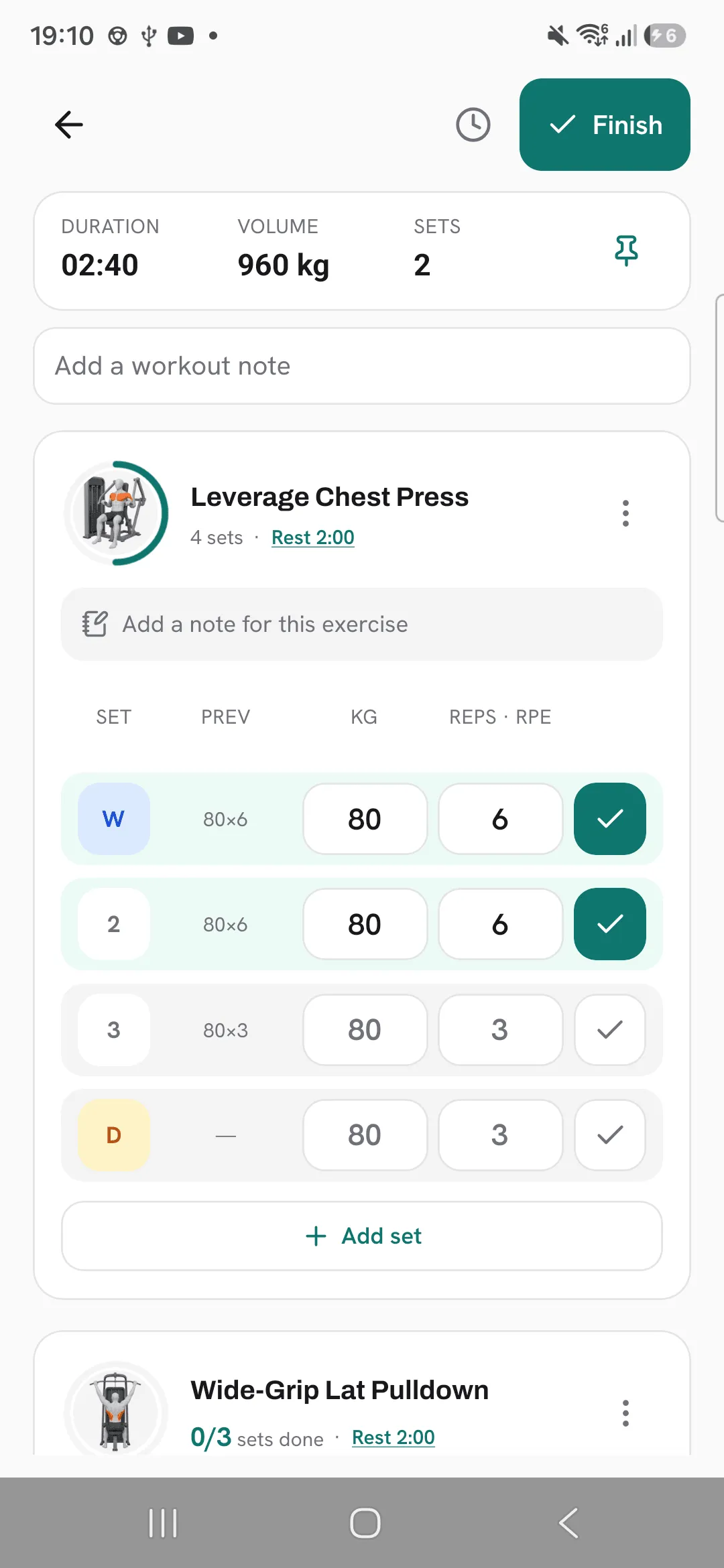
Each set in Overlood has a type: normal, warm-up, drop set or failure. A normal set shows its number, and the other types show a letter: W, D or F.
The type tells you later how a set was done, and keeps light warm-up sets from counting as working sets.
The four types
- Normal: a working set. It shows its number.
- Warm-up (W): a lighter set before your working sets.
- Drop set (D): a set where you lower the weight and keep going.
- Failure (F): a set taken to failure.
Change a set’s type
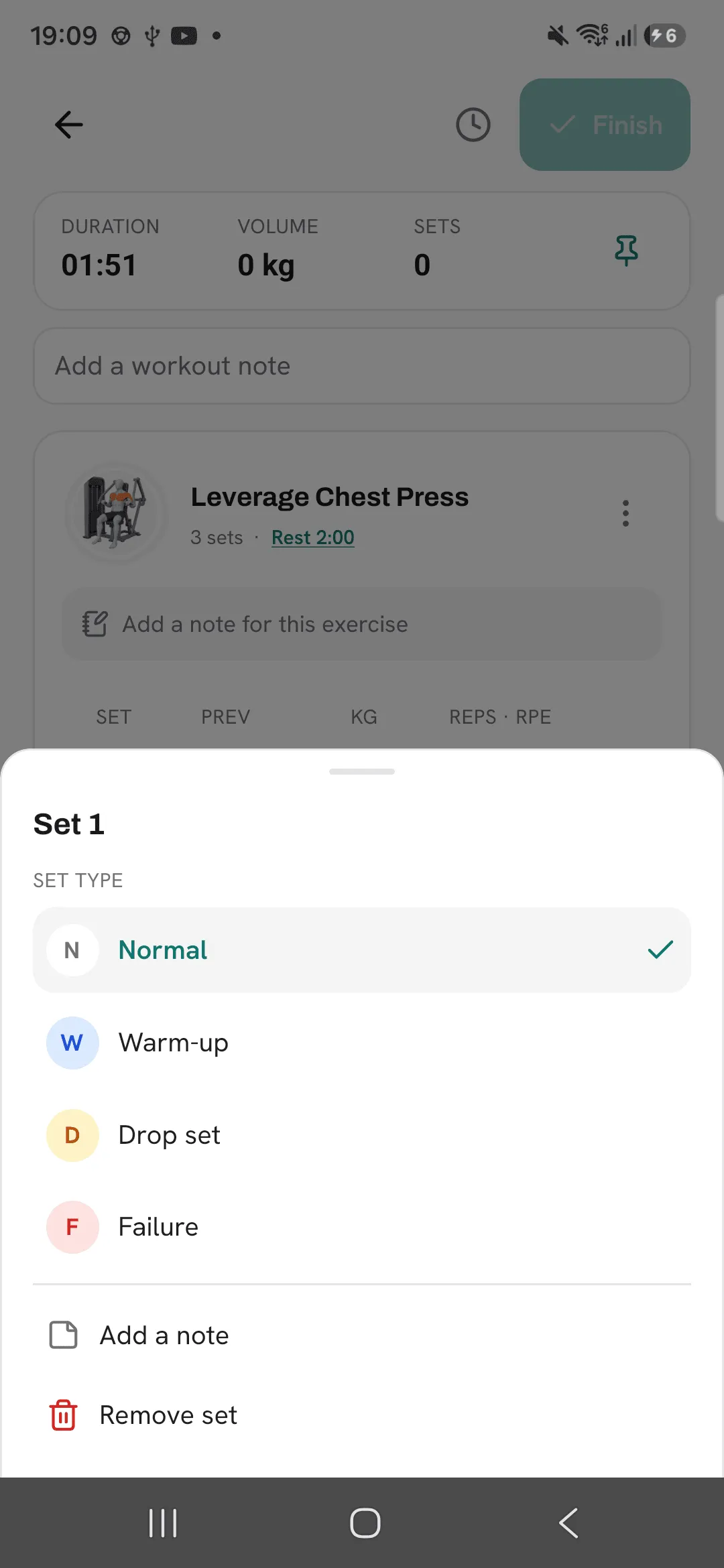
- Tap the set’s number or letter.
- Under Set type, pick the type. The sheet closes and the set shows its new badge.
The routine editor has the same picker, so a routine can carry its set types into every workout you start from it.
Warm-ups and your stats
By default, warm-up sets stay out of your volume, estimated 1RM, PRs and muscle map. Drop sets and failure sets count like normal sets.
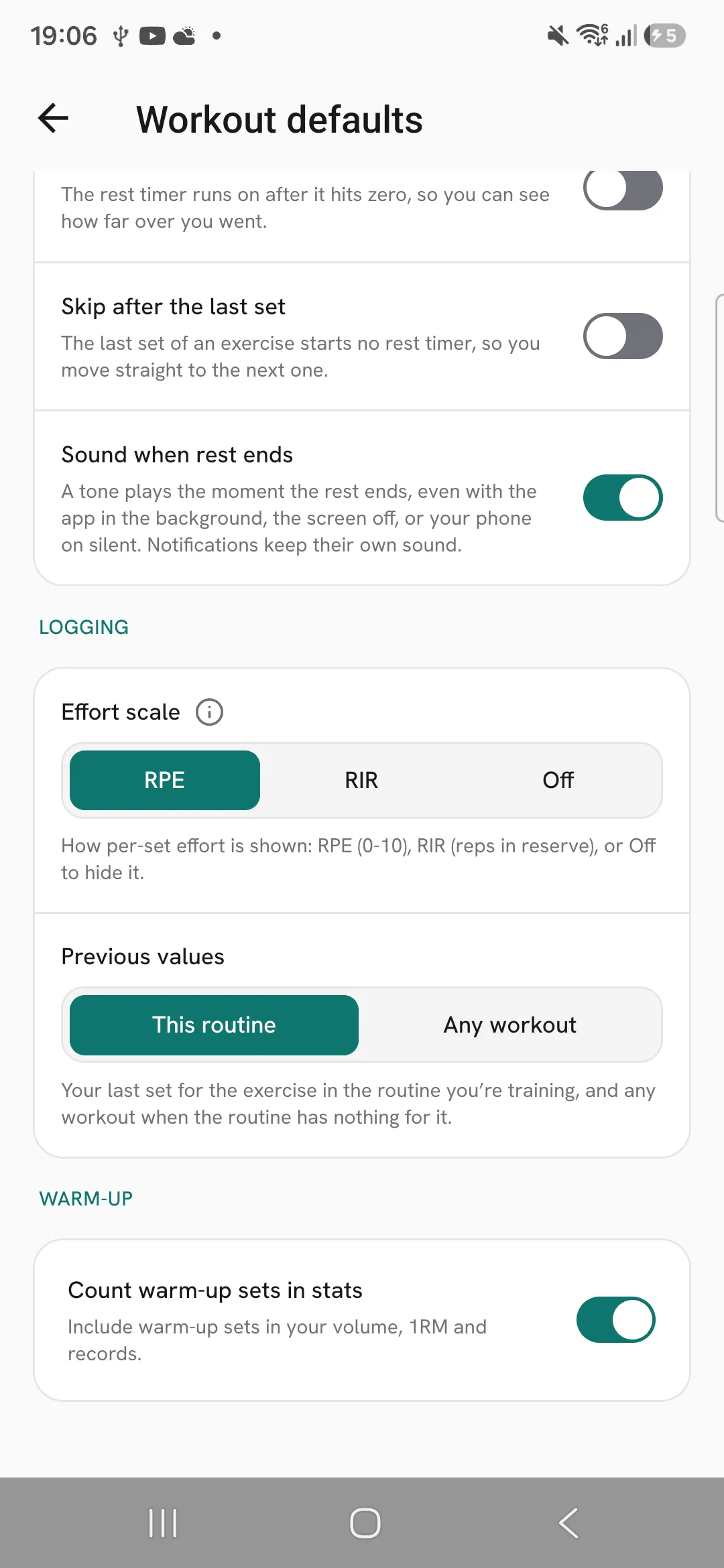
To count warm-ups too, open Profile, then Workout defaults, and turn on Count warm-up sets in stats. Your past workouts follow the setting as well.
Last time’s numbers
Suggestions come from last time’s sets of the same kind. A warm-up gets last time’s warm-up, and a working set gets last time’s working set, whether it was normal, a drop set or failure. A set you add takes the type last time’s set had in that position.
Tips
- Set the types in your routine, and every workout from it starts with them in place.
- Mark your warm-ups, so your volume only counts your working sets.
- Leave Count warm-up sets in stats off unless you want warm-ups in your volume, estimated 1RM, PRs and muscle map.
Frequently asked questions
Do warm-up sets count toward my PRs?
Not unless you turn on Count warm-up sets in stats under Profile, then Workout defaults.
Do drop sets and failure sets count?
Yes. They count toward your volume and PRs like a normal set. The type marks how you did the set.
If I turn on counting warm-ups, do my past stats change?
Yes. Your stats are worked out from your sets when you look at them, so past workouts follow the setting too.
