

Two sets at the same weight can feel very different. Rate each set on the RPE or RIR scale and it records how close you were to your limit, so next time you can pick your weight from it.
The two scales
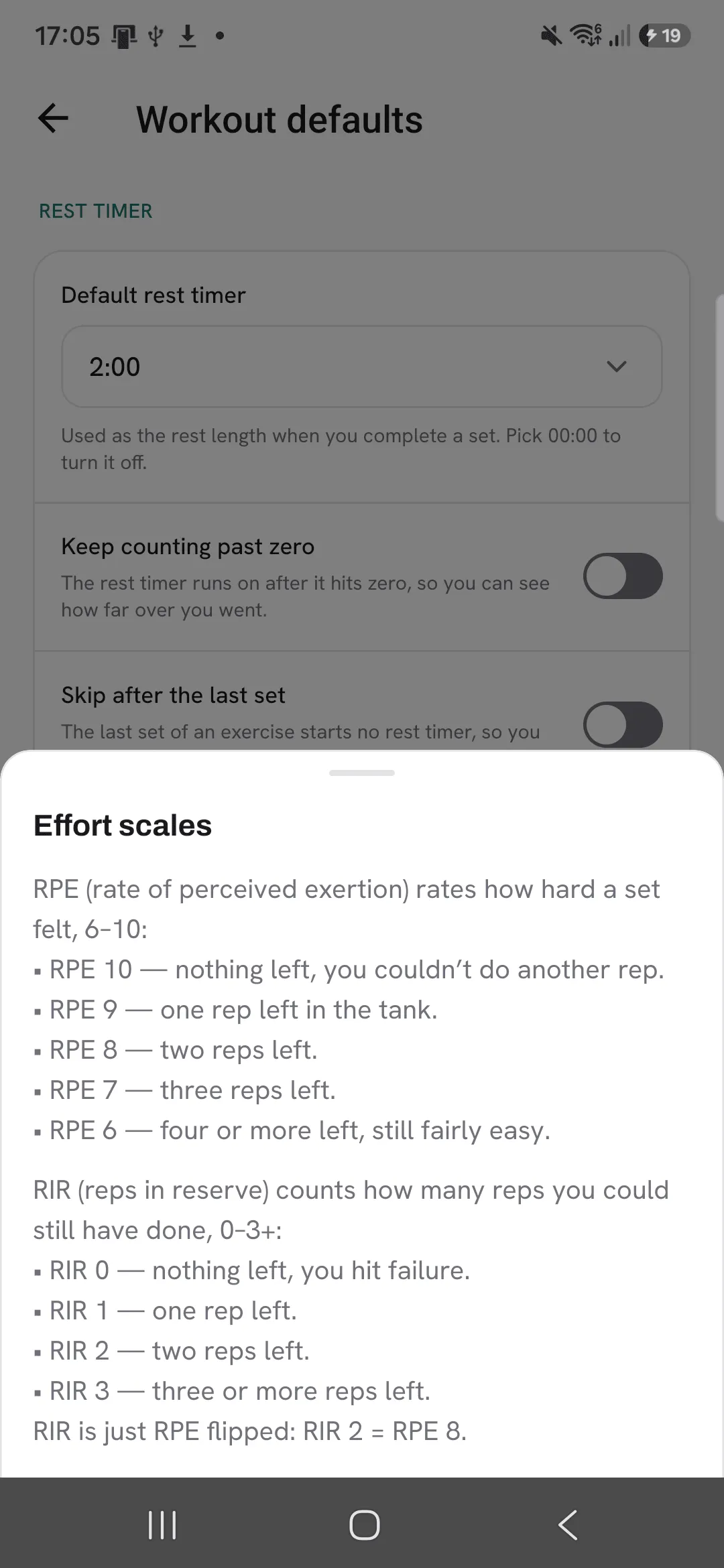
- RPE (rate of perceived exertion) rates how hard a set felt. RPE 10 means you couldn’t do another rep, RPE 8 means two reps were left.
- RIR (reps in reserve) counts the reps you still had left. RIR 0 means you hit failure, RIR 2 means you stopped two reps short.
They measure the same thing from opposite ends: RIR 2 is RPE 8. Overlood stores one rating, so switching scale later shows all your past ratings in the new one.
Pick your scale
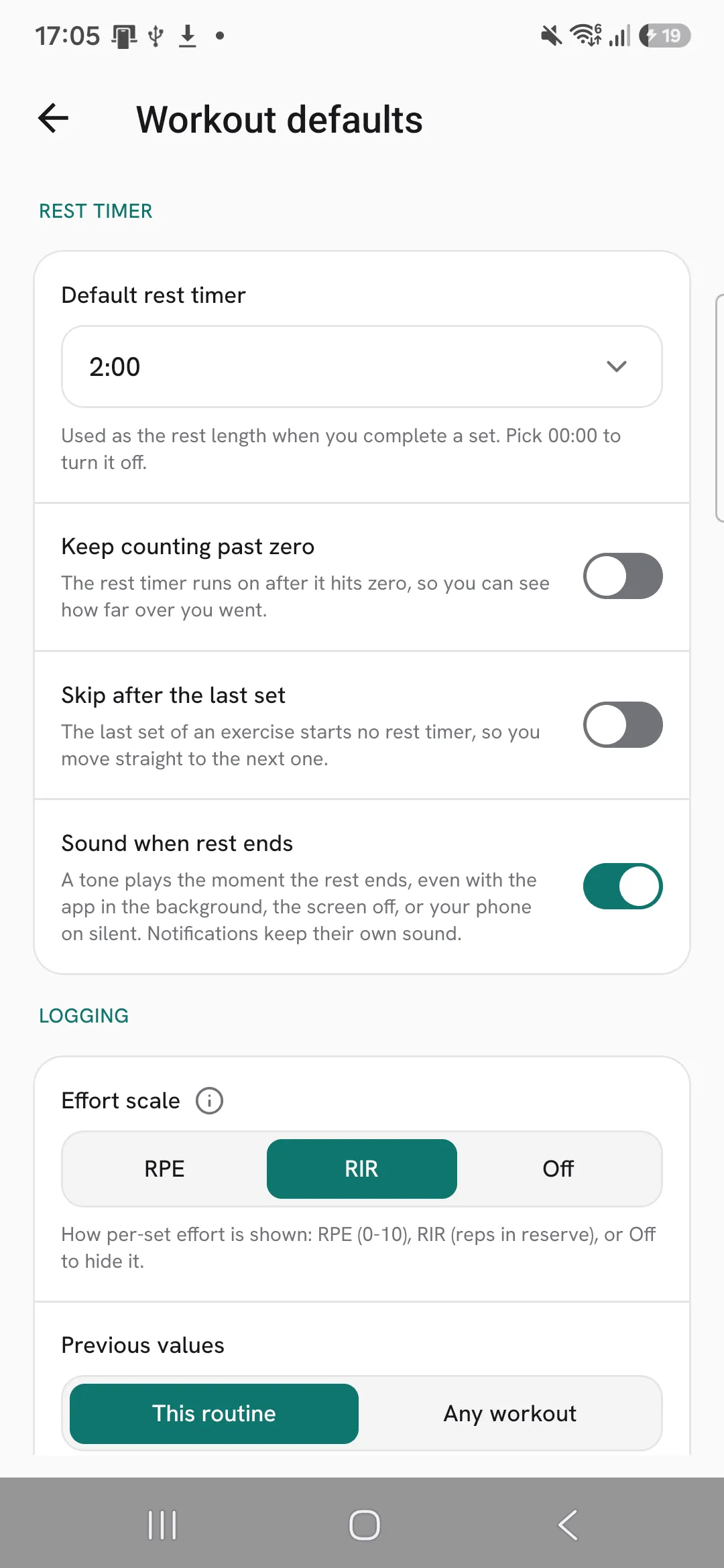
- Open Profile, then Workout defaults.
- Under Effort scale, pick RPE or RIR. Pick Off to hide ratings while you log.
Rate a set
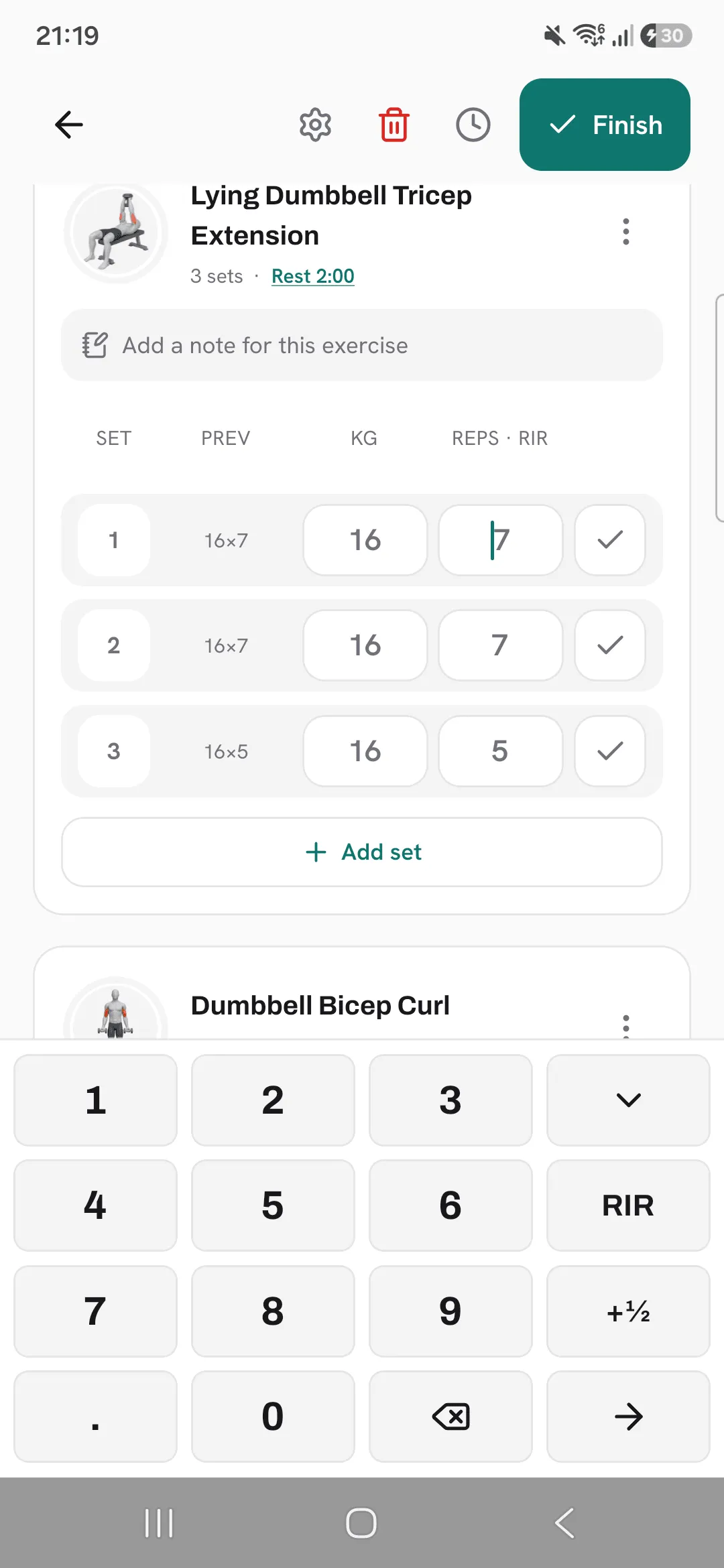
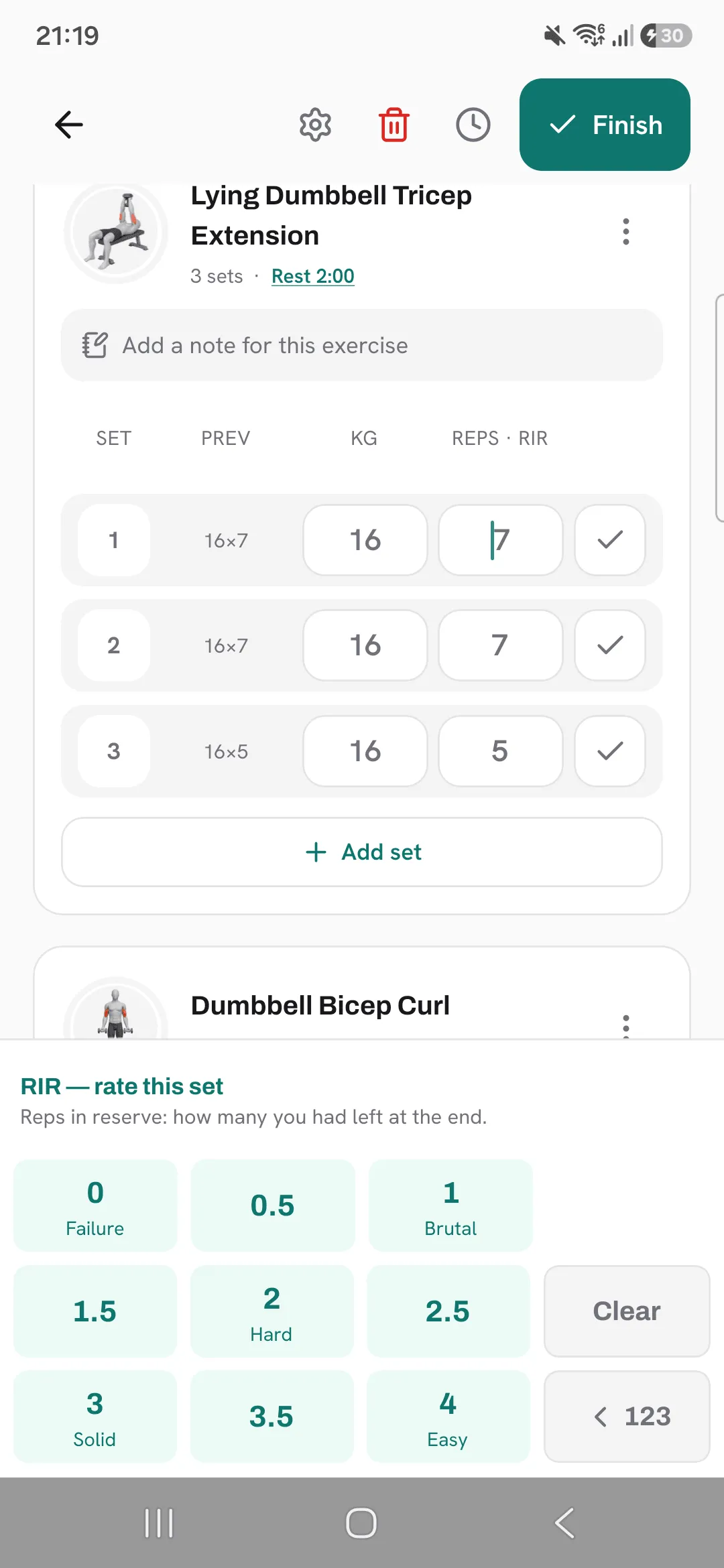
- Tap the reps of a set to open the keypad.
- Tap the key named after your scale, RPE or RIR. The number keys turn into ratings, with a word under each whole value, from Easy to Failure.
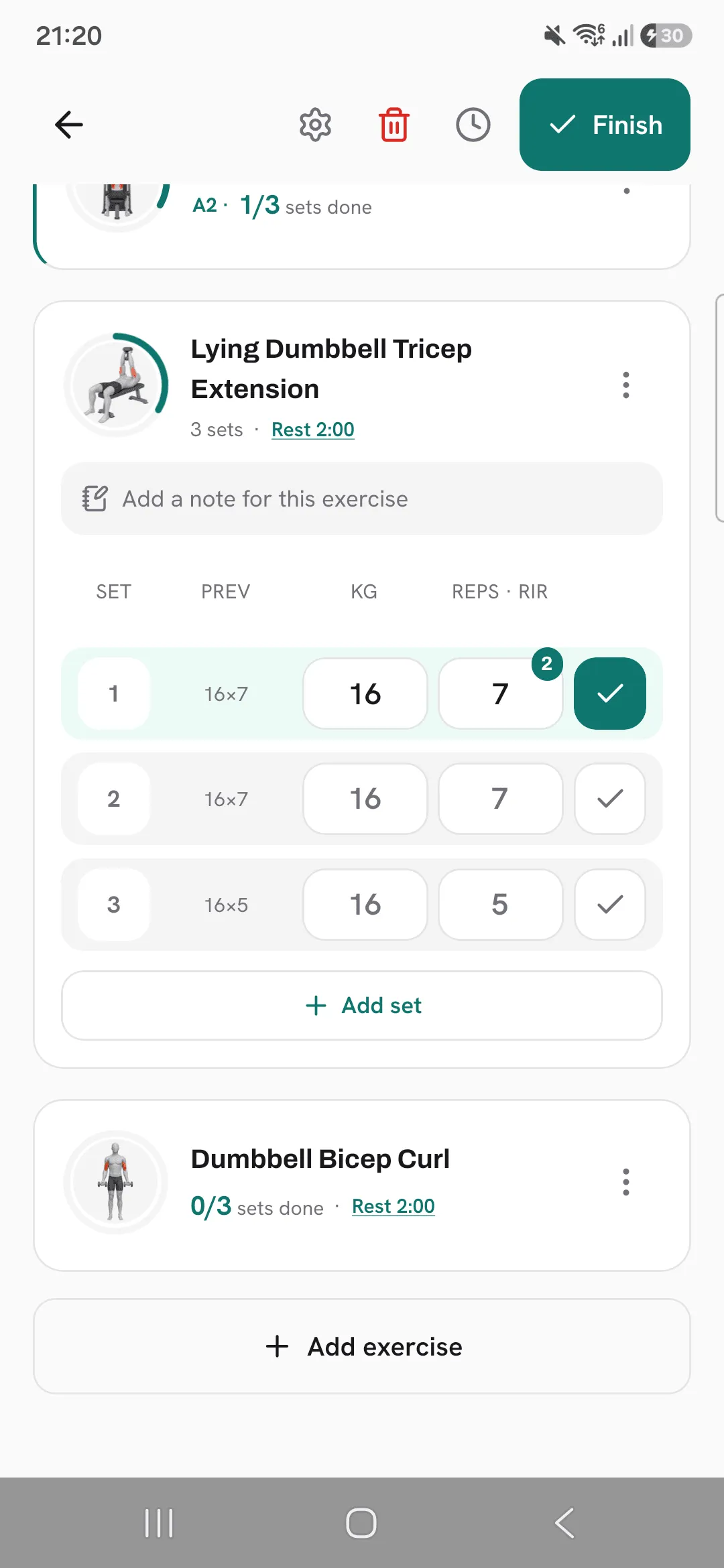
- Tap a rating. Half steps are there too.
Rating a set that has its reps also ticks it, so you don’t need a second tap.
Check what the scale means
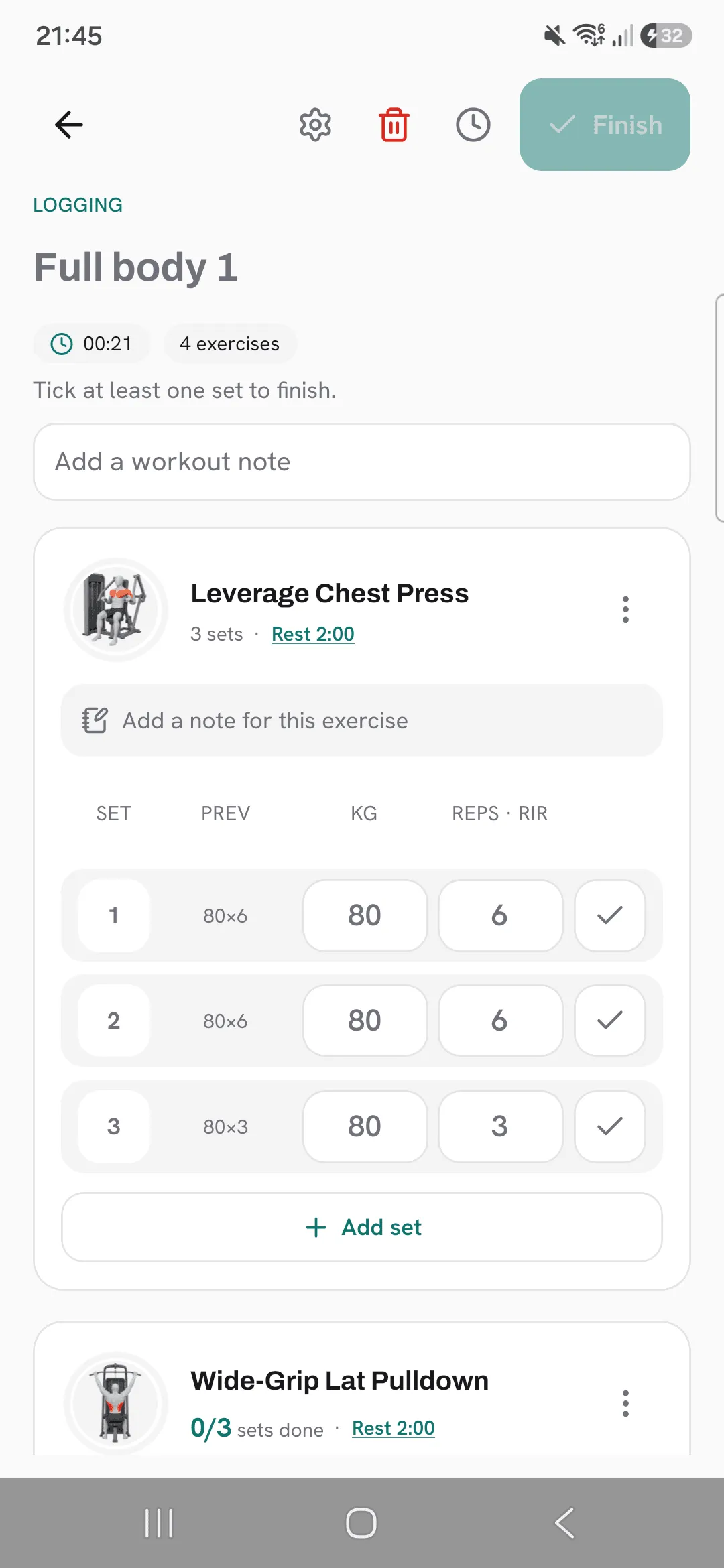
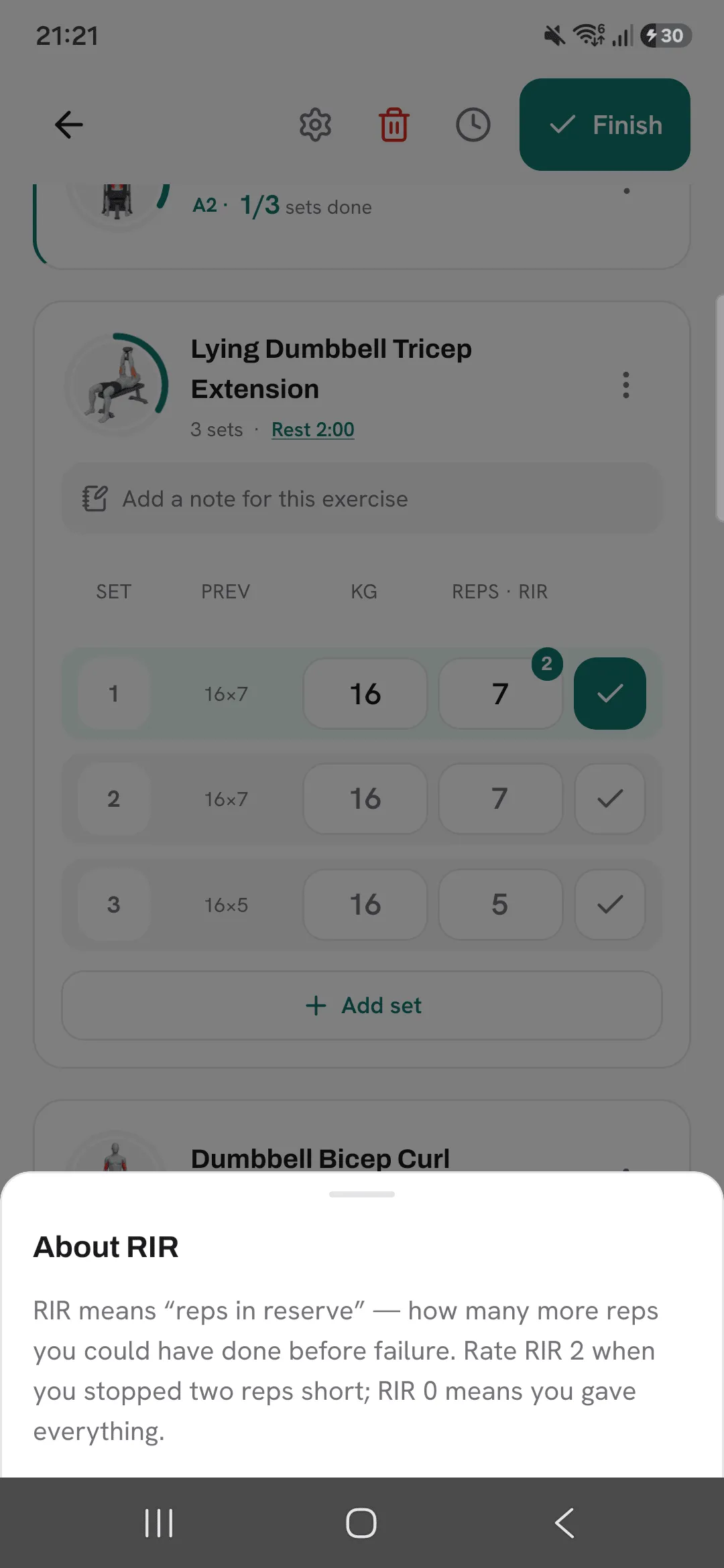
Tap the reps column heading, Reps · RIR or Reps · RPE, any time for a short reminder of what your scale means.
Where you see it
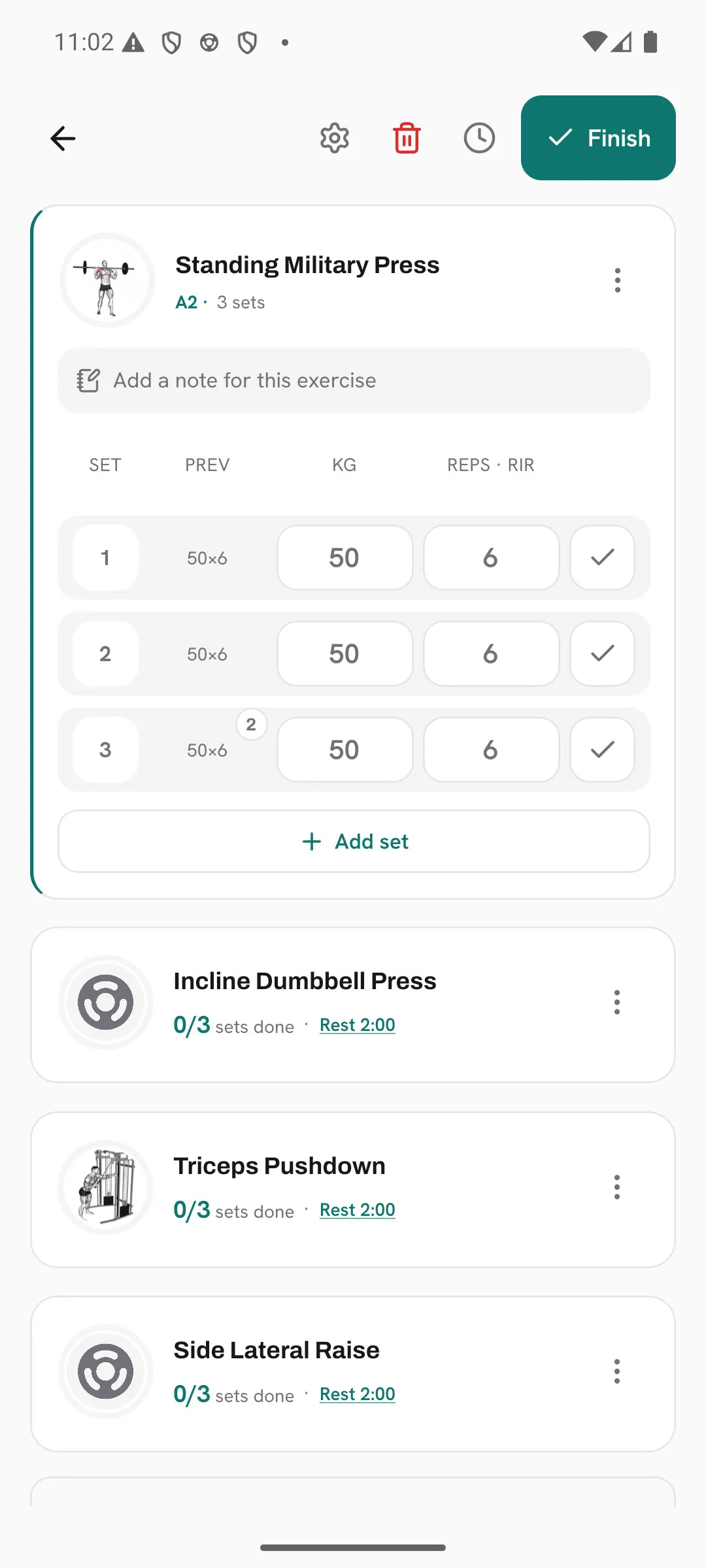
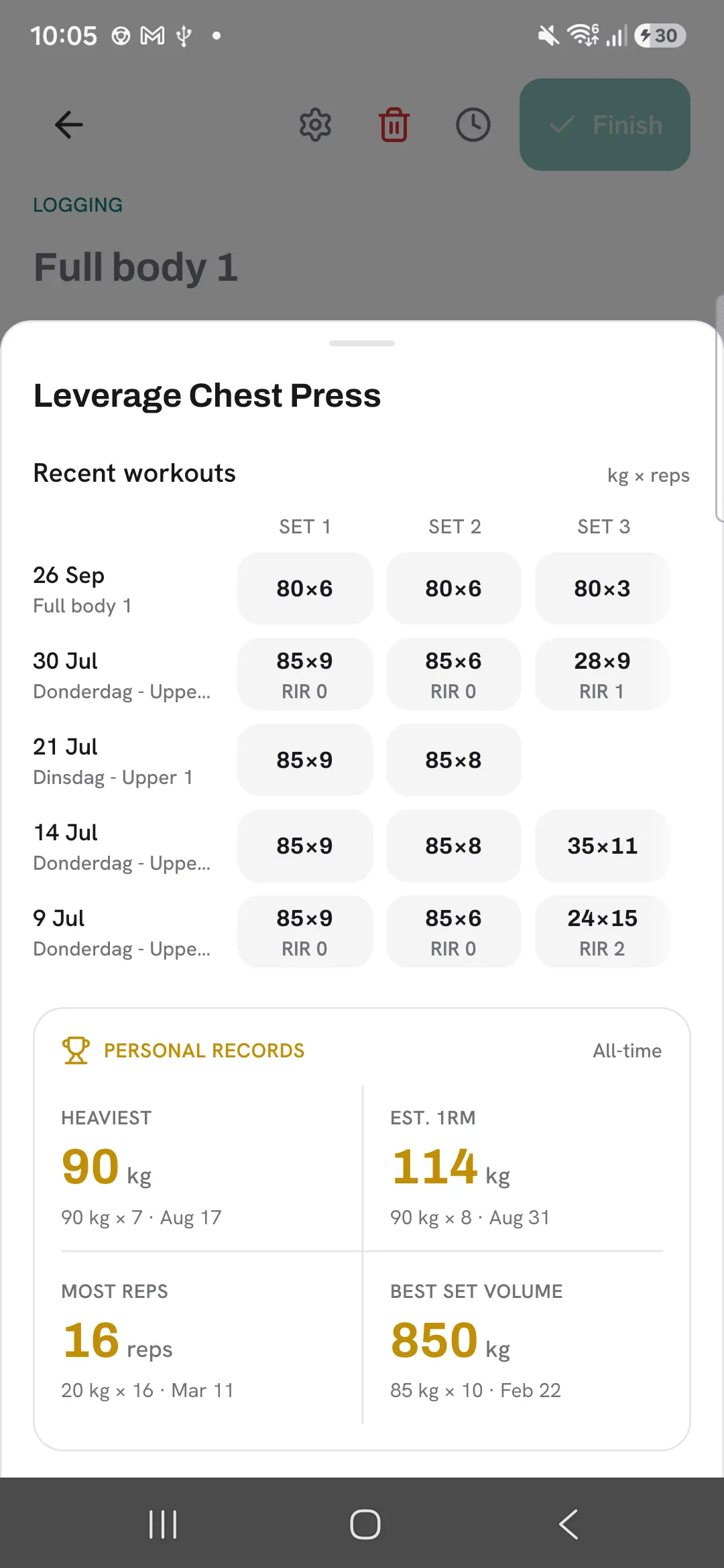
Your rating from last time shows with the previous values on each set. Tap those previous values to see the ratings from your recent workouts with that exercise, under each set’s weight and reps. Ratings are part of your history in every workout you open later.
Tips
- When a set sits between two ratings, log the half step.
- Check last time’s rating beside the previous values before you pick today’s weight.
- Keep RIR 0 for the sets you meant to take to failure.
Frequently asked questions
What’s the difference between RPE and RIR?
They measure the same thing from opposite ends. RIR counts the reps you had left, so RIR 2 is RPE 8.
If I switch scale, do my old ratings change?
No. Overlood stores one rating and shows your past ratings in the new scale.
Can I use half steps?
Yes. The keypad has half steps, such as RPE 8.5.
How do I hide ratings?
Open Profile, then Workout defaults, and set Effort scale to Off.
