

Overlood keeps the workout you’re logging on your phone, so you can start it, log every set and finish it with no connection.
Plenty of gyms sit in a basement with no signal. Your workout doesn’t need it.
Start without signal
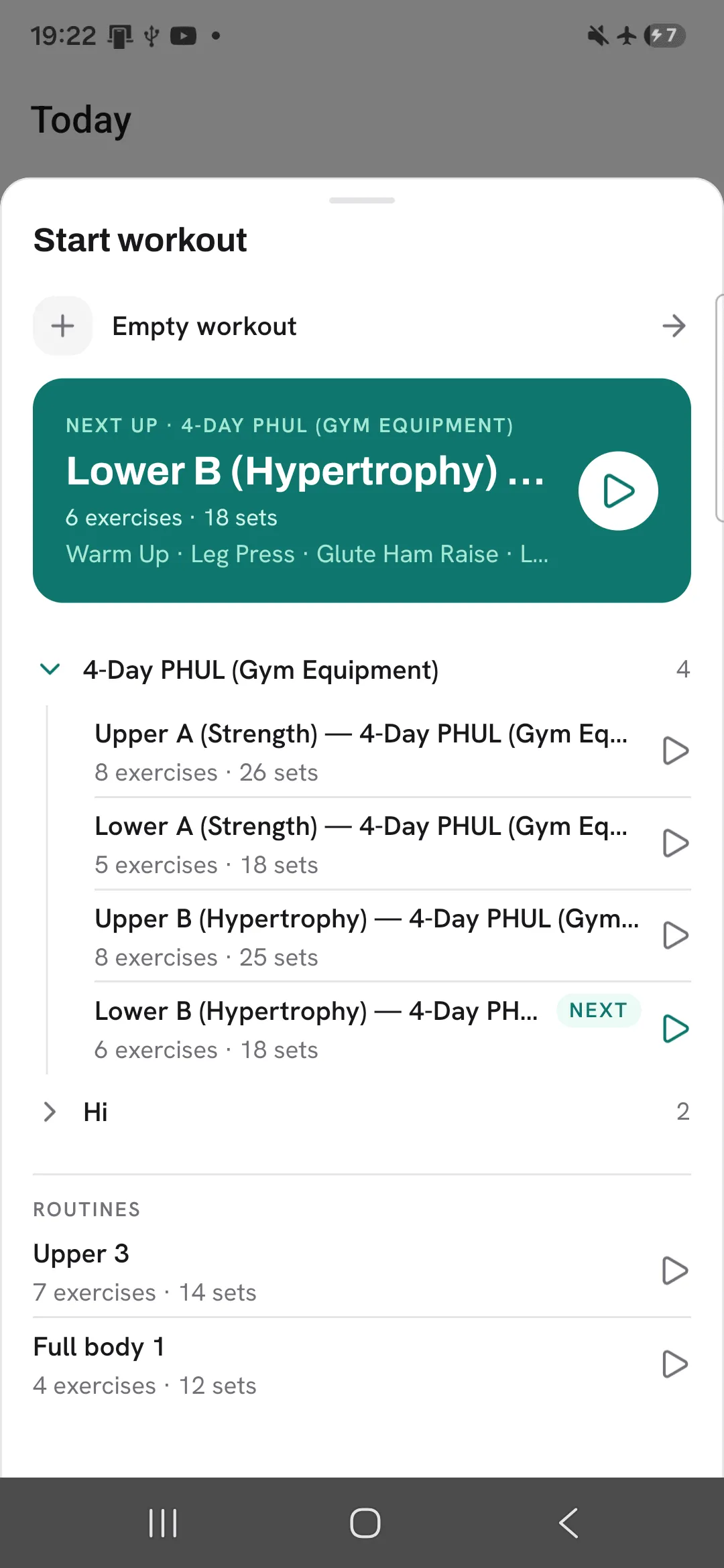
Tap Start workout as usual. An empty workout starts straight away, connection or not. A routine starts too, as long as your phone has loaded it while online since the app last updated. If it hasn’t, Overlood tells you to connect and try again.
Log as usual
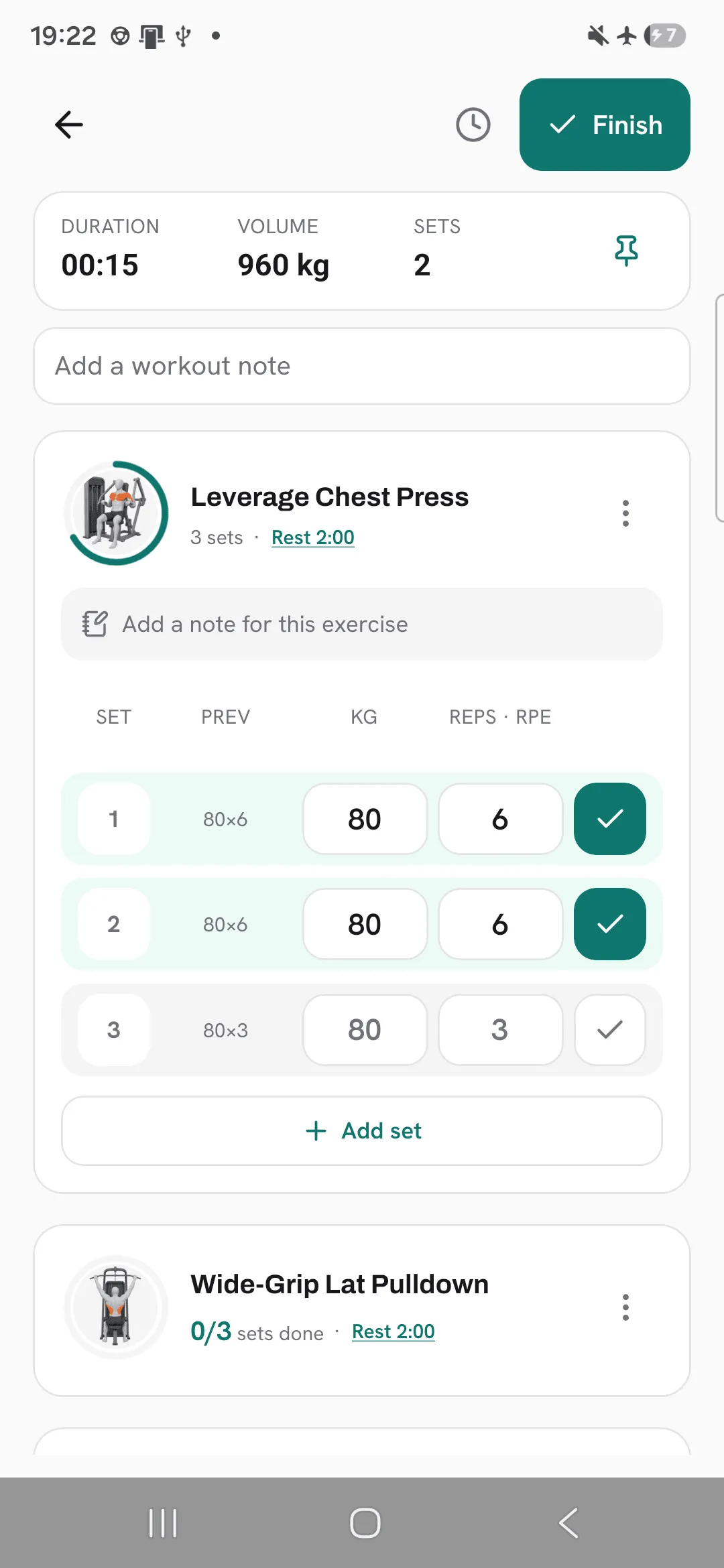
Every set you log is saved on your phone as you go, so closing the app or losing signal loses nothing. Last time’s numbers, exercise search and adding an exercise all work offline, from what your phone loaded the last time you had signal.
Finish without signal
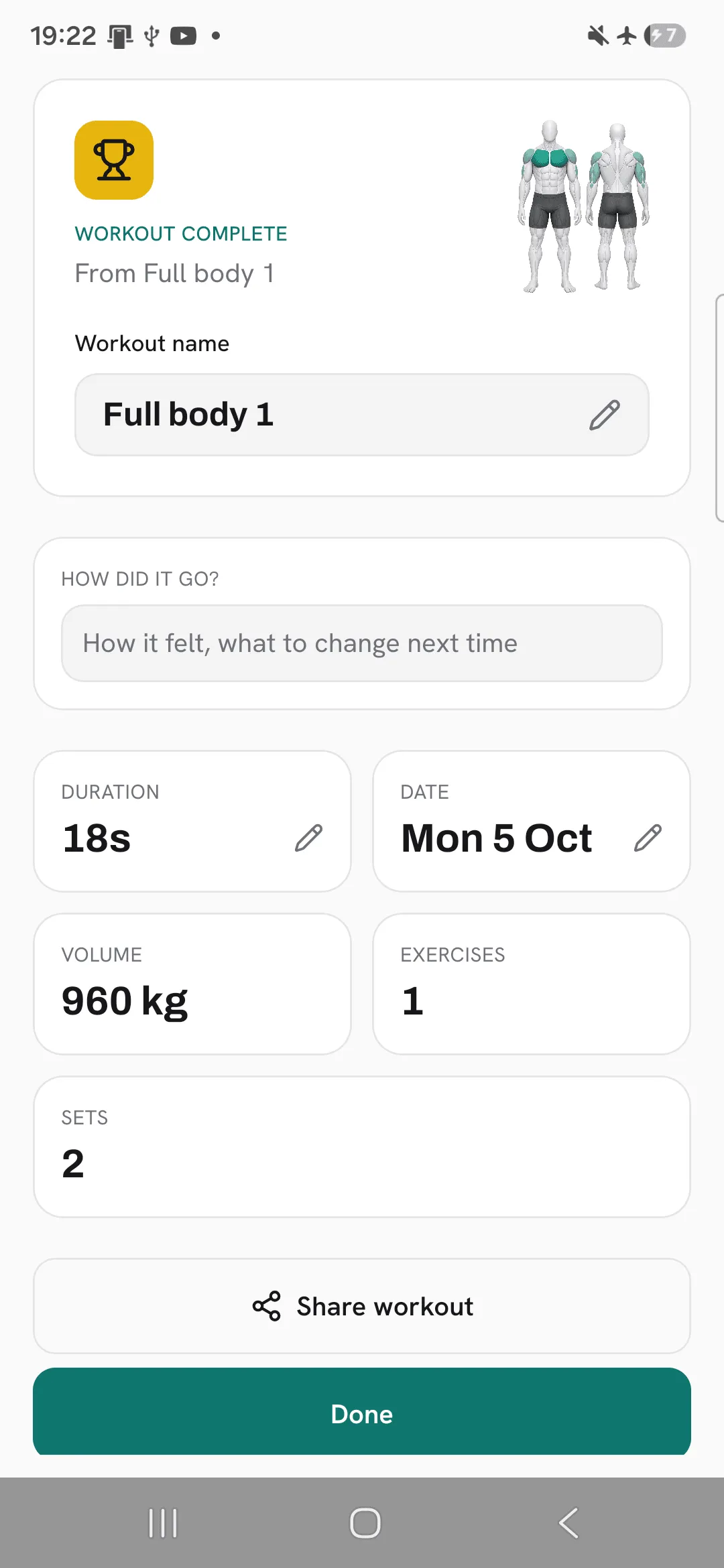
Tap Finish as usual and you get your summary, PRs included. The workout waits on your phone to upload.
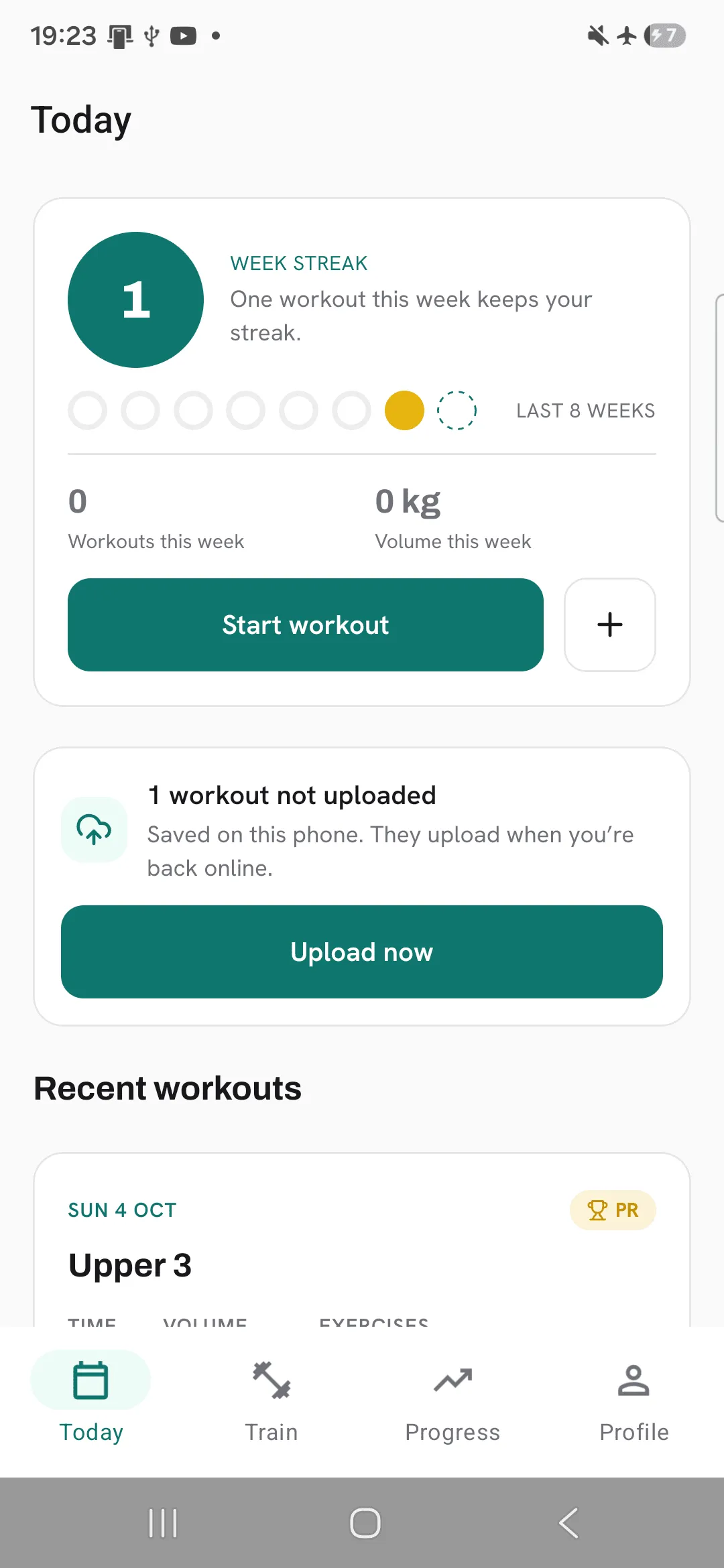
On Today, a card shows how many workouts aren’t uploaded yet.
Uploading
A waiting workout uploads by itself when you open the app, when your connection comes back, or when Overlood comes back to the front. Tap Upload now on the card to try straight away. If a workout can’t be uploaded, the card shows Review instead.
Once it’s uploaded, it shows in your history like any other workout.
What needs a connection
- Creating a custom exercise.
- Importing your history from Hevy or Strong.
- Starting a routine your phone hasn’t loaded yet.
Tips
- Open Overlood with signal before you head to a basement gym, and again after the app updates, so your routines and last time’s numbers are on your phone.
- Leave a finished workout to upload on its own. It goes as soon as you have signal and the app is open.
- Don’t sign out while a workout is waiting to upload. Signing out deletes it.
Frequently asked questions
What if the app closes in the middle of a workout?
Your workout is saved on your phone as you log it. Open Overlood again and carry on where you left off.
When does a finished workout upload?
When you open the app, when your connection comes back, or when you tap Upload now on Today.
Why doesn’t a workout show in my history yet?
It hasn’t uploaded. It shows in your history once it has.
What needs a connection?
Creating a custom exercise, importing from Hevy or Strong, and starting a routine your phone hasn’t loaded yet.
