

Overlood keeps a log of your body weight, one entry per day, and charts it with the average and the range for each week, month, three months or year.
Your weight moves from day to day with water, food and sleep. The average over a week or a month is what tells you whether you’re gaining, losing or holding steady.
Log your weight
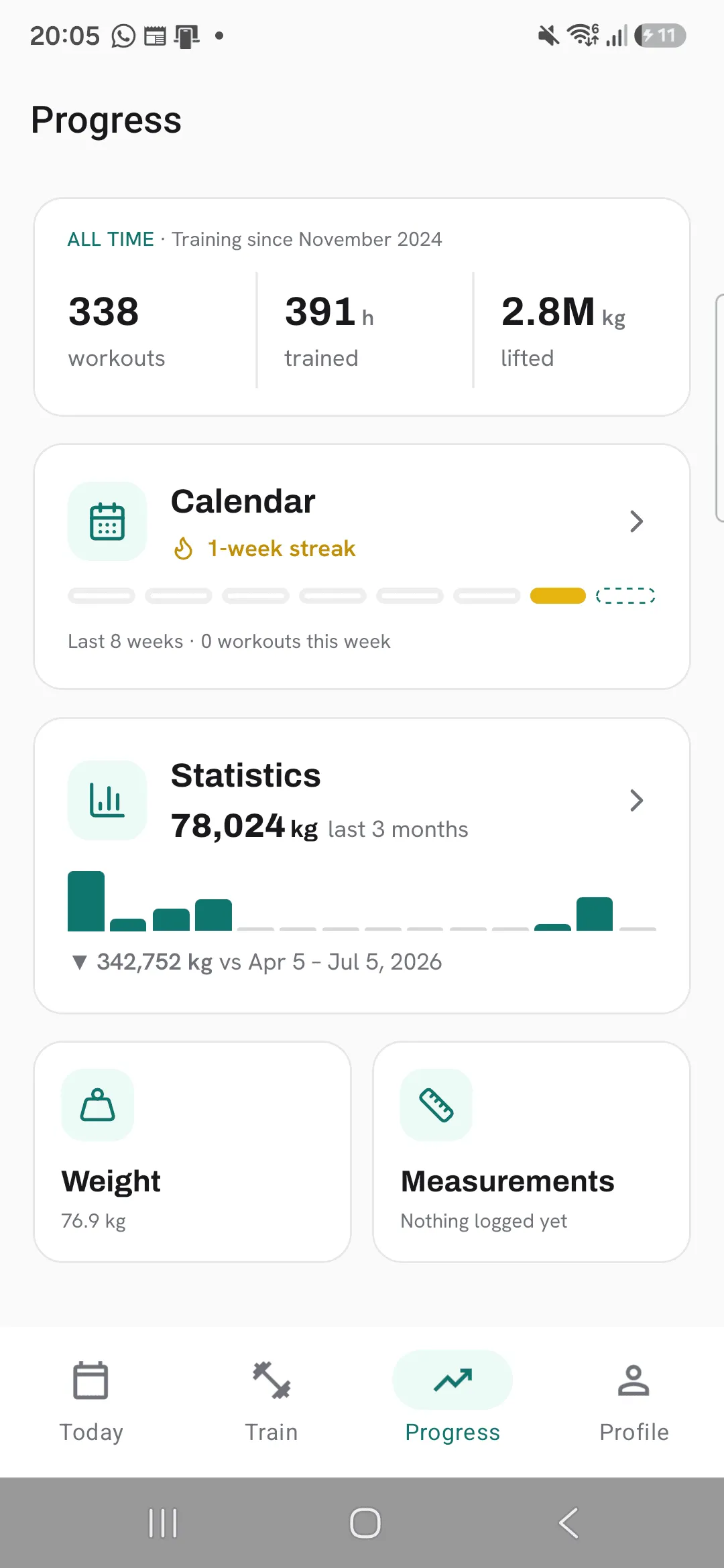
Open Progress, tap Weight, then +. Once you’ve logged a workout, you can also tap + on Today and pick Log weight.
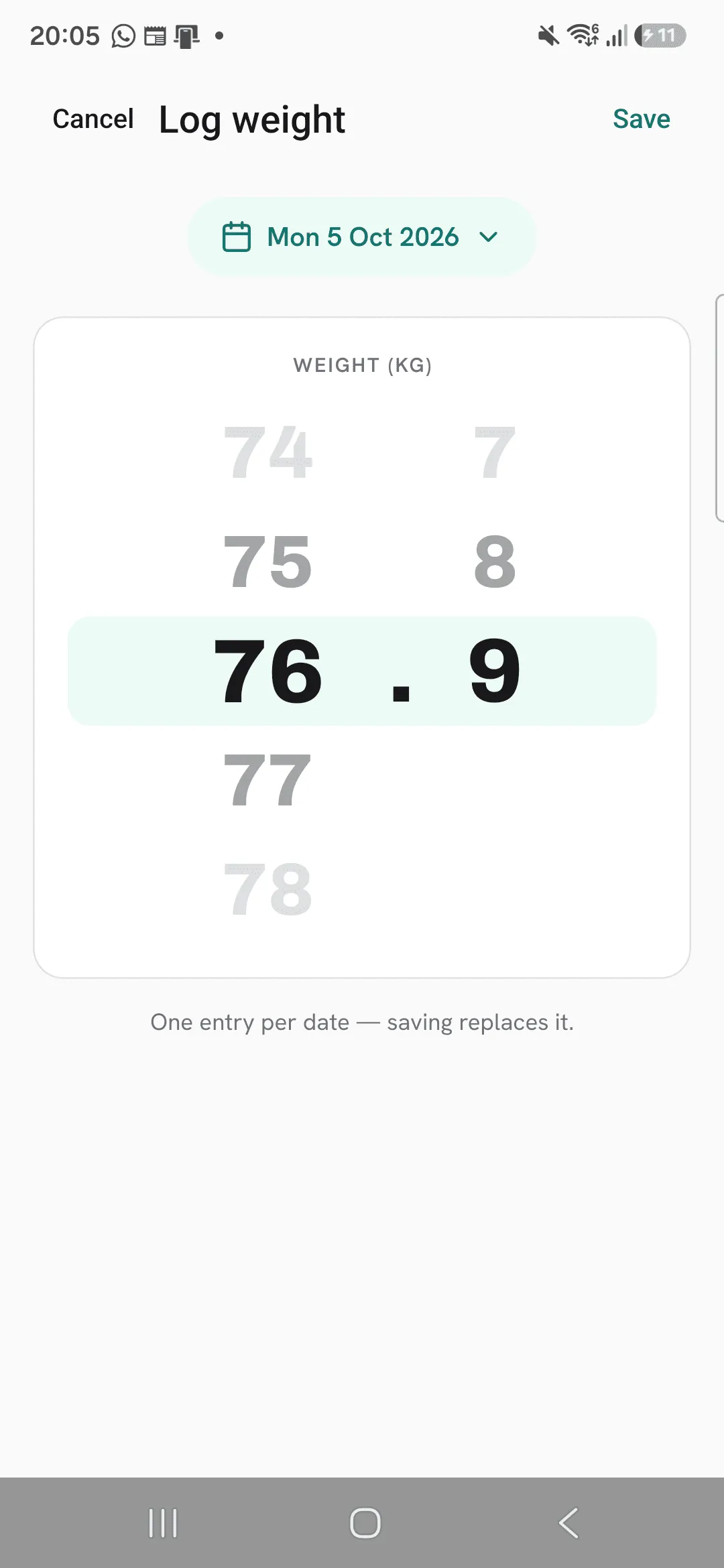
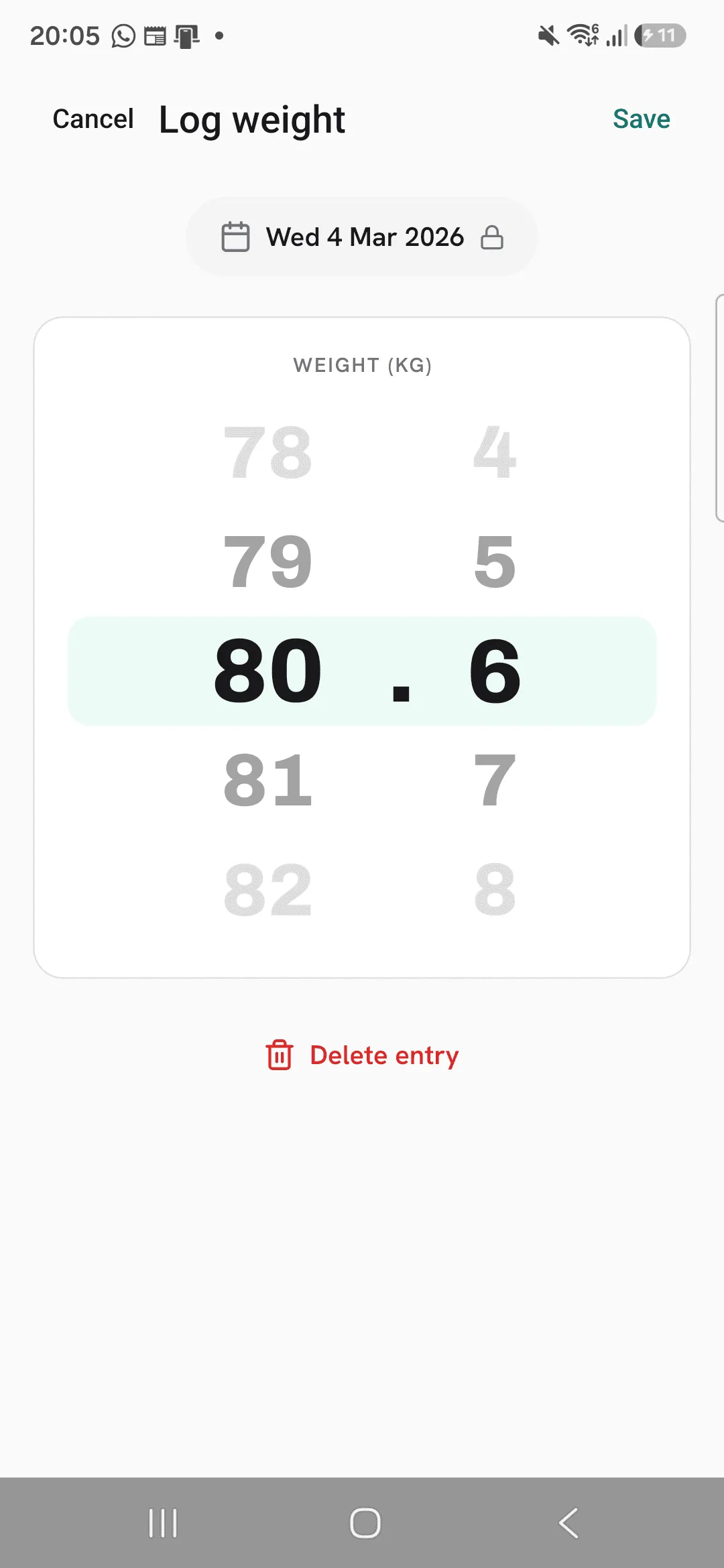
Turn the wheel to your weight, to one decimal, and save. The date is today unless you change it, and you can pick any earlier day.
Read the chart
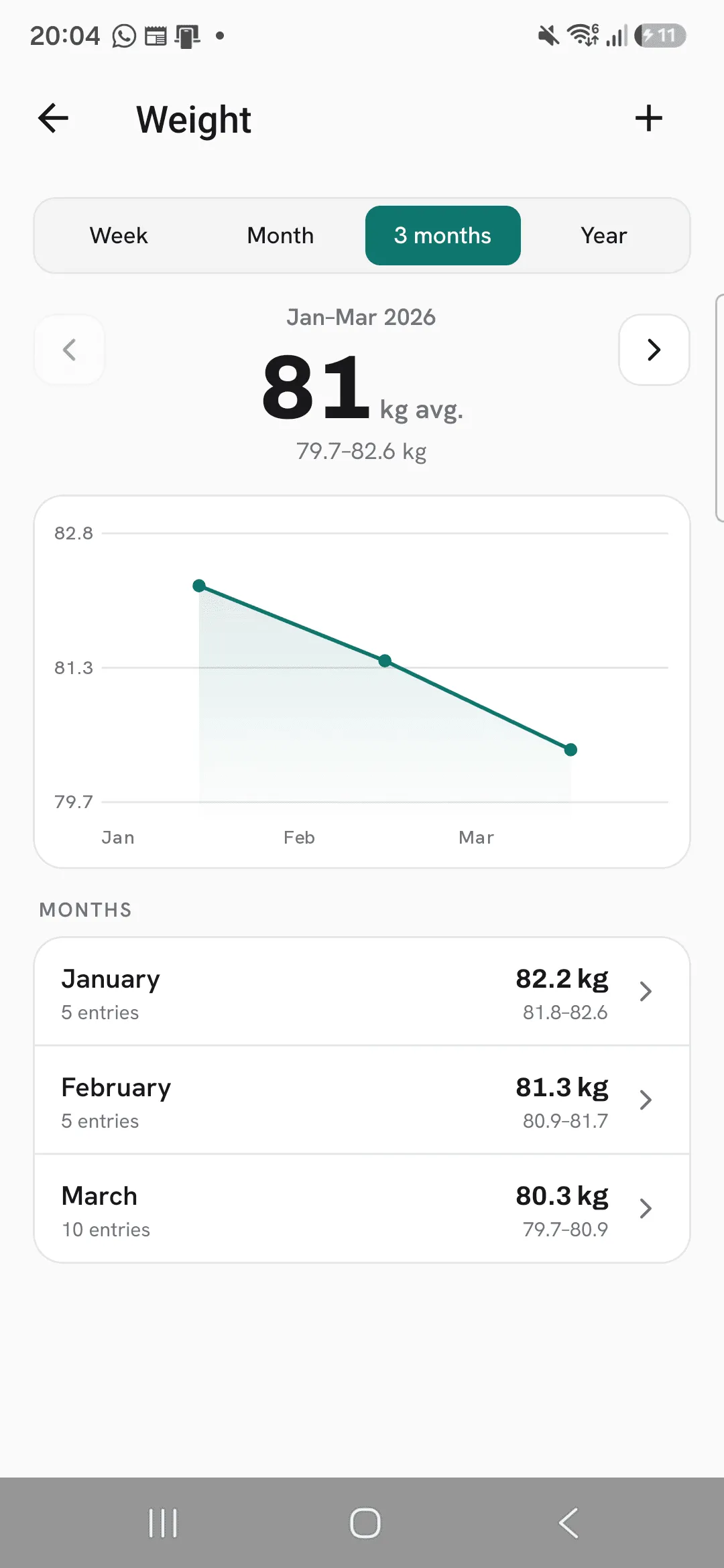
The Weight screen shows one period at a time: Week, Month, 3 months or Year. The big number is your average for the period. When the period has two or more weigh-ins, your lowest and highest weight show under it. Use the arrows to step back to earlier periods.
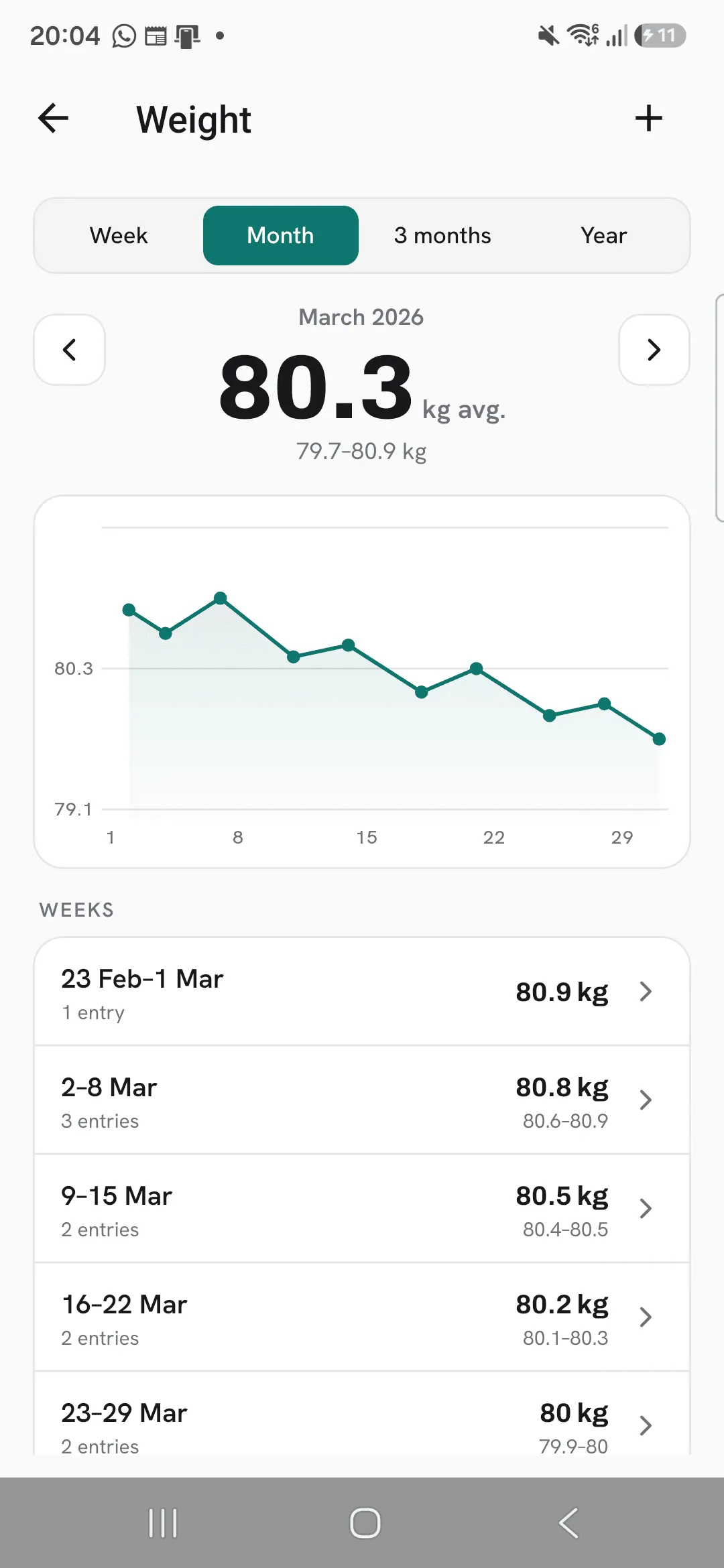
On a week or a month, the chart has a point for every weigh-in. On 3 months or a year, each point is a month’s average.
Go through your entries
The list under the chart breaks the period down: your entries on a week, the weeks of a month, the months of a longer period. Each week or month shows its average and range. Tap a week or month to zoom into it.
Fix or delete an entry
On Week, tap an entry in the list to open it. Change its weight and save, or tap Delete entry to remove it. The date of an entry you open can’t be changed.
Pick kilograms or pounds
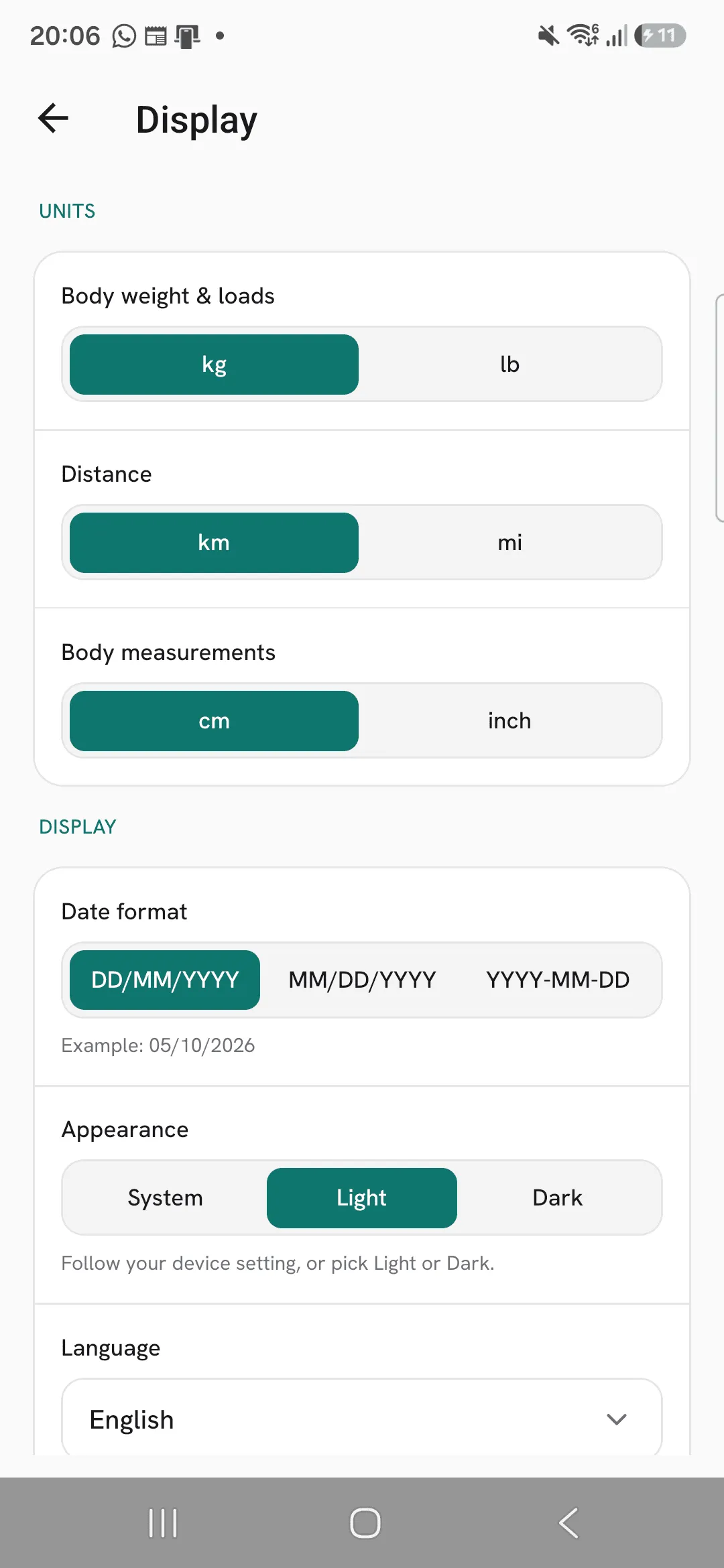
Your weight shows in kg or lb, following Body weight & loads under Profile, then Display.
Tips
- Weigh in at the same time of day, like first thing in the morning, so the numbers compare.
- Read the average for the week, not a single weigh-in. One day’s weight moves with water and food.
- Tap a week or month in the list under the chart to zoom into it.
Frequently asked questions
Can I log more than one weight a day?
No. There’s one entry per date, and saving again replaces it.
Can I use pounds?
Yes. Set Body weight & loads to lb under Profile, then Display. The same setting is used for the weights you lift.
Can I log a weight for an earlier day?
Yes. Change the date before you save. Dates in the future can’t be picked.
